Setta started by reading Python functions and classes: their argument names, defaults and type annotations. That description became JSON a frontend could turn into controls, so a model or optimizer did not need a hand-written form. A type registry let a project map its own Python types to useful controls. Later Python Canvas carried the idea forward, but the current library leaves Python inspection to the host application.
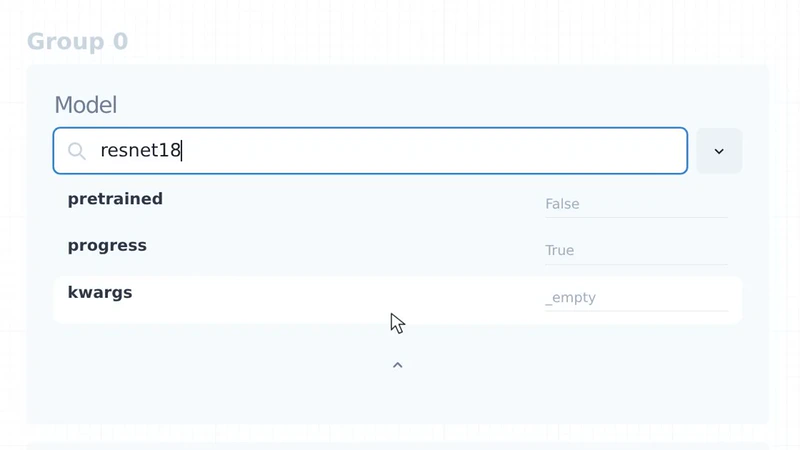
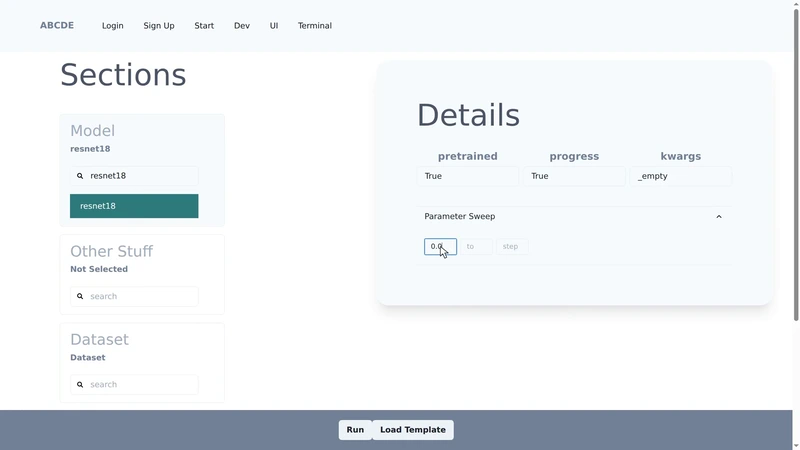
Choose resnet18 and its named arguments appear. Types, defaults and nested callables turn an ordinary Python API into an editable form.
A parameter could hold another callable, and lists and dictionaries could hold nested objects. Choosing a different callable swapped in its child controls, and values for the old choice were kept in case you switched back. References and factories let one configuration describe objects that would be built later, in the right order. This nested composition was the core of the early product.
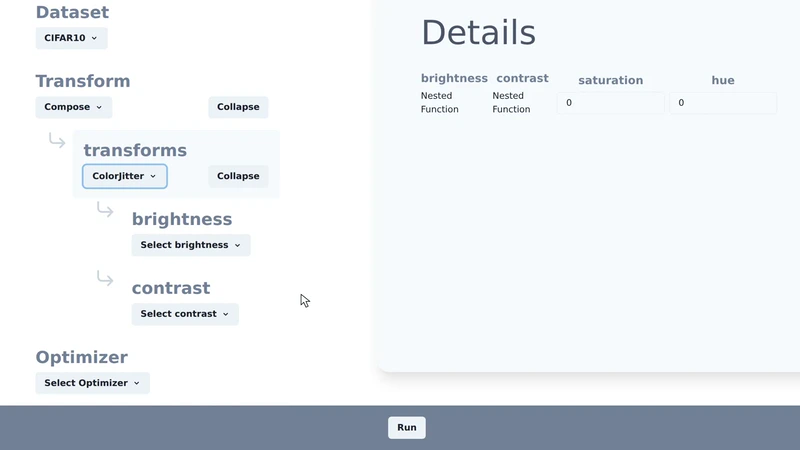
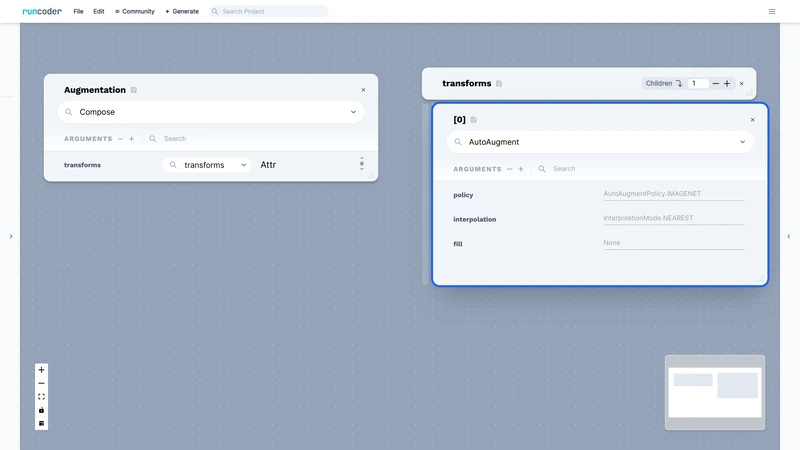
Compose a list of image transforms and edit the nested objects. References and deferred factories let one configuration describe objects that are created later, when the program runs.
A Run action collected the form's selections and generated Python that rebuilt the configured objects. In January 2021 that code was written to a temporary file and launched through Electron, with terminal output sent back to the interface. Later bridges used a browser-to-CLI WebSocket and, in 2022, a CLI command that downloaded and ran generated code. The September 2023 local application folded these bridges into one local Python backend.
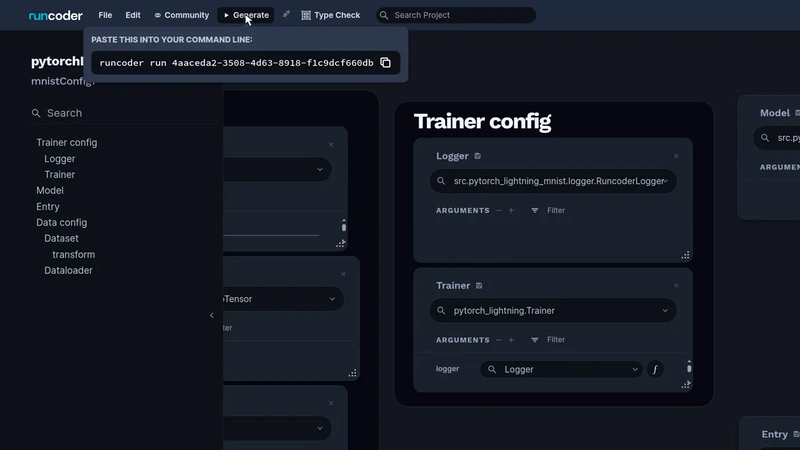
Generate the local run command for this project. The canvas describes the program; the local runtime is responsible for executing it.
In January 2021 you could save named sections and their selections, then load them as templates instead of rebuilding a form. Over the year, defaults, presentation settings, section order and entered values were all stored through the backend. A child section could become an interface of its own. Local-storage drafts protected unfinished browser sessions.
January 2022 separated shared control presets from a project's own overrides. From September, a Node backend saved projects, their canvas layout and named configurations that could be previewed and chosen. One project could keep several setups for the same program. In the current library, saving and choosing configurations is left to the host application.
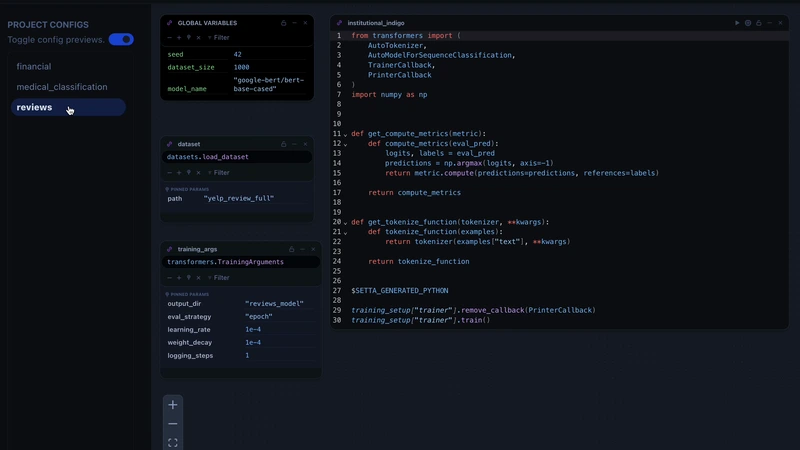
Project configurations arrived in 2022. This January 2025 interface previews saved setups: dataset, model, training arguments and code change together.
In mid-2022 a parameter could refer to another section's result instead of copying it. Later that year, dragging a nested parameter onto the canvas replaced it with a reference to the new independent section. Moving something visually kept the relationship in the generated program. References were part of the Python composition model, which is no longer built into the library.
Detach the nested transform list into its own section. The original input becomes a reference to the extracted configuration.
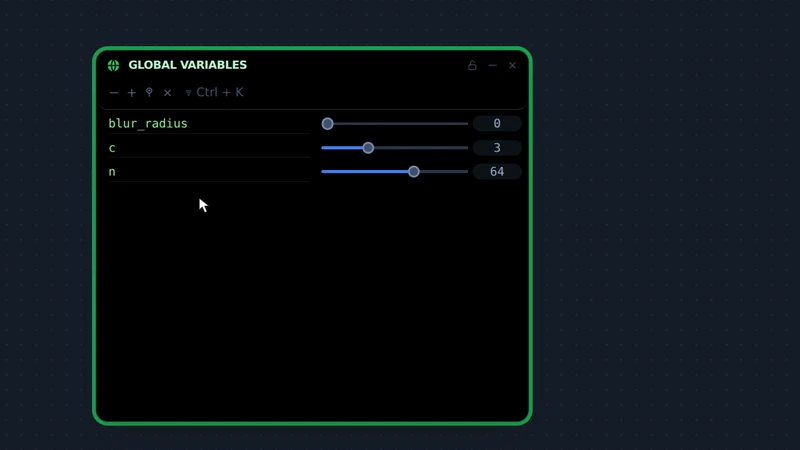
Global variables in 2023 let several sections share one value in generated code, and saved sections could be reused. Late 2023 made code references highlighted and Ctrl-click navigable, and copy and paste placed sections at a chosen spot. The library keeps section copy, paste and duplicate, and lets the host rewrite its own references.
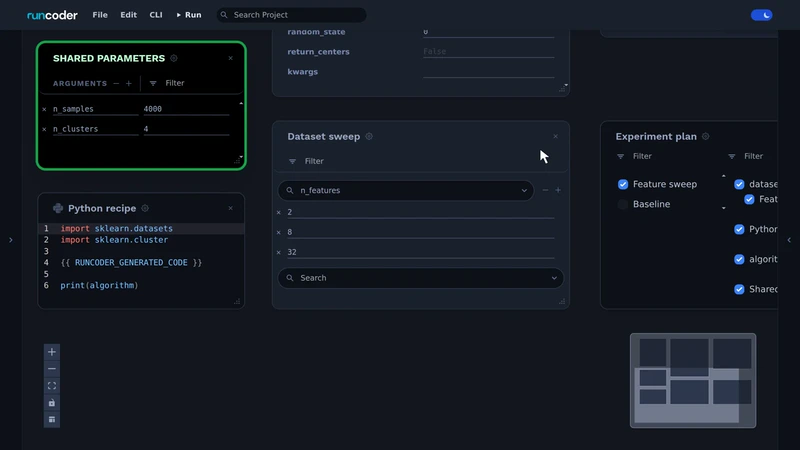
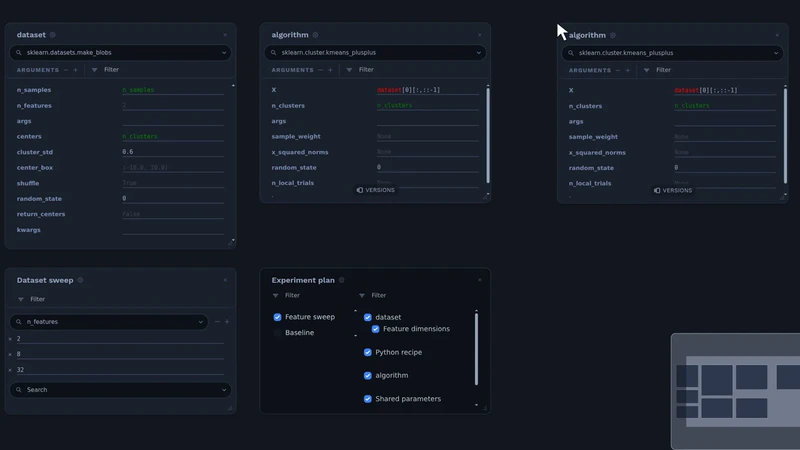
Click a reference to find its dataset, then jump to the shared n_clusters value. The workspace highlights the source instead of making you search the canvas.
Copy a section and paste it at the chosen point on the canvas. Nested configuration can move and be reused as a unit.
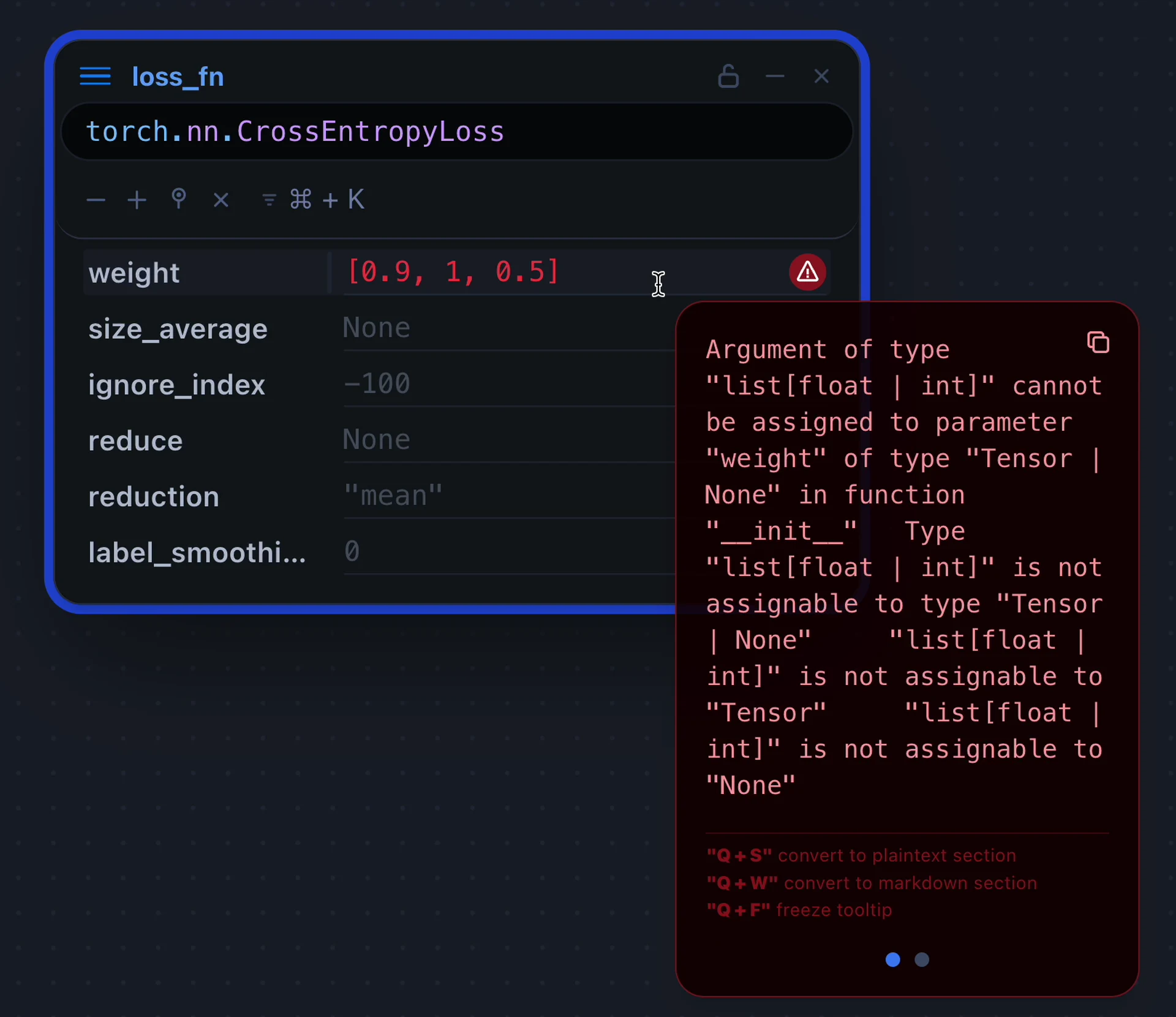
Autocomplete started connecting the editor to the local Python environment in September 2023 and became a working feature in April 2024. Parameter information, inferred imports and missing-argument warnings came with it. By mid-2024 a basedpyright language server supplied completions, signatures and diagnostics. The library keeps hooks for diagnostics and completion, but Python analysis now belongs to the host.
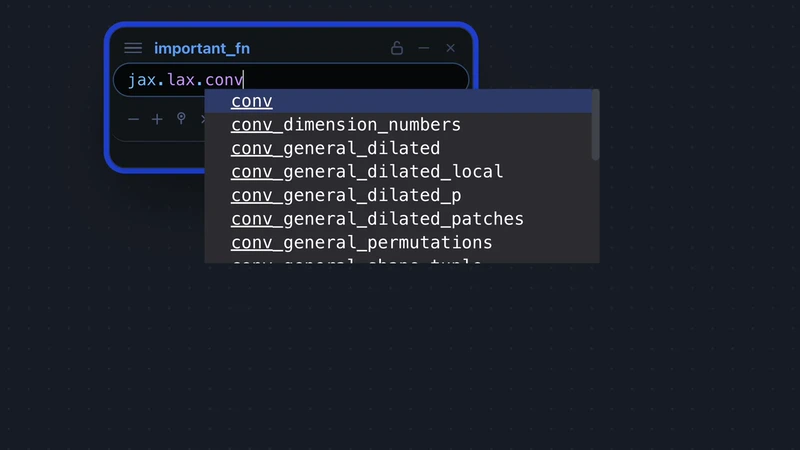
Type jax.lax.conv_tr, choose conv_transpose, and its arguments appear. Required arguments are marked ready to fill; the function has not been executed.
Python completions, signatures and type diagnostics help connect a callable to compatible arguments.
YAML returned in 2024 as an editable form that parsed back into the controls, and by November it covered sweeps and run groups. On September 21, 2024, a section could read its values from a JSON file and save edits back. Nested paths, file patterns and later YAML and TOML sources followed. File watching and conversion are no longer built into the library.
Change two values in YAML, then return to the sliders and see the same values. The text and visual forms edit one configuration.
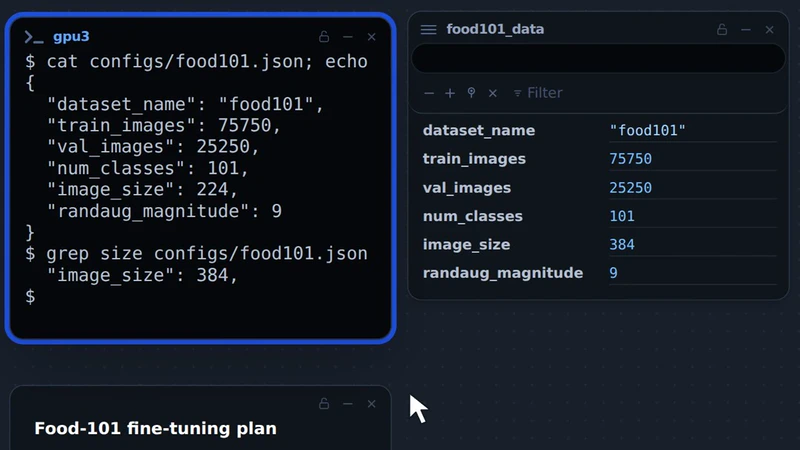
Change image_size in a JSON-backed section and save. The terminal reads the updated value from the actual file.
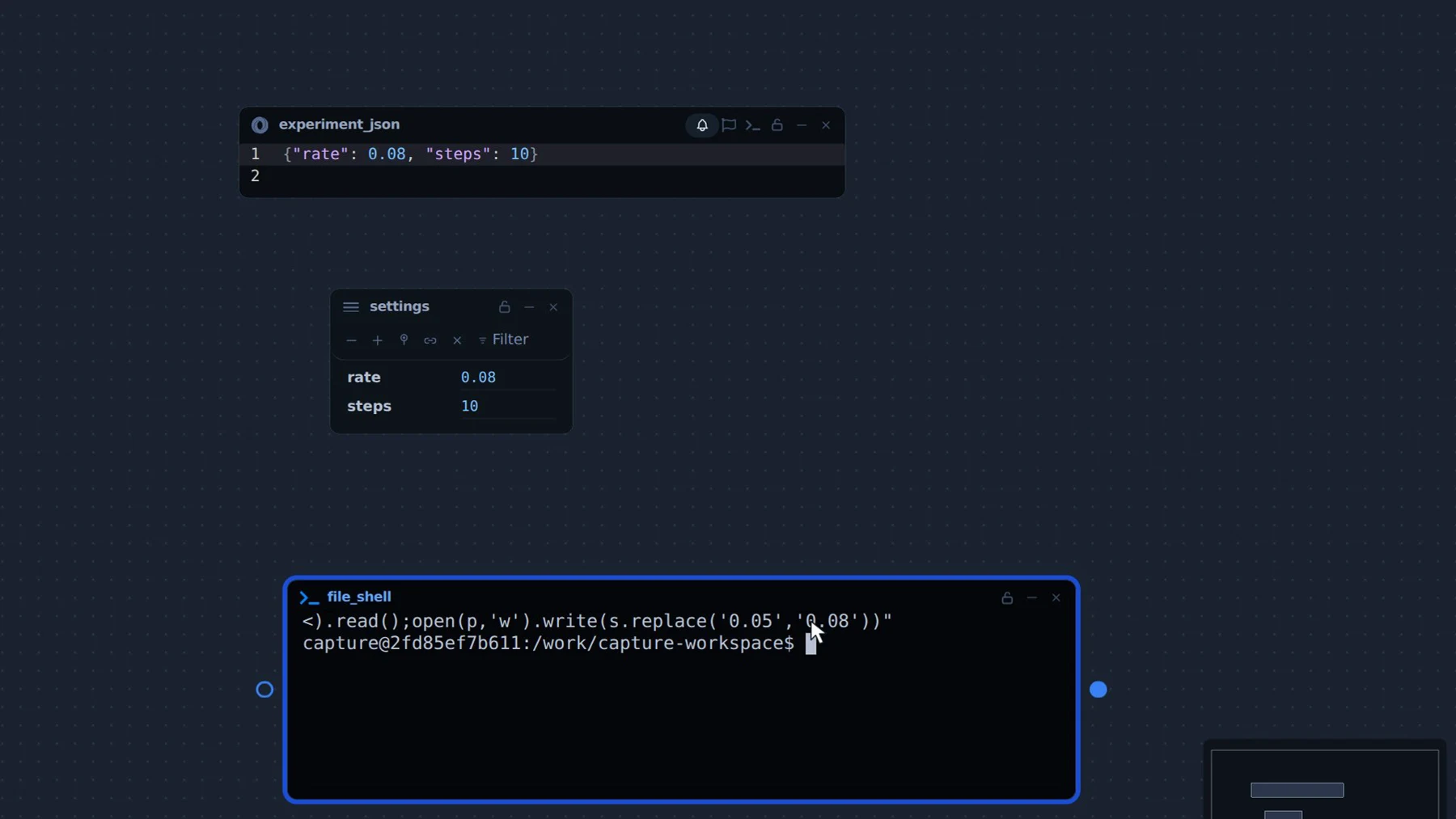
A change to experiment.json appears in its controls and file-bound editor. The binding’s path and read/write direction were configured in the right Code settings pane from October 2025; JSON-source choices had moved into variants that March.
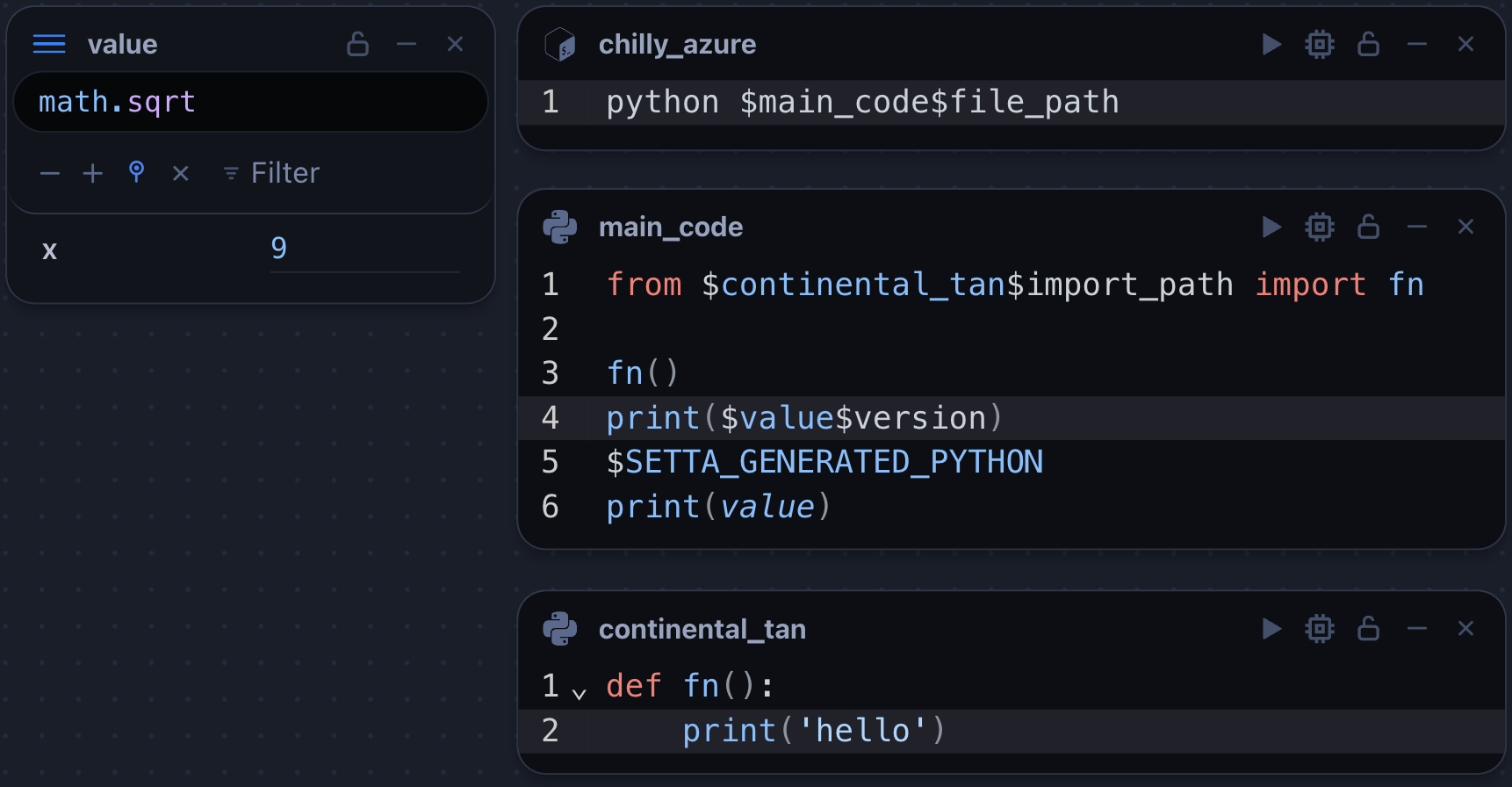
Template variables placed generated Python inside a larger authored program. From February 2025 a section could refer to another section's version, import path or file path. A Python section could import a function from another, and a Bash section could launch a generated file. Generated state modules later took over this role.
Early 2025: the Bash section launches the Python section below it. That script imports a function from another section and reads which version of the value section is selected. Code and configuration could be assembled together.
In March 2025 each section version could switch between Python and a JSON source and load its values. By November the Code settings chose a canonical file path and Read & Write, Read Only or Write Only mode. January 2026 added a validated JSON-path editor with rollback. These were historical file-binding tools.
A change to experiment.json appears in its controls and file-bound editor. The binding’s path and read/write direction were configured in the right Code settings pane from October 2025; JSON-source choices had moved into variants that March.
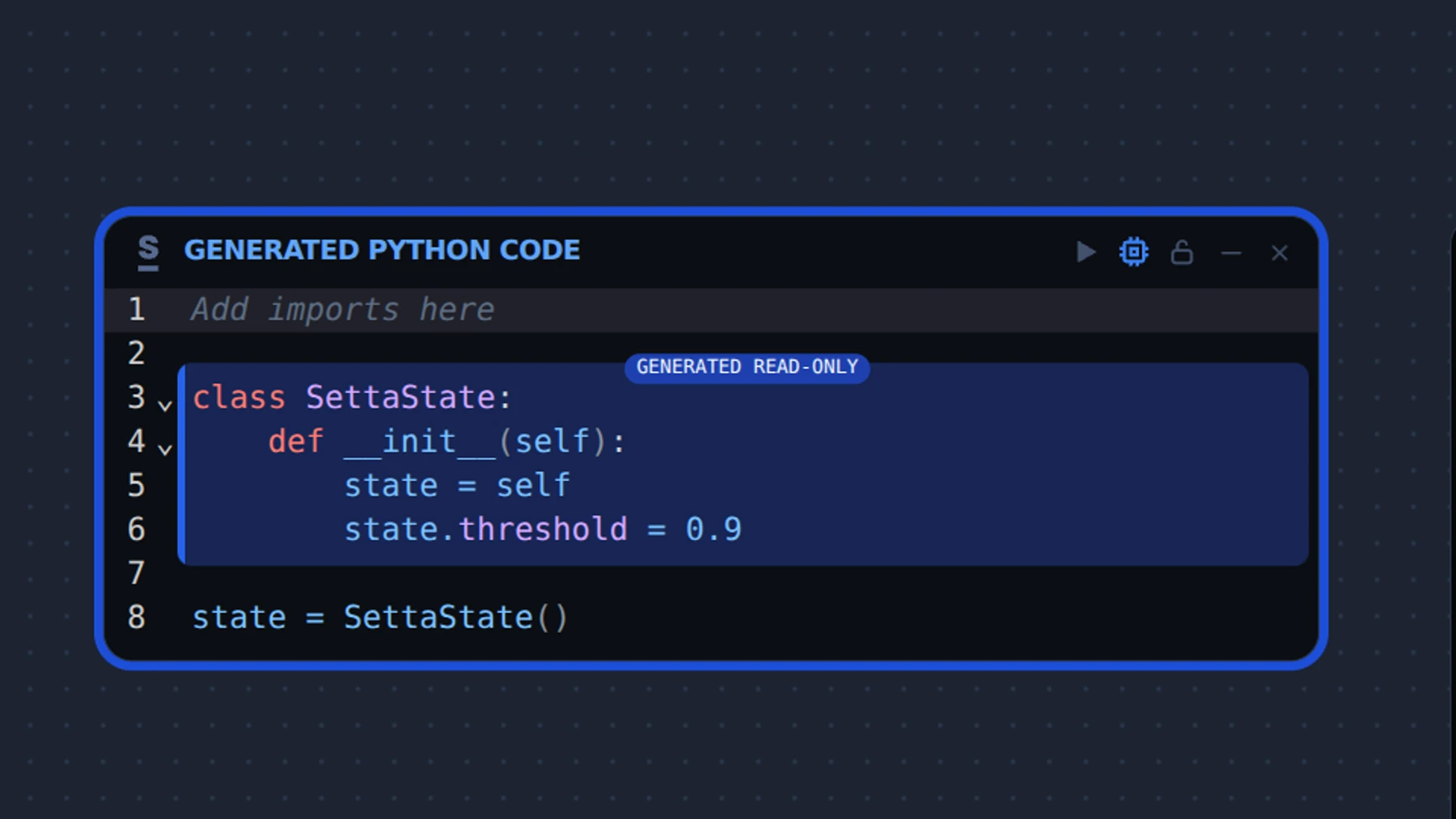
May 2025 introduced a generated state class so programs could read configured values as ordinary attributes. Prefix and suffix editors in the right pane let you write code around the generated part. In December 2025 that moved onto the canvas as one editor with a protected generated region. The library's Code section keeps protected generated ranges as a general feature.
In May 2025, authored prefix code lived in the right inspector; July added a suffix. December moved both into the canvas editor around a protected generated block. Authored code and generated Python could now be read together, with the generated body protected from direct edits.
From May 2025, Pydantic models generated the frontend's schemas, TypeScript types and defaults. Route signatures later generated endpoint calls, so a visual action and an assistant action agreed on the same identities. The March 2026 move to Go changed which side was authoritative. These contracts disappeared with the backends.
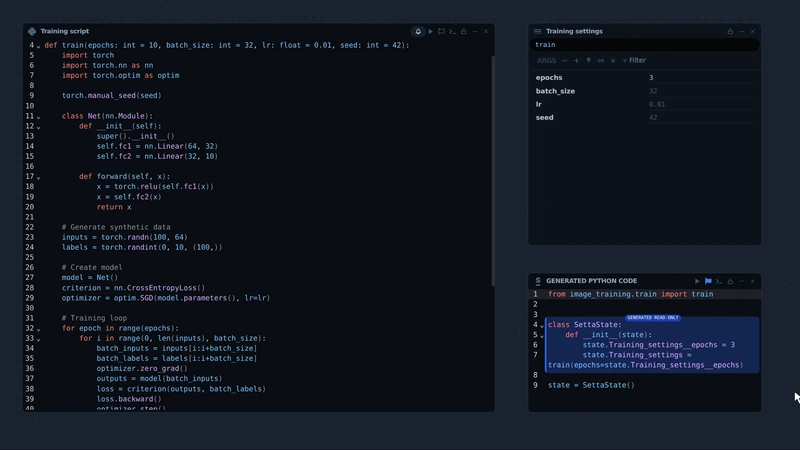
In late 2025 code and text sections were tied to real project files, saved back on edit and refreshed when changed elsewhere. January 2026 added a file explorer. Watch Code watched Python files and created or updated callable cards when functions and classes appeared or changed signature. It kept the visual model in step with code edited in another editor.
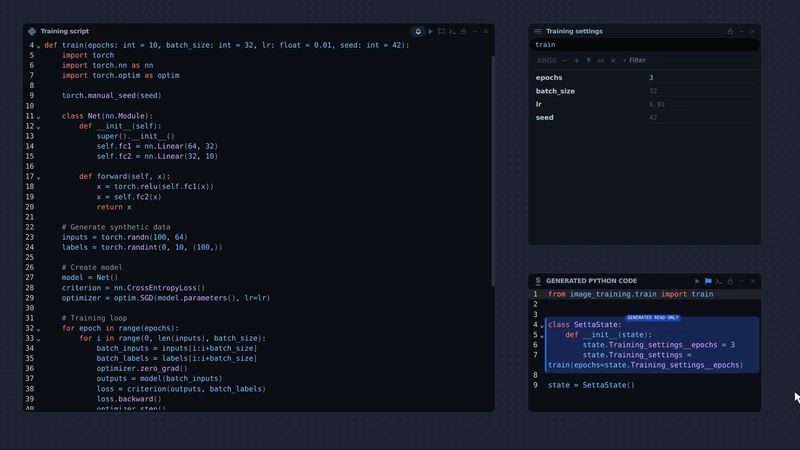
A typed train() function exposes epochs, batch size, learning rate and seed. Change epochs from 10 to 3 and its generated call updates beside the source.
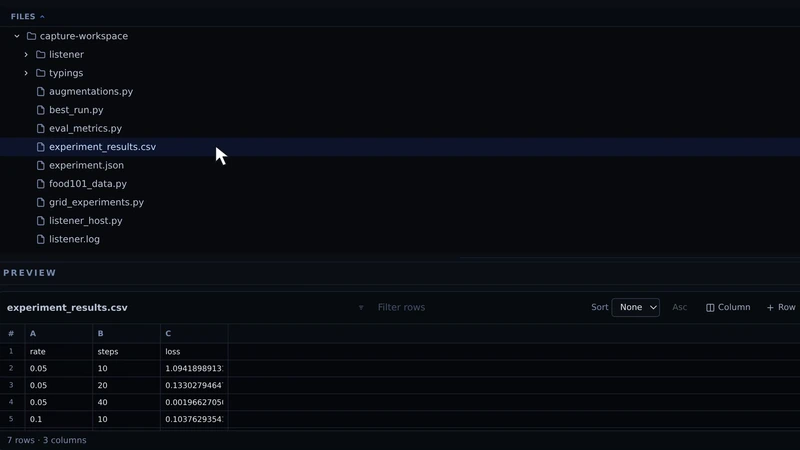
January 2026 brought a real file tree; February added spreadsheet authoring. Open Python source, then preview a results CSV here. The Files editor also supported cell changes, new rows and columns, and saving back to CSV or Excel files.
A change to experiment.json appears in its controls and file-bound editor. The binding’s path and read/write direction were configured in the right Code settings pane from October 2025; JSON-source choices had moved into variants that March.
In January 2026 generation policies chose which sections and controls were included and how values were written: expressions, strings, parsed JSON, file paths or file contents. Type defaults could be overridden per section or parameter. An optional metadata module described the project, its sections and the selected variants. Runtime code could read that metadata beside the generated values.
In March 2026 a Go backend took over state, routes and execution coordination. Python stayed for generated programs, listeners, the SDK and plugin workers. Python support was not removed at that point. The Python runtime left on October 18, 2026 and the Go backend on November 1, leaving a browser-only library.
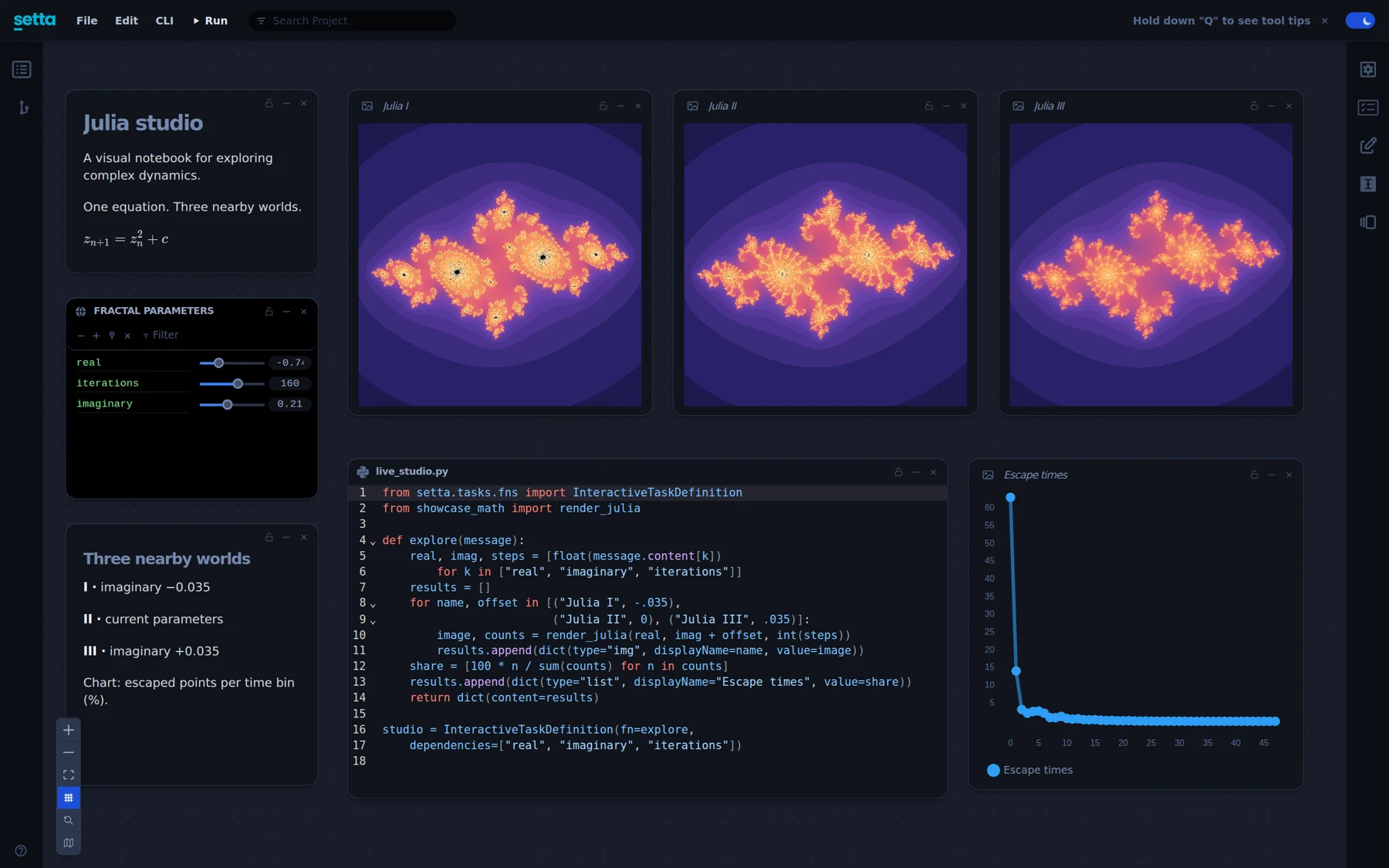
On December 24, 2023 an interactive Python proof of concept connected changing controls to a user function. A control change could produce a new result without launching a separate script by hand. Interactive line charts followed in January 2024. By early 2025 inputs and outputs were named values passed to user code, with results streaming back to the canvas. The Julia studio shows the loop: three neighboring constants, three fractals and an escape-time chart, all recomputed by Python callbacks.
Three neighboring complex constants produce three Julia sets. Python callbacks connect the controls to images and an escape-time chart; mathematical notes explain the experiment.
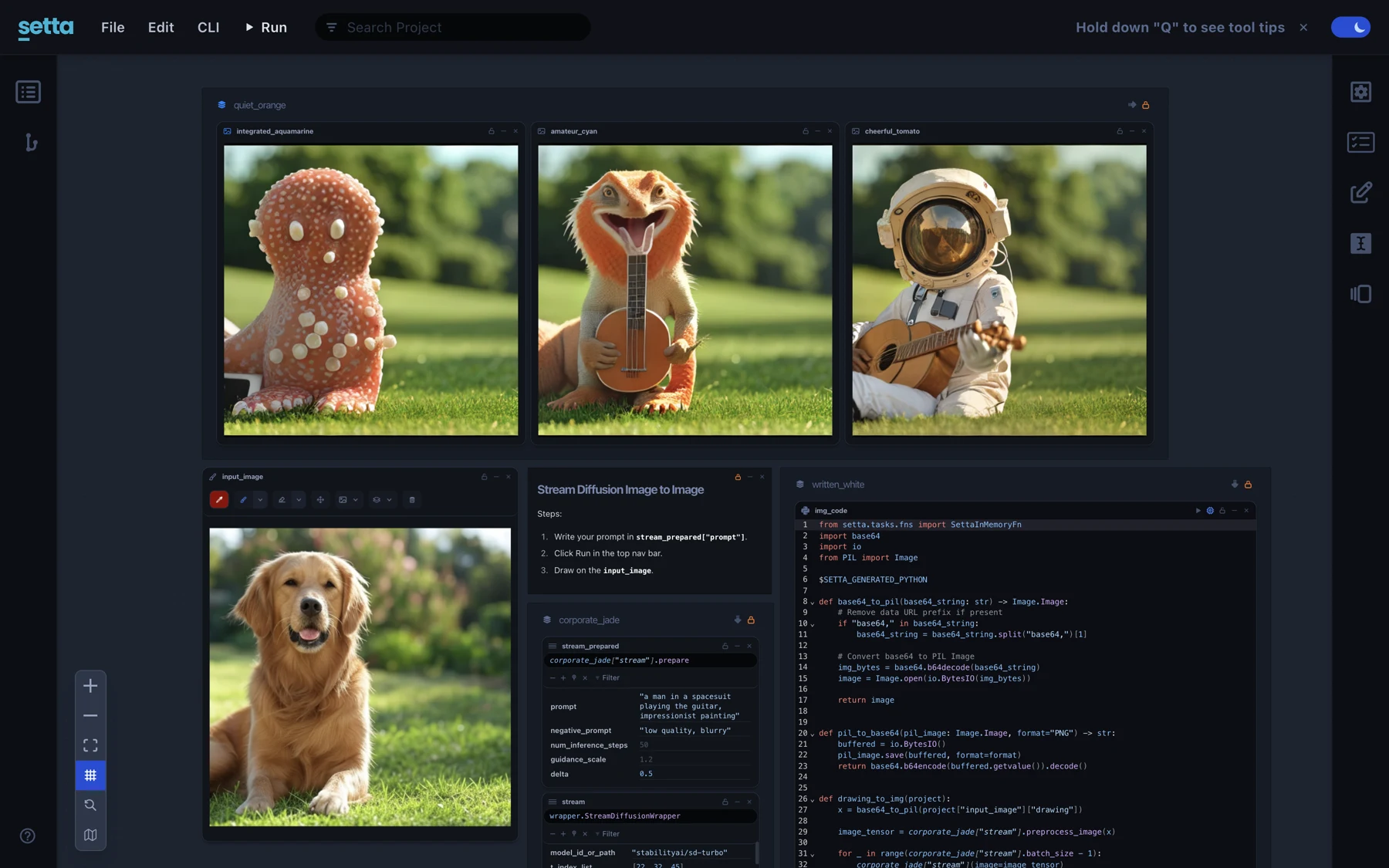
In August 2024 images and chart data became artifacts that could be saved, loaded into sections and updated by running code. Drawing sections let you sketch with brushes, opacity and a background image and send the drawing to a dependent task. That made image-to-image programs possible, where changing the sketch changed the result. Domain image engines were always the program's own code.
Three neighboring complex constants produce three Julia sets. Python callbacks connect the controls to images and an escape-time chart; mathematical notes explain the experiment.
Stream Diffusion connected drawing input, model settings and generated variations. The workspace could send drawings to Python and display the resulting artifacts.
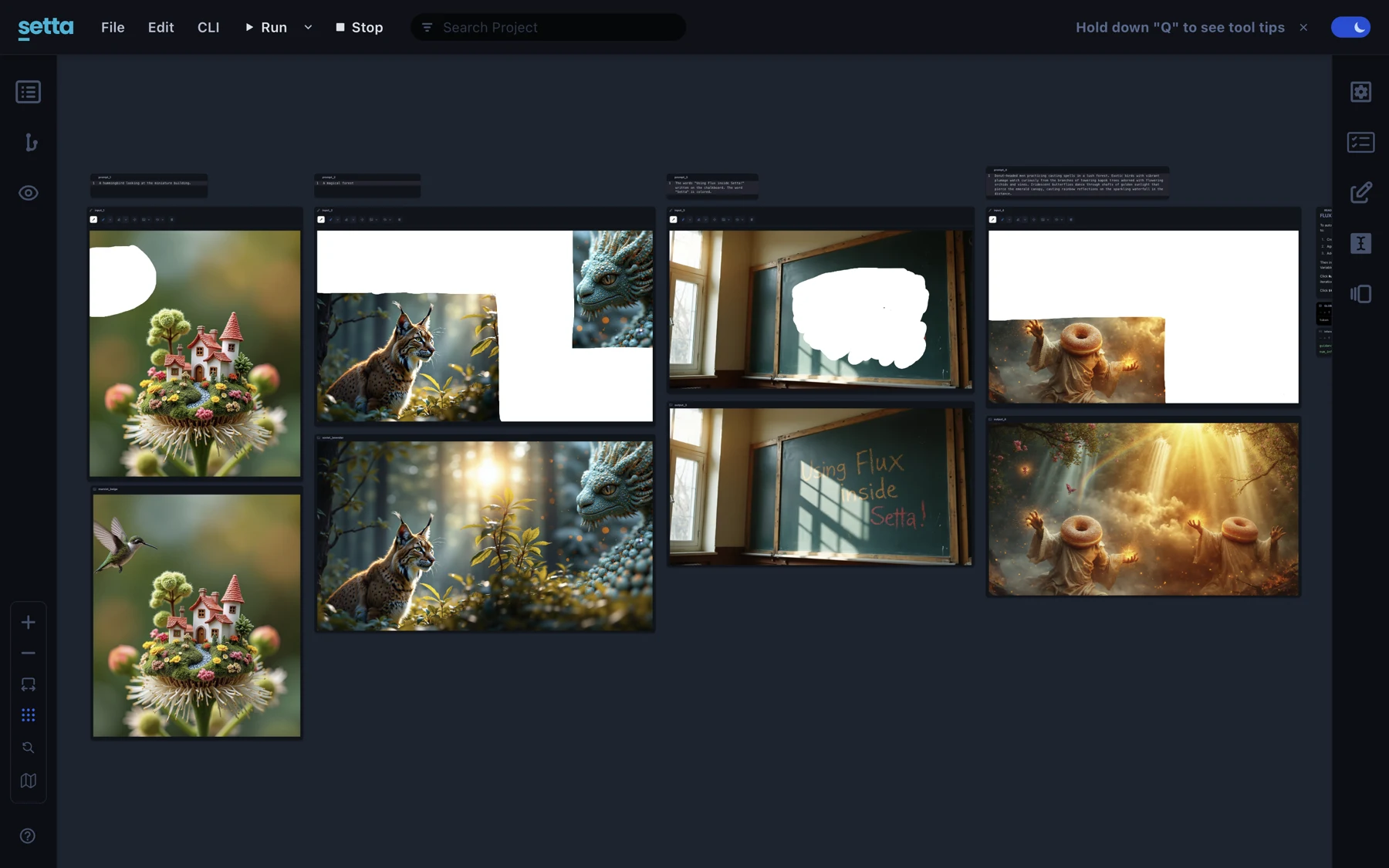
Paint an inpainting mask, then keep the prompt, model settings and edited image together. Layers, erasing, opacity and transforms made the drawing a useful program input.
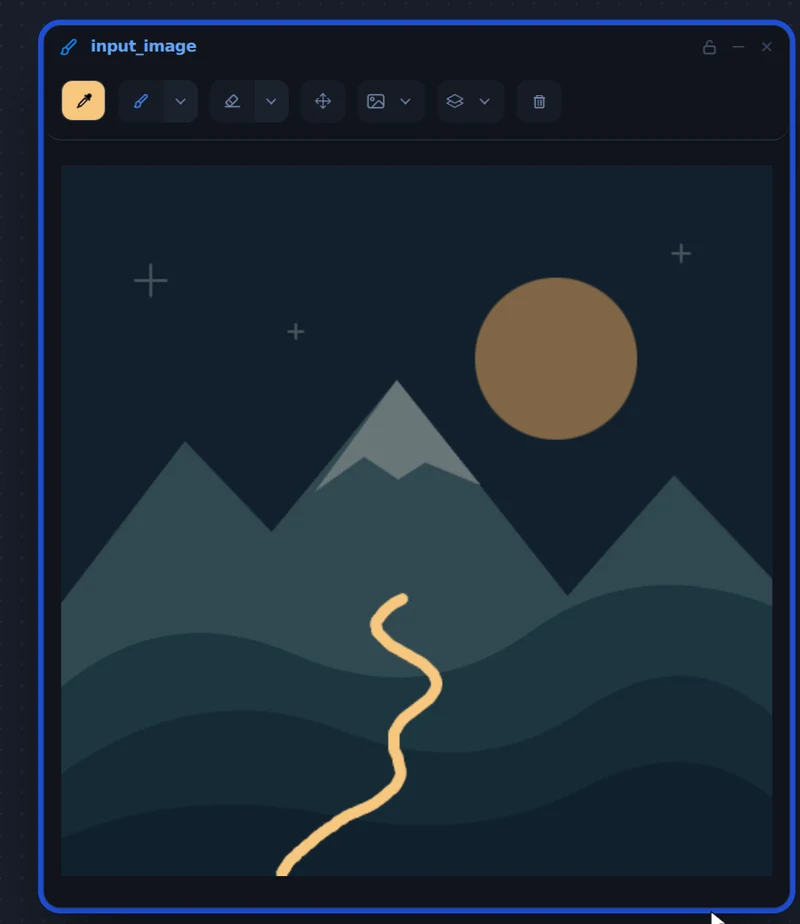
Setta built its own Canvas 2D drawing section rather than using a library. December 2024 added layers that could be reordered, hidden and faded, each holding images and brush strokes. Images gained resize and transform handles, and drawing history arrived in early 2025. The library keeps only a lighter normalized-stroke surface for annotations.
Draw a path on its own layer, then hide and restore it. The imported landscape stays intact.
SettaListener: programs that subscribe to the controls
Later removed
In March 2025 SettaListener turned live interaction into a Python API. A long-running program subscribed to the interface changes it cared about, registered callbacks and sent images or charts back to the canvas. It no longer had to rebuild a whole script for every slider movement. Later in 2025 it gained an initial snapshot, incremental dependency updates, callback scheduling and dependencies that chose live values or saved values. The Python runtime was removed in October 2026.
November 2025 added hot reload for listener code. watchfiles noticed a saved edit, the callbacks were rebuilt under a lock, the connection stayed open and the latest project snapshot was replayed. A failed rebuild put the old callbacks back. Each reload re-ran the module that defined the callbacks, so an expensive model survived only if it was created in another module or a cache. The recording is a March 2026 view of the mechanism.
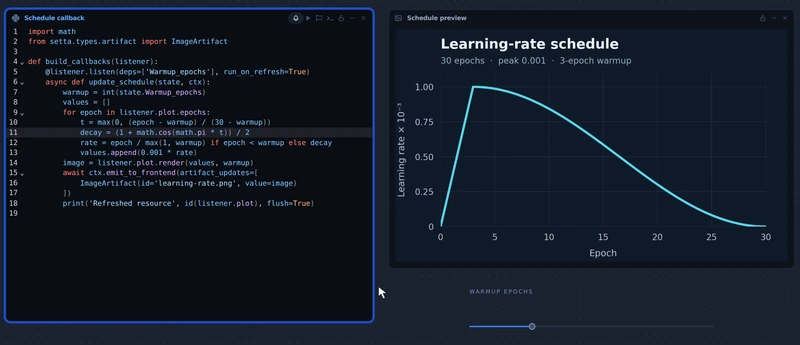
Save the edited callback: the learning-rate plot changes from a straight decay to a cosine curve while the same program keeps running.
Buttons arrived in December 2025 as events: a press could trigger an action without pretending to be a stored value. Dropzones followed in January 2026 and could accept files under type and size rules, either keeping them or emitting a one-time event. Upload and server-picker services belonged to the application. The library still offers Button and Dropzone controls whose actions the host defines.
Realtime connected controls and drawings to Python handlers on September 6–12, 2026. It scheduled one-shot, latest-input and parallel work, fanned one input into branches and joined results from the same input. Older results could not replace newer ones, and the last good output stayed visible. It was removed with the Python runtime in October.
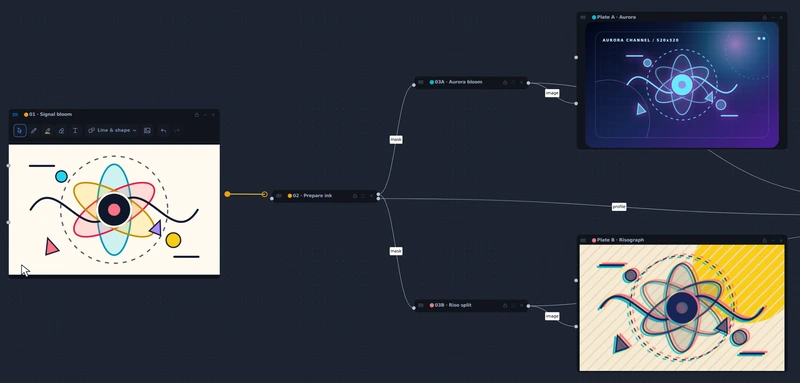
Move the purple triangle. Aurora and Risograph each render the change from the same drawing.
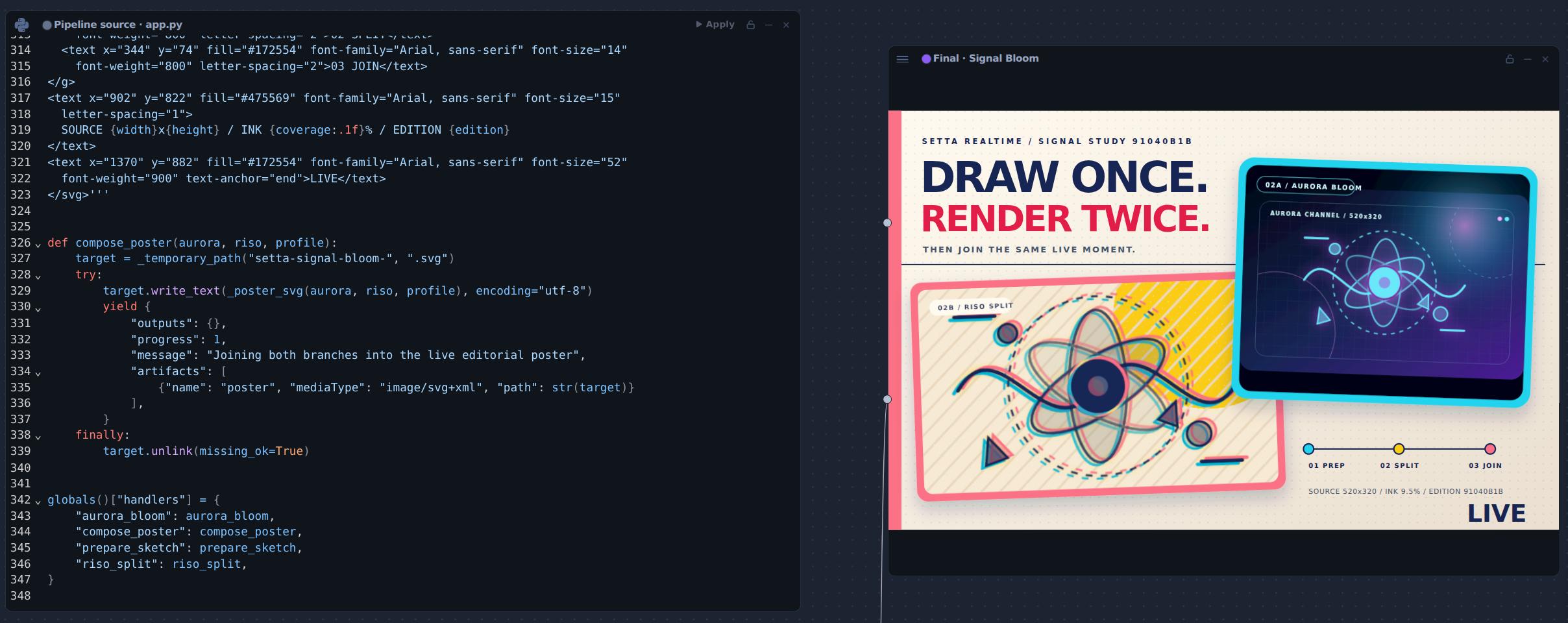
Realtime's Fabric-based editor had pens, shapes, text, images, layers, alignment and locking. Runtime code beside it could be edited and reloaded into the running app. The Signal Bloom Press example sent one drawing down separate treatments and joined them into a poster. The library kept only a lighter stroke primitive.
Move the purple triangle. Aurora and Risograph each render the change from the same drawing.
The Python composition recipe and its finished poster share the workspace. The running pipeline also supported applying source edits.
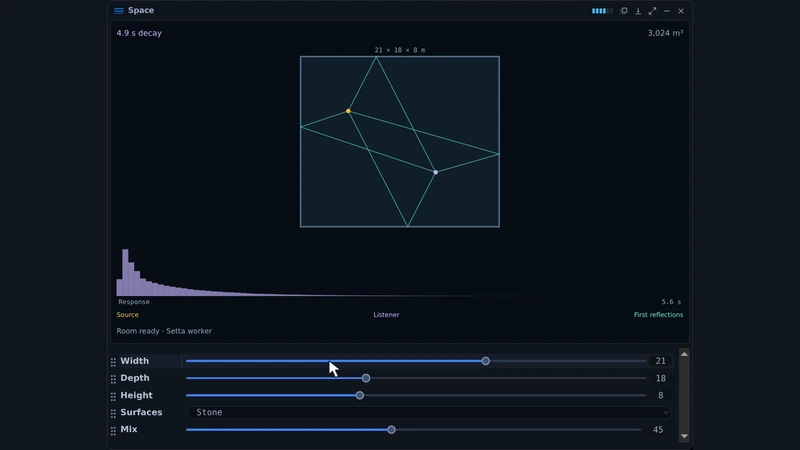
On October 11, 2026, the package gained a separate entry point for running computation in a Web Worker. A pipeline declares stages and dependencies and is validated before it runs. Only the newest pending input is kept, so a slow old result cannot overwrite a newer request. The host still supplies the worker, the stage code and the rendering.
Change the instrument’s room width and inspect the recomputed geometry and impulse response. Browser workers handle the calculations while the controls stay responsive.
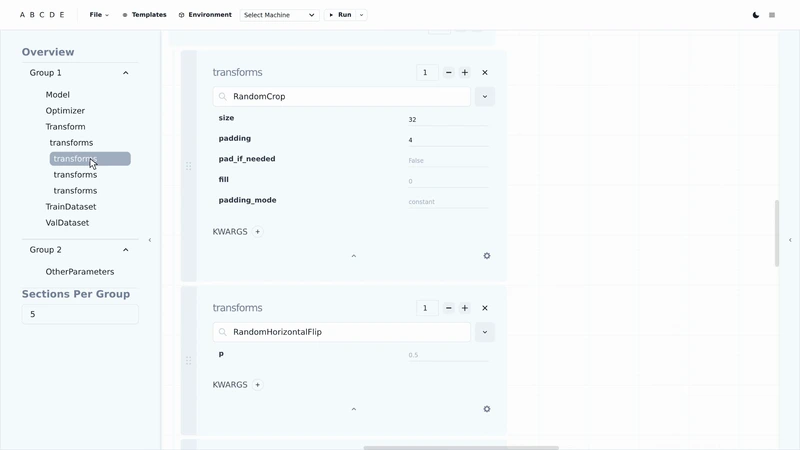
In February 2021 the structured form gained panning and zooming, plus resizable panes and editor tabs. An Overview pane listed nested sections and could move the view to any of them at a sensible scale. Sections still sat in fixed columns; free placement came a year later. The library's Outline is the descendant of this pane, with real disclosure and keyboard navigation.
Select transforms in Overview and the workspace pans to the nested RandomCrop controls. The object tree makes deeply nested configuration easier to find.
Moving things around a zoomable canvas needed its own engineering. Setta first wrapped a pan/zoom library around the form, then from 2022 used React Flow with a customised dnd-kit for nested drag and drop. Pointer movement had to be converted from screen pixels to canvas units, and drop targets needed hysteresis so placeholders did not cause flicker. The same drag model ships in today's library.
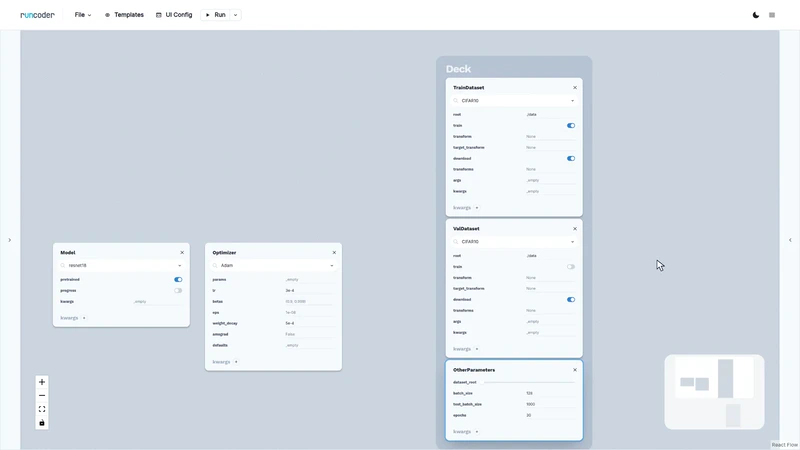
Select the training and validation inputs and create a deck. Groups and decks let related parts of the program travel together.
Detach the nested transform list into its own section. The original input becomes a reference to the extracted configuration.
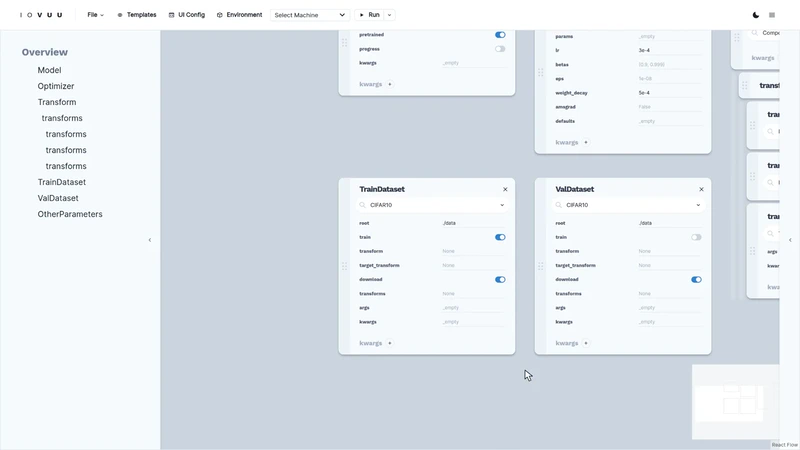
Jump between distant sections from the Overview, then pan and zoom around the canvas. A minimap keeps the wider workspace in view.
On February 26, 2022, sections became freely positioned cards on a React Flow canvas. A minimap followed in May, and decks in June let you collect several sections into one container. September added explicit Group sections. Free placement, groups and the minimap are still core features of the library.
Jump between distant sections from the Overview, then pan and zoom around the canvas. A minimap keeps the wider workspace in view.
Select the training and validation inputs and create a deck. Groups and decks let related parts of the program travel together.
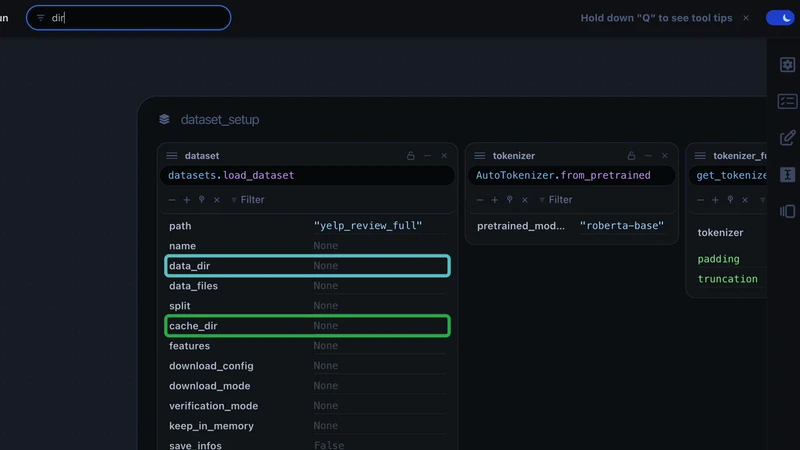
Project-level search and parameter filtering arrived in early 2023. From April, undo and redo covered real project edits: values, arguments, creating and deleting sections, grouping, renaming, moving and resizing. That made spatial experiments cheap to reverse. The library keeps global Find and an opt-in structural history, which is narrower and leaves value changes to the host.
Search for dir, then jump directly to matching cache_dir and data_dir arguments. The matching controls are highlighted in the full project.
Delete DatasetSweep, then use Undo to restore it with its configuration. The restored section stays visible before the example starts again.
February 2023 let authors save a description for each parameter and a Markdown description for each section. Hovering a parameter showed its explanation in a Quick Help pane on the left. A Runtime tab appeared in March but was never wired up. Parameter help survives in the library as host-supplied help text and the hold-Q quick-info box.
Markdown sections and descriptions turned the canvas into a place to explain a program. In late 2024, docstrings could be read in a tooltip and saved as a canvas note, and LaTeX math rendered in November. The library ships an opt-in Text section with GitHub-flavored Markdown. Built-in LaTeX rendering was removed in November 2026.
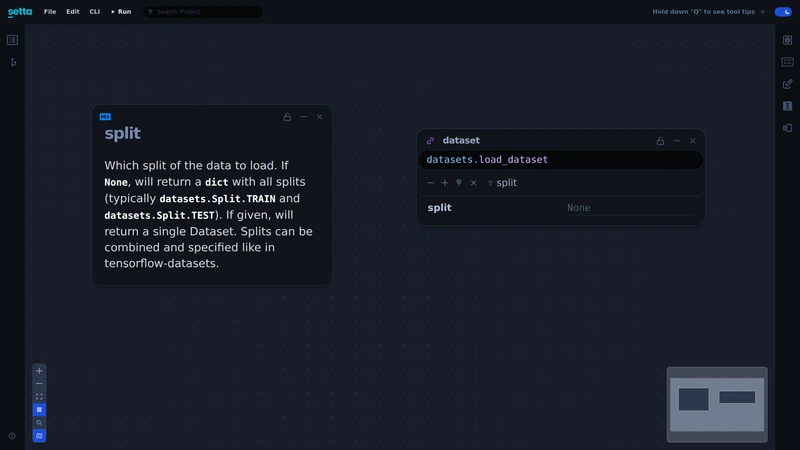
Hold Q over split to read its help. Press Q+W to turn that documentation into a persistent note, then place it beside the field.
In 2024 autosave covered ordinary edits as well as undo and redo. Grid snapping became configurable and keyboard shortcuts could be customised. Parameters could be moved and nested with the keyboard. The library keeps rebindable keyboard commands, while saving is the host's job.
Sections could keep alternate saved versions from late 2023, previewed from the card header. On August 17, 2024 they moved into a right-hand Section Variants pane; adding, renaming and deleting variants there was completed in December. In 2025 the parameter inspector could pick a shared control implementation or make an instance-specific one. Saved configurations are now the host's responsibility.
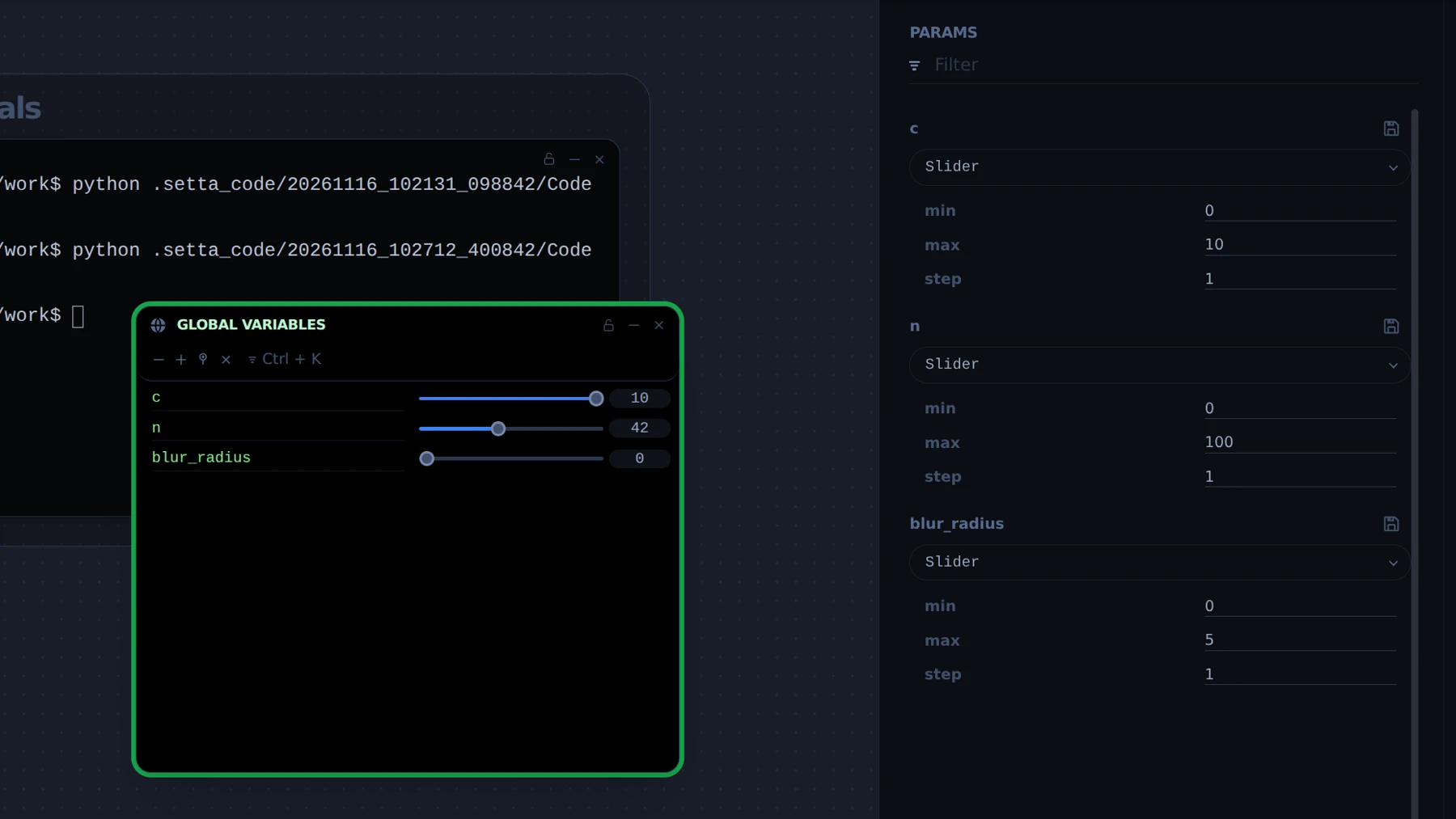
By late 2024, the Parameters pane paired widget choices with range and step settings. Here its configured fields sit beside the resulting sliders. A separate Quick Info editor authored parameter descriptions.
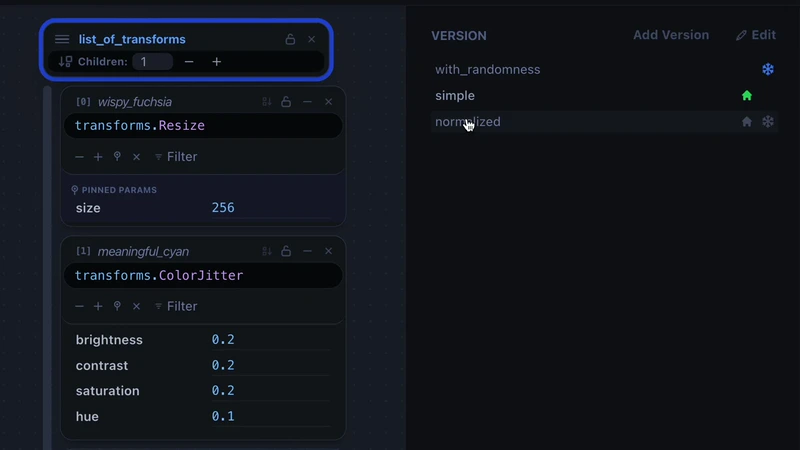
Versions began in a card-header menu in 2023. In August 2024 they moved into the right inspector. This January 2025 example previews different transform pipelines; defaults and frozen alternatives sit beside the list.
Automatic database backups arrived on September 15, 2024, with configurable frequency and retention. In February 2026 they were on by default, at five-minute intervals with ten kept. A CLI could restore a backup, first stashing the current project under a separate name so you could return to it. This was separate from autosave and undo.
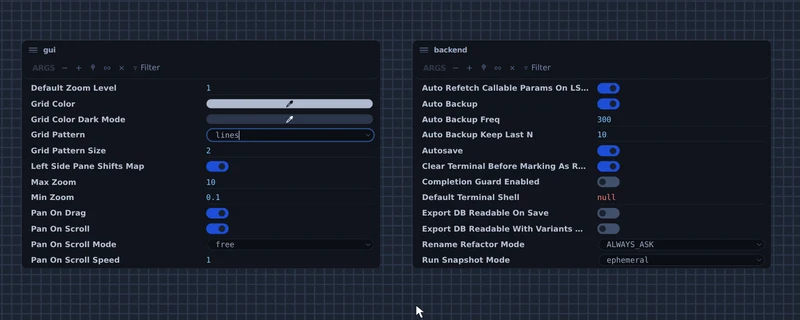
On September 21, 2024, Setta's settings screen became a Setta project. Its controls were backed by setta-settings.json, the same mechanism as any other JSON-backed section. From October, saving it wrote the file and reloaded the app's preferences. By 2026, smaller settings sections and autosave made those changes immediate. It applied Setta's central idea to Setta itself.
Setta's settings use the same workspace and controls as any other project. Change the grid pattern and autosave applies it immediately.
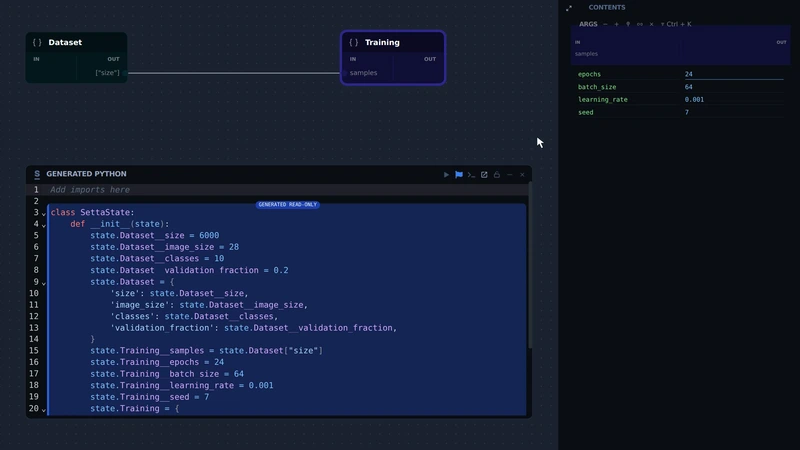
In January 2026 you could choose which parameters appeared as input ports and define output accessors. On May 30 a layout experiment shrank Callable and Dict sections to compact nodes with data ports. Selecting one opened its full form in a Contents tab on the right. That presentation was a dated experiment and did not carry into the August library.
Switch between Dataset and Training, then change the training duration from 12 to 24 epochs. The form and generated Python update while the connected nodes stay visible.
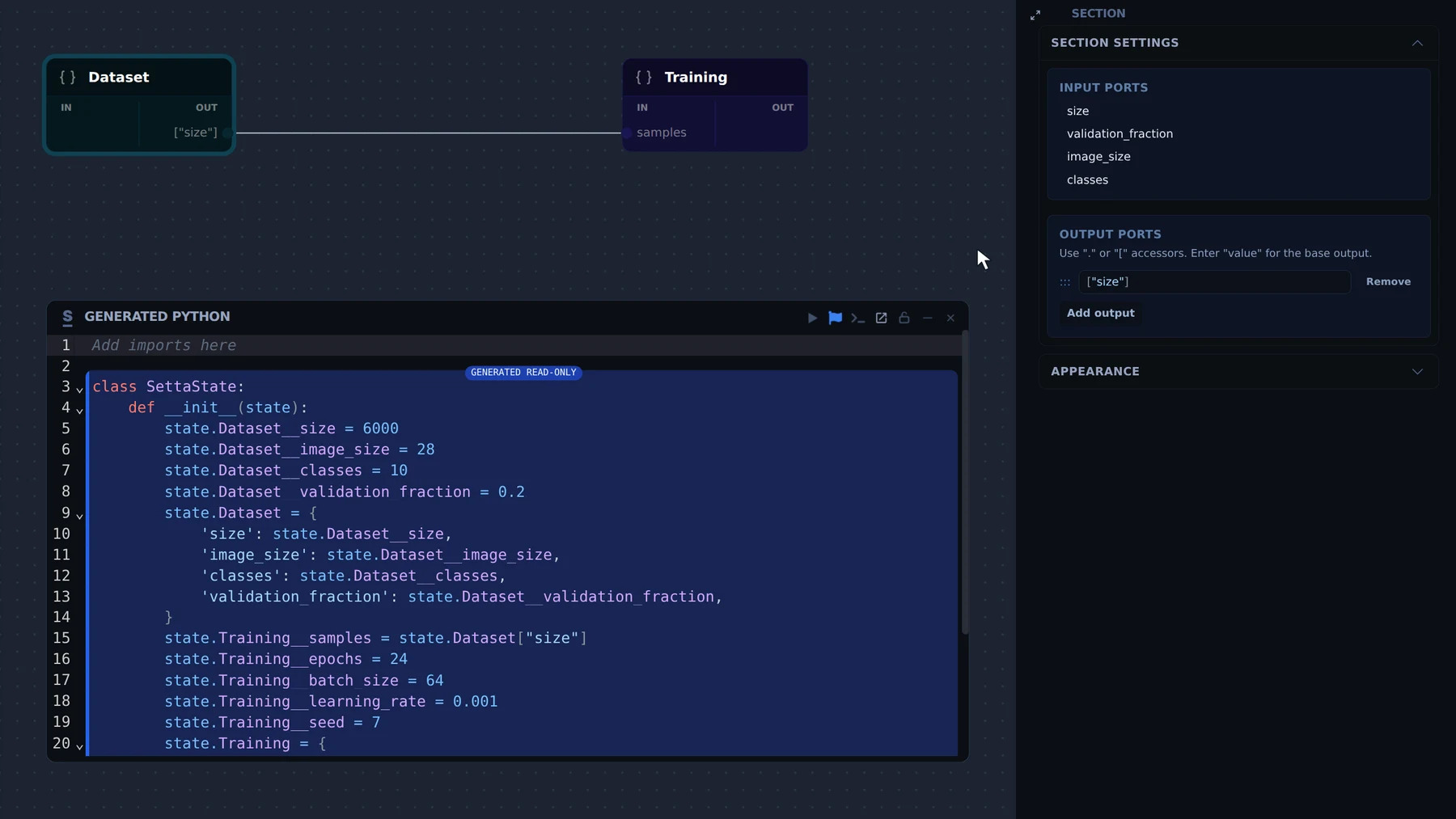
Port authoring had arrived in January 2026: choose input parameters and expose outputs with Python accessors. Here, Dataset’s size supplies Training’s sample count. The inspector defines the ports; the canvas shows their relationship.
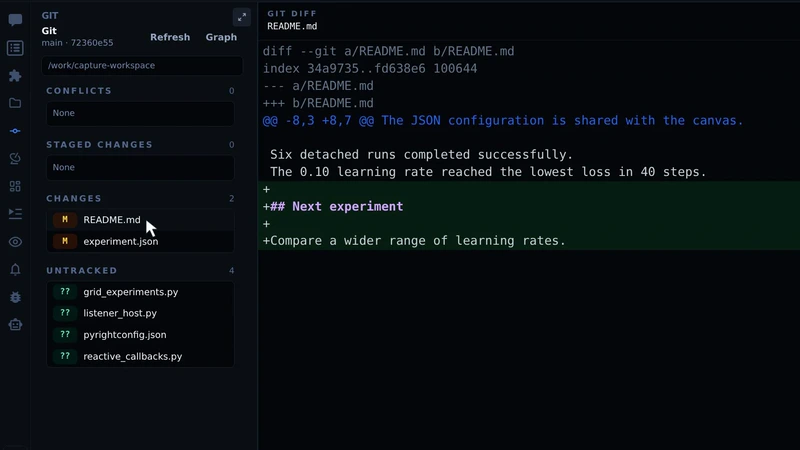
In February 2026 the workbench could connect to a remote machine over SSH, with workspace switching and tunnels. A Git surface showed status, diffs, history and a graph view, and March added worktree inspection. These were inspection tools; they did not claim every Git action. Both belonged to the historical backend.
Select a changed file and inspect the exact additions beside the repository’s status. Here, the README gains a plan for the next experiment.
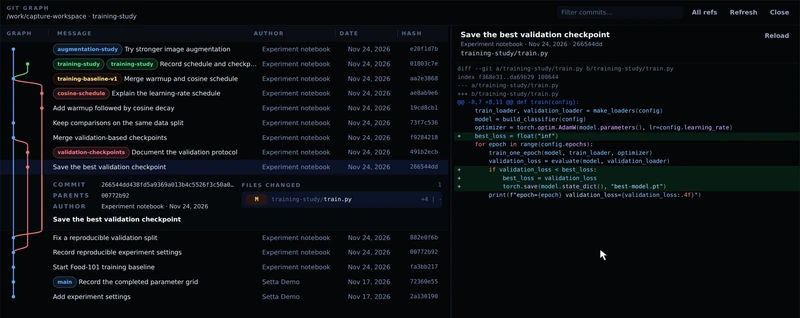
Follow branches and merges, then select the checkpoint commit to inspect its changed Python file. The graph and exact diff stay side by side.
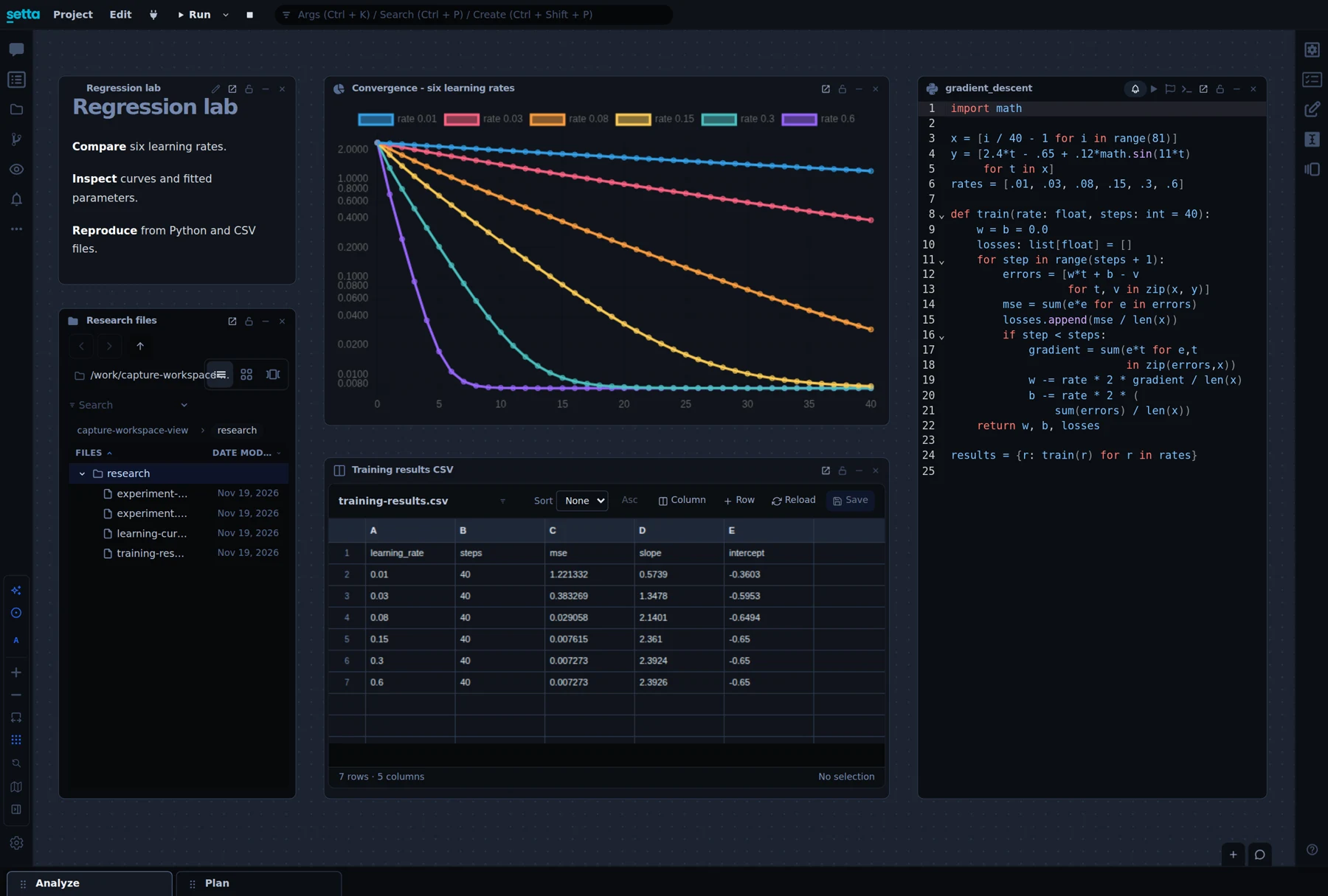
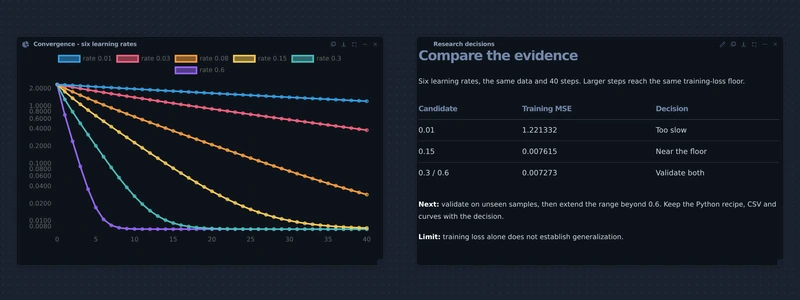
Six convergence curves sit beside their CSV, Python and files. A logarithmic loss axis makes their shared floor visible.
February 2026 made extension points explicit: plugins could add sections, panes, settings, backend routes and code-generation behavior. A CLI installed and discovered them with trust boundaries. During the spring, first-party features such as Watch Code, App mode and the Python language server moved behind the same plugin model. The plugin system ended with the workbench.
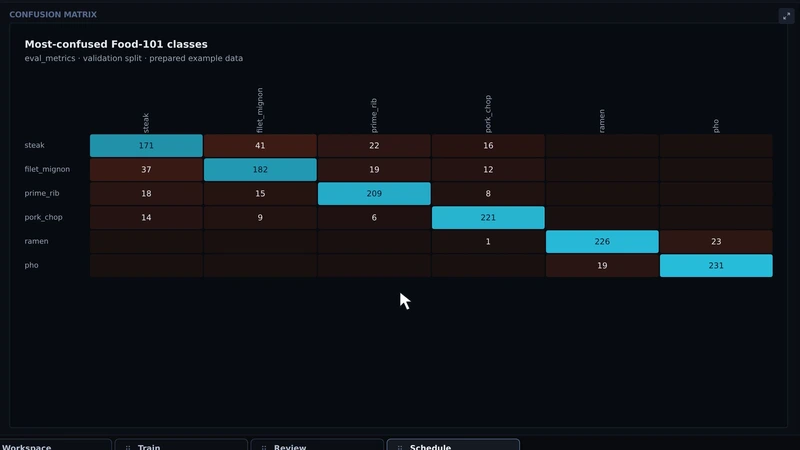
From February 2026, extensions could add tools to the left rail. Install a plugin and open its confusion-matrix pane. Plugins could also contribute sections, settings, commands and backend capabilities.
On February 14, 2026, the Files pane could open CSV, TSV, XLS and XLSX files. You could edit cells, add rows and columns and save, with a check for changes made elsewhere. A separate Spreadsheet section on the canvas offered sorting and filtering. Both left with the workbench.
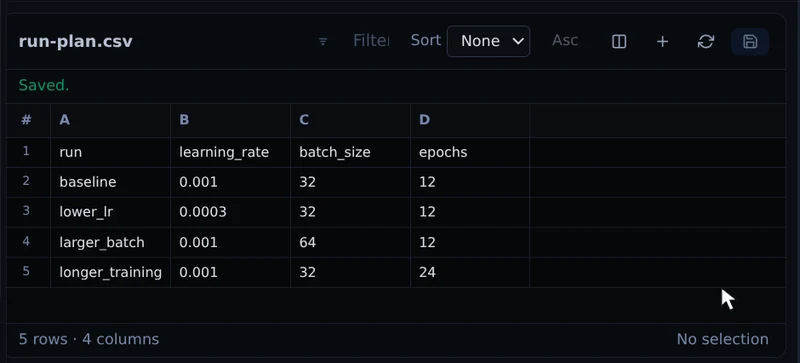
Change a planned experiment from 12 to 24 epochs directly in its CSV, then save the file from the Files pane.
Spring 2026 tried to make large workspaces cheaper to move around. GPUFlow used WebGPU with cached HTML textures, and CanvasFlow drew changed nodes as WebGL textures that could be reused during pan and zoom. Both relied on experimental Chromium APIs. They remained experiments; CanvasFlow's recorded checks still showed gaps in box selection and creating edges.
Accessibility became a package concern from the start of the library. It supports keyboard navigation, focus restoration, screen-reader labels, right-to-left text, touch-sized targets and reduced motion. Light, dark and system themes are scoped to the workspace so they do not restyle the host page. Host content stays responsible for its own accessibility.
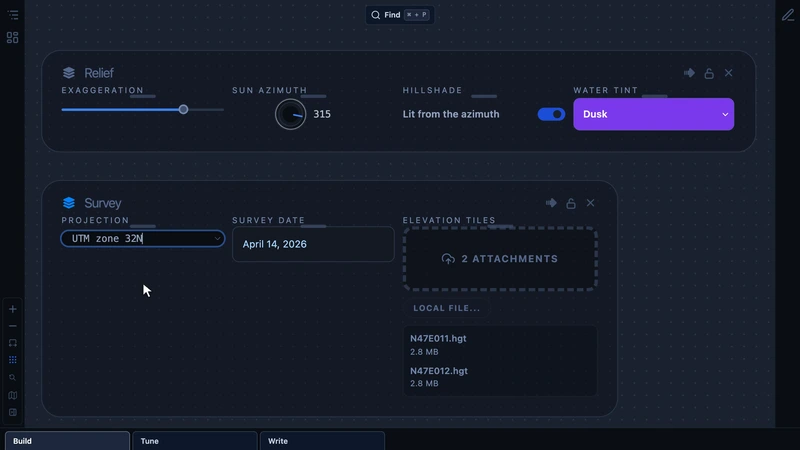
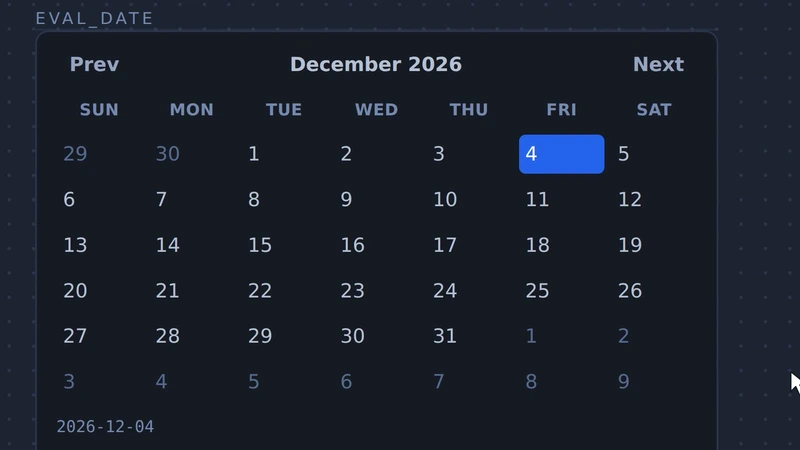
Sections can hold a typed tree of controls: text, code, switches, dropdowns, colors, sliders, rotary knobs, passwords, dates, times and dropzones. Each control has validated configuration of its own. Filtering keeps the original order while narrowing long lists. Standalone meta controls and host-defined custom controls use the same framing.
Sliders, knobs, switches, dropdowns, colors, dates and dropzones share one workspace. Typed parameters, nested sections and code or Markdown editors supply the building blocks.
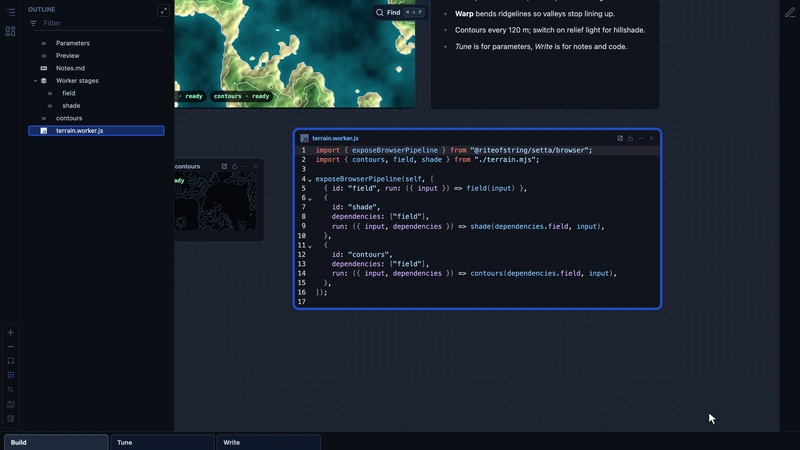
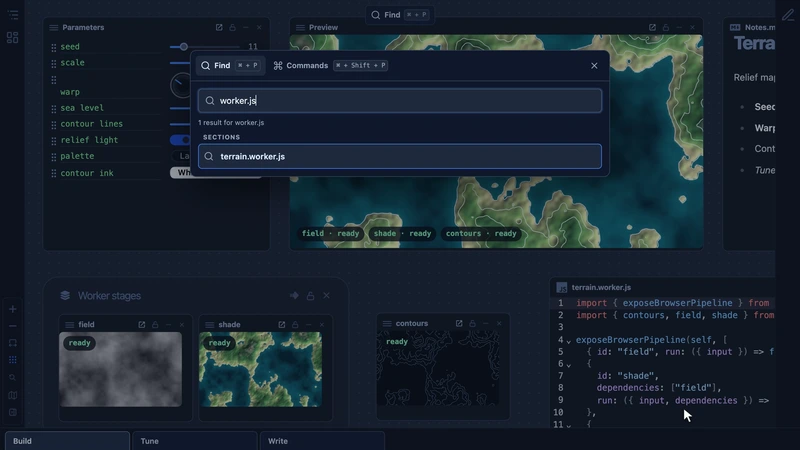
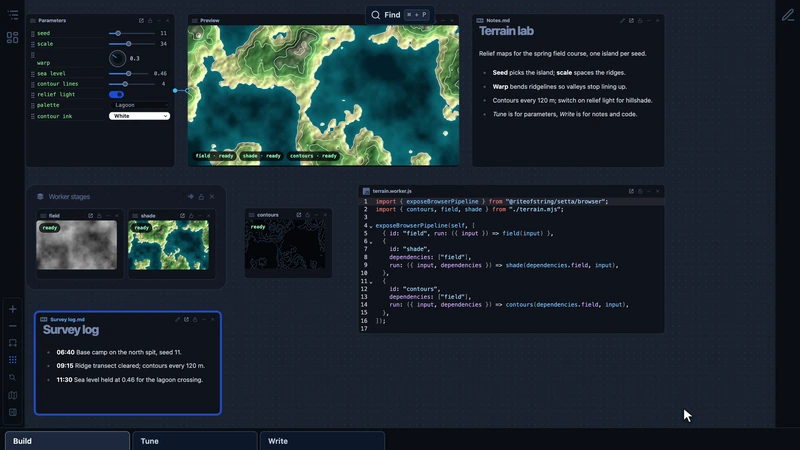
Mid-August 2026 added an Outline with real tree navigation and an Inspector that follows a selected section or control. Global Find searches section names, control labels and text the host supplies. A command palette lists registered actions with reasons when they are unavailable. Keyboard bindings can be rebound.
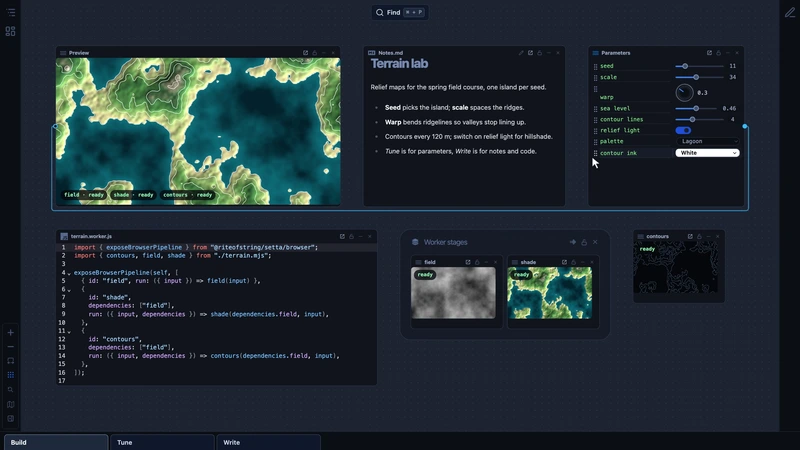
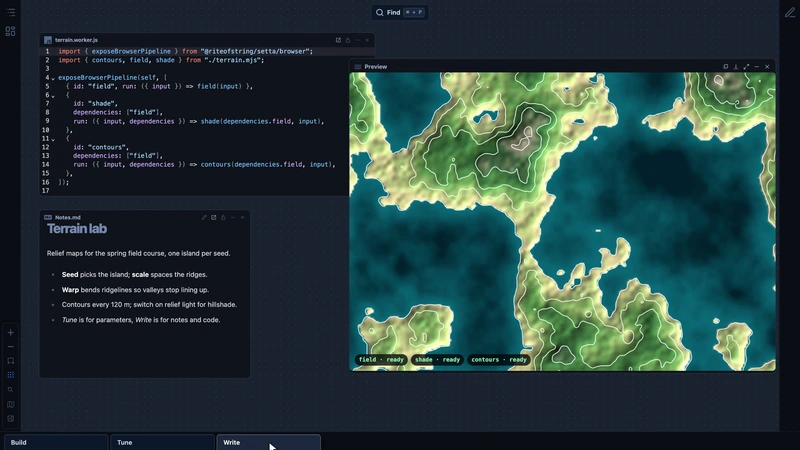
Select terrain.worker.js in the Outline and press Enter. The canvas brings that section into focus.
Search for worker.js, then open the matching terrain.worker.js section.
Find a command and create a survey log from the keyboard.
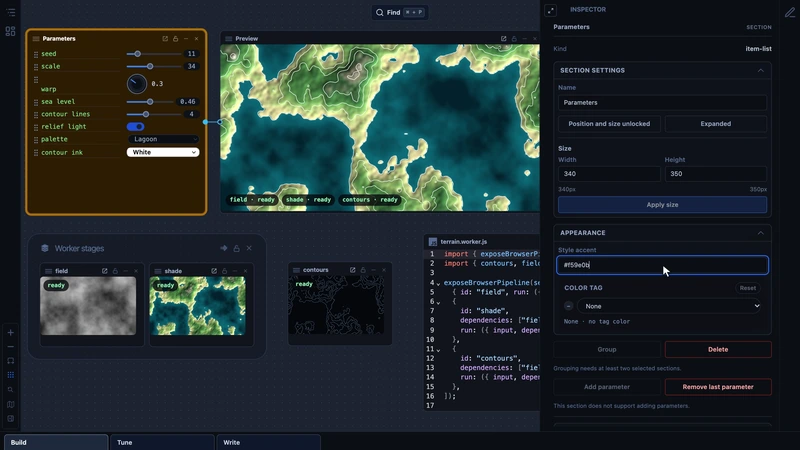
Select Parameters and change its style accent in the Inspector. The section turns amber.
The library ships opt-in Text and Code sections. Code supports nine languages and can protect a generated range while allowing edits around it. Holding Q shows quick info for a control, and hosts can show errors and warnings beside rows. The library does not bundle a language server or run user code.
Groups arrange sections horizontally or vertically and can nest. Automatic layout packs unlocked sections by their measured size and treats locked ones as fixed. Copy, paste and duplicate keep relative layout and let the host rewrite its references. These came over from the workbench in late August 2026.
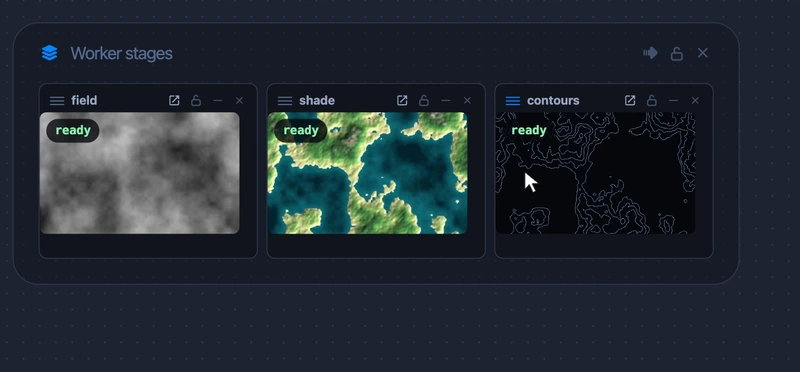
Hold Option while dragging Contours into Worker stages. The group expands to contain all three sections.
Choose Auto Layout to separate overlapping sections, then fit the workspace into view.
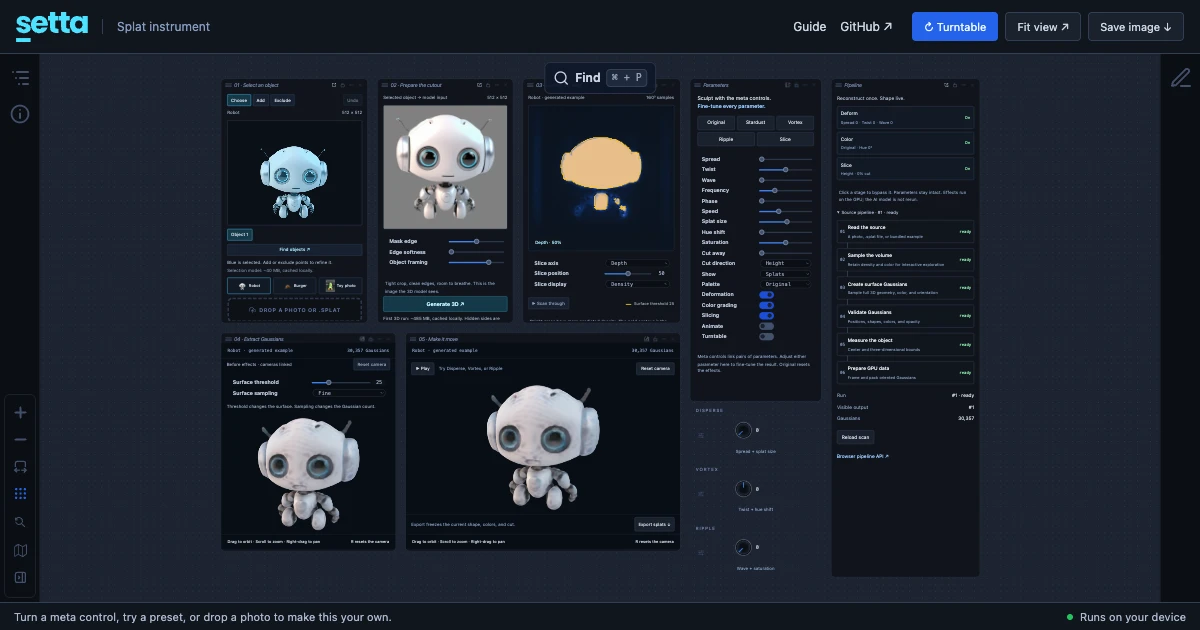
A controlled graph layer draws ports and edges while the host decides what they mean. Port families, connection rules, bundled cables and obstacle-aware routing arrived between August and November 2026. Edges are not assumed to be data flow, permissions or workflow. The audio instrument uses them for notes and modulation.
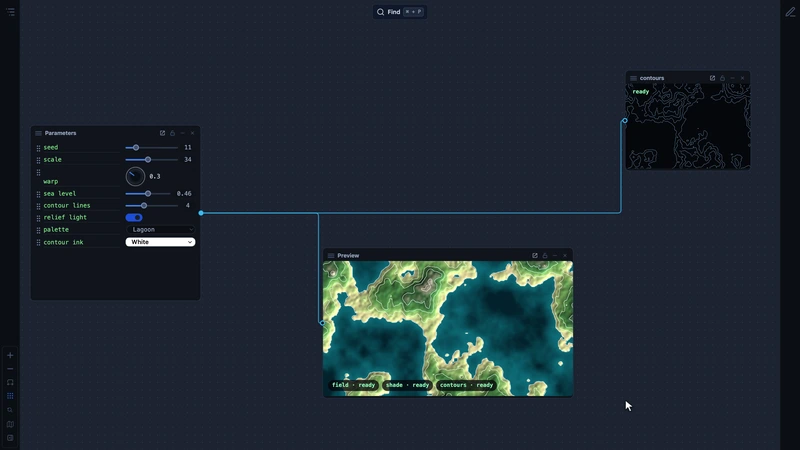
Connect ports and move sections while cables find their route. The application defines what an edge means; Setta handles connection rules and interaction.
Saved views store a full layout, camera and visibility for one document, and can appear as tabs. Windows can float, dock, minimize, maximize and snap, and a section can move between the canvas and a window without being duplicated. Window Spaces restore saved window arrangements. These continue the workbench features in a reusable form.
Open content in a managed window and switch the working view. Saved layouts, docking and Window Spaces let one document support different tasks.
Structural undo and redo is opt-in. It records completed gestures such as creating, grouping, moving, resizing and renaming as single entries. Hosts can add their own reversible operations, like edge edits, to the same stack. Value changes and editor history stay outside it.
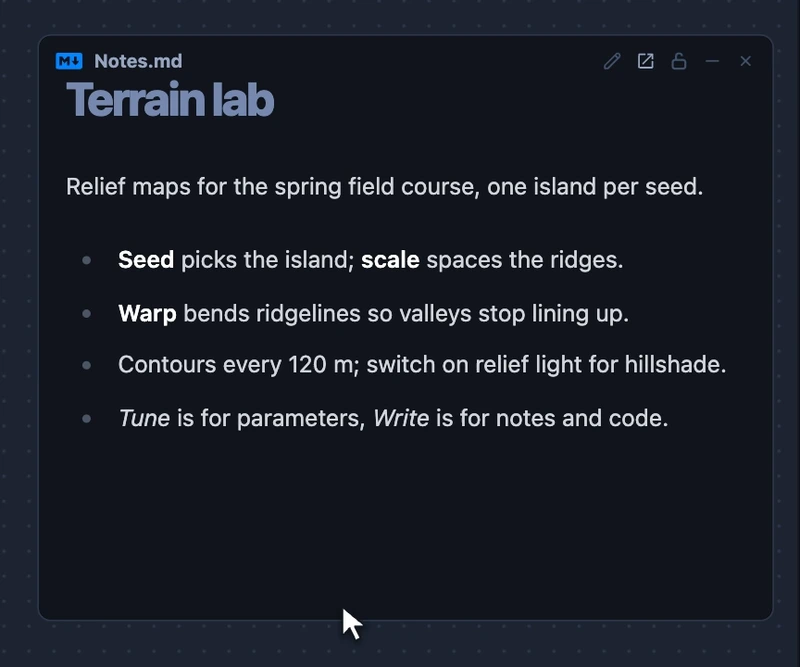
Close the Notes section, then press Command-Z to restore its content and position.
The focused apps produced two reusable pieces. A carousel shows one related item at a time with thumbnails and keyboard support. A normalized-stroke surface records pen marks in unit coordinates that stay attached to an image at any size. The host decides what an annotation means and where it is stored.
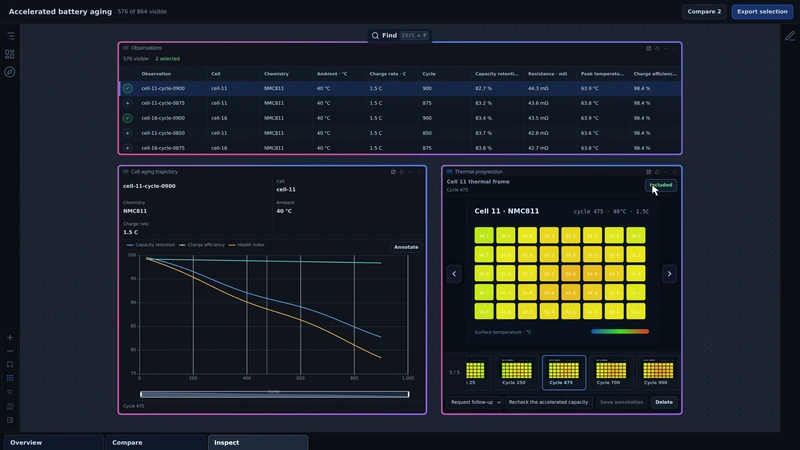
Add a follow-up note to the thermal image, compare two cells, then export the selected evidence with its annotation.
In September and October 2026 the companion apps learned to recover from failed saves and startup errors. A visible draft was kept, conflicts were explained, and you could retry or restore instead of losing edits. Experiment Lens required resolving a draft before export. The apps were later removed from the checkout.
The Python application left on October 18, 2026 and the Go backend on November 1. KaTeX math rendering was removed too. On November 18 the first npm release shipped as an Apache-2.0 ESM package with styles, types and an optional Tailwind preset. Importing it brings the workspace, not the old runners, language server or AI services.
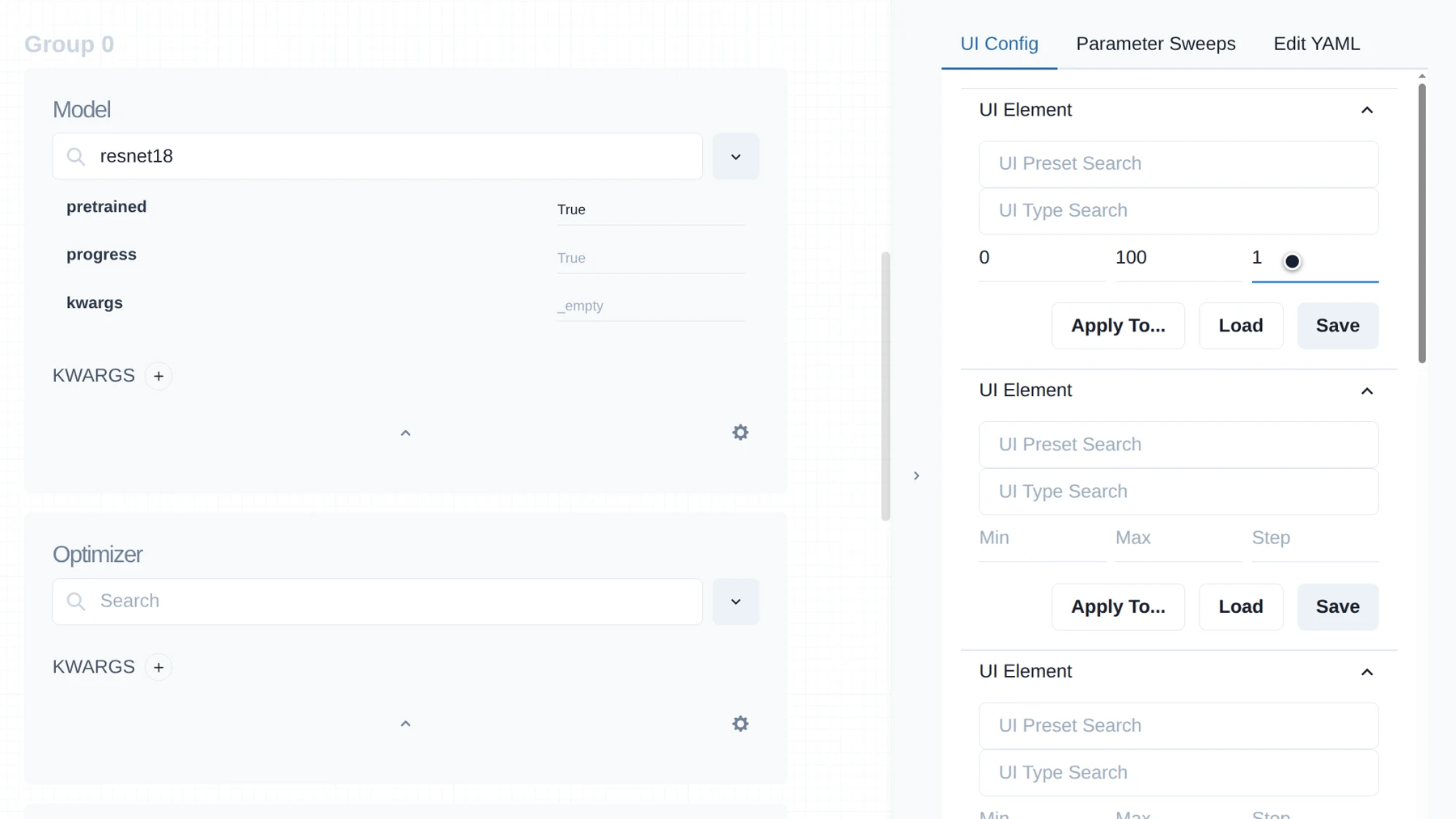
Control design first lived in a gear modal on each section. In December 2021 it moved into a right-hand editor with UI Config, Parameter Sweeps and Edit YAML tabs, though some buttons and the sweeps tab were still unfinished. 2022 added reusable control presets, then Card and Parameters editors replaced the old YAML tab. The library's Inspector continues this idea for sections and typed controls.
Control editing moved from a gear dialog into the right UI Config pane in December. This early layout still has unfinished preset buttons; working preset saving followed in January 2022.
In March 2025 the left pane gained persisted Developer, User and Edit User View modes. While composing the simpler presentation, you could hide sections it did not need, and Overview respected that visibility. One project could now be both a program to build and a simpler interface to operate. On December 20, 2025 named views replaced the single mode, and saved views survive in the library.
In December 2025 a single parameter could become its own canvas section, called a meta control. Sliders, rotary sliders, switches, text inputs, colors, dropdowns and buttons could form the front panel of an application instead of staying rows inside a large callable card. Their values were saved and took part in live state, so moving one updated the running program, and a header could be minimized or hidden for the presentation. On December 27 they gained their own settings and audience-friendly parameter names. The library keeps meta-control sections from Button and Slider to Dropzone and Custom, with values and actions owned by the host application.
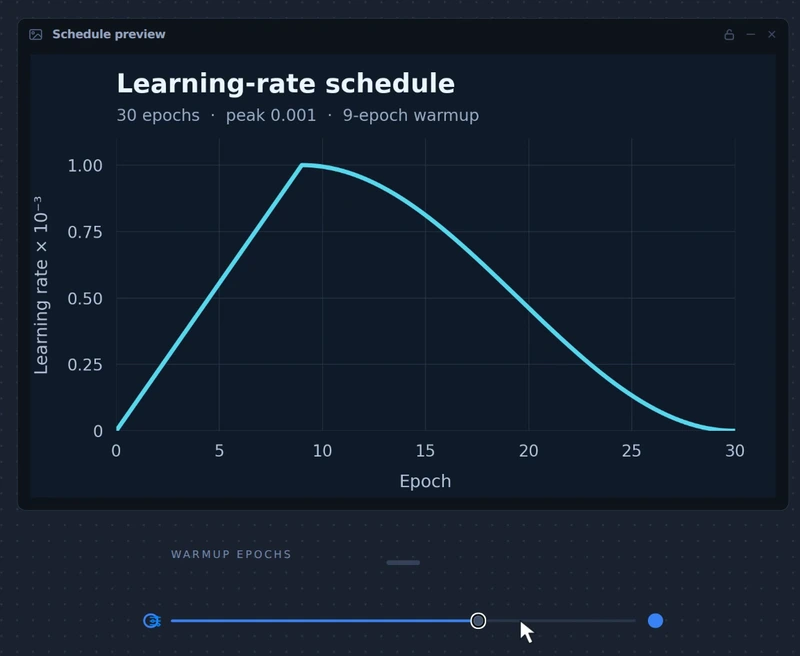
Move the warmup slider from 3 to 9 epochs. The learning rate rises more gradually and reaches its peak later; moving it back restores the original curve.
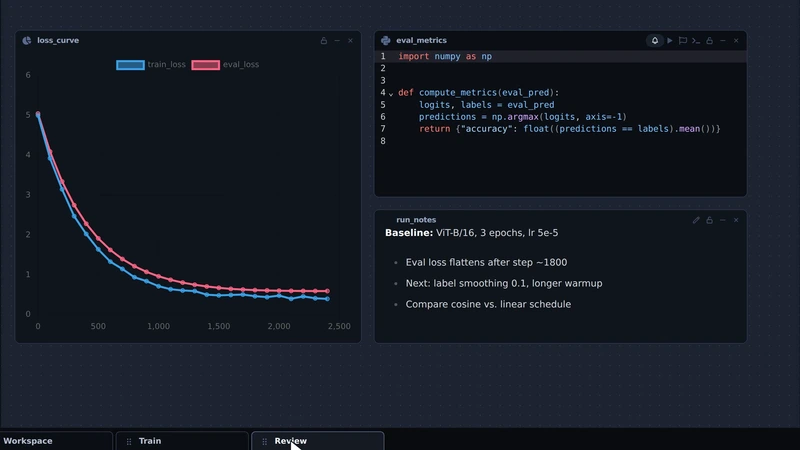
On December 20, 2025, named views let a project show different subsets of sections for different tasks, and in February 2026 each view could have its own layout. In March 2026 chat and Git could float or dock as windows. Window Spaces saved arrangements of those windows. Both survive in the library as controlled features.
Switch between Train and Review. Saved views give the same project different working layouts without rearranging it each time.
Restore the saved “Evidence review” Window Space. The loss curves and research notes return side by side, with their positions and sizes intact.
Share deployments began at the end of 2025: a frozen project snapshot with its own sessions, where policies decided what visitors could change. In February 2026 App mode let a project define an application layout from containers, grids and theme tokens, previewed before saving. An assistant could generate and patch those app specs. Both were workbench features with no counterpart in the library.
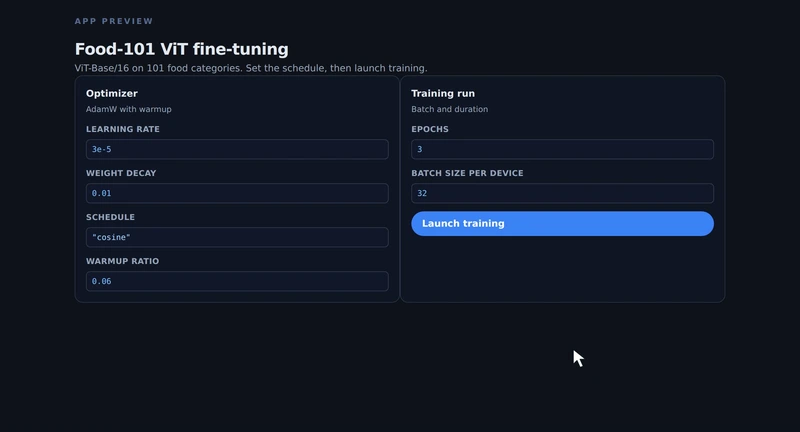
Open Show Preview to turn the training workspace into a focused form. Edit its learning rate without the surrounding code, notes and canvas.
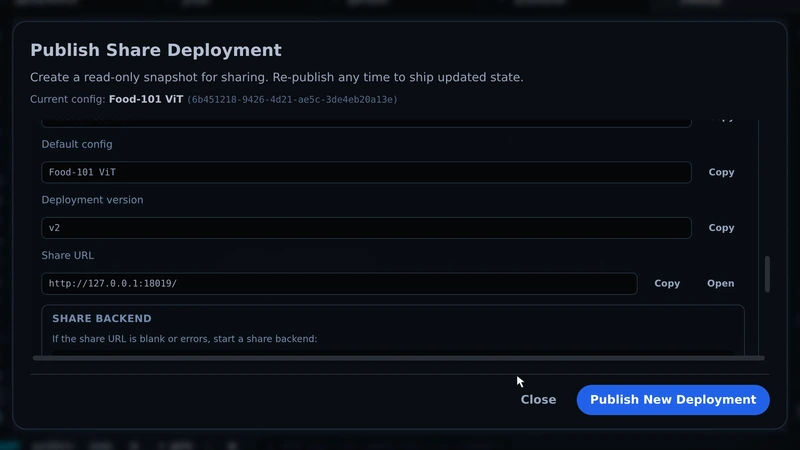
Save a versioned project snapshot. Its configuration and share URL stay with the saved version; this capture uses a local deployment.
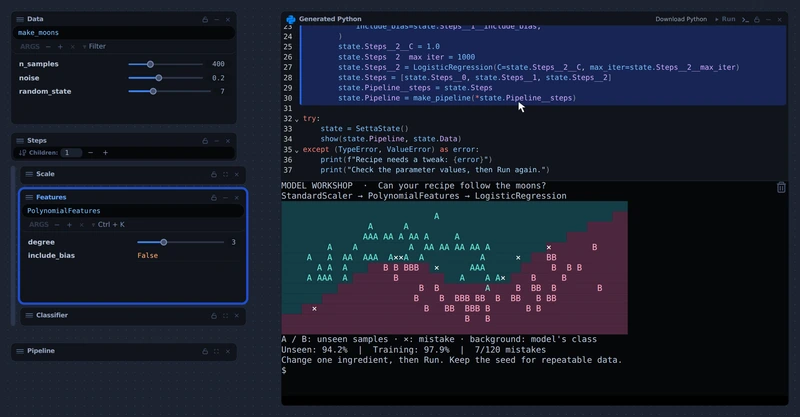
Python Canvas kept a narrower part of the old product: compose Python from callable sections and typed parameters. It gained completion, code generation, nested structures, references and terminal execution. Generated code lived in a protected region inside a hand-written file. It was an application built on the library and was removed on October 18, 2026.
Change the polynomial degree, run the generated Python and compare the learned decision boundary. The controls describe real Python components; the generated block stays inside an authored, executable file.
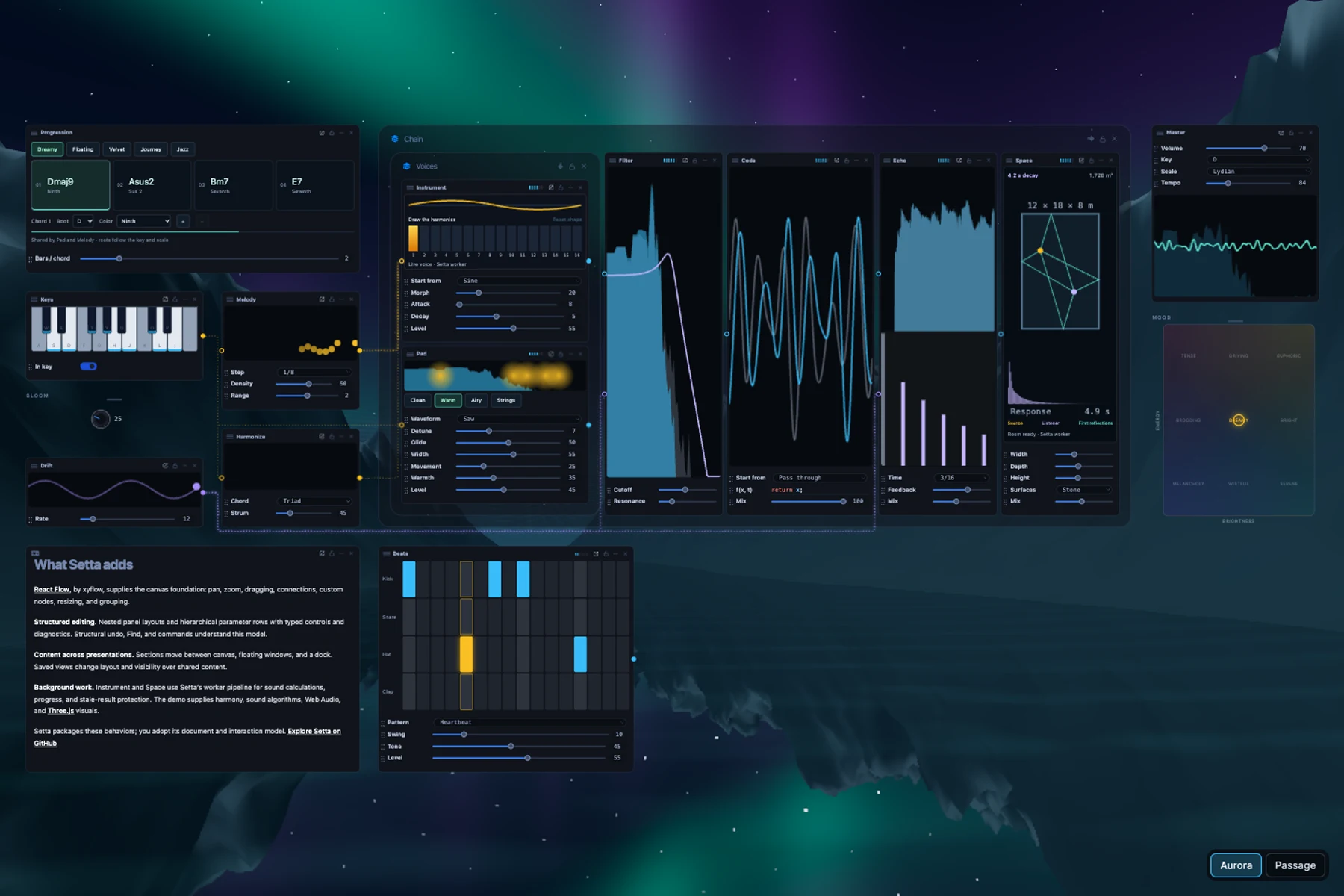
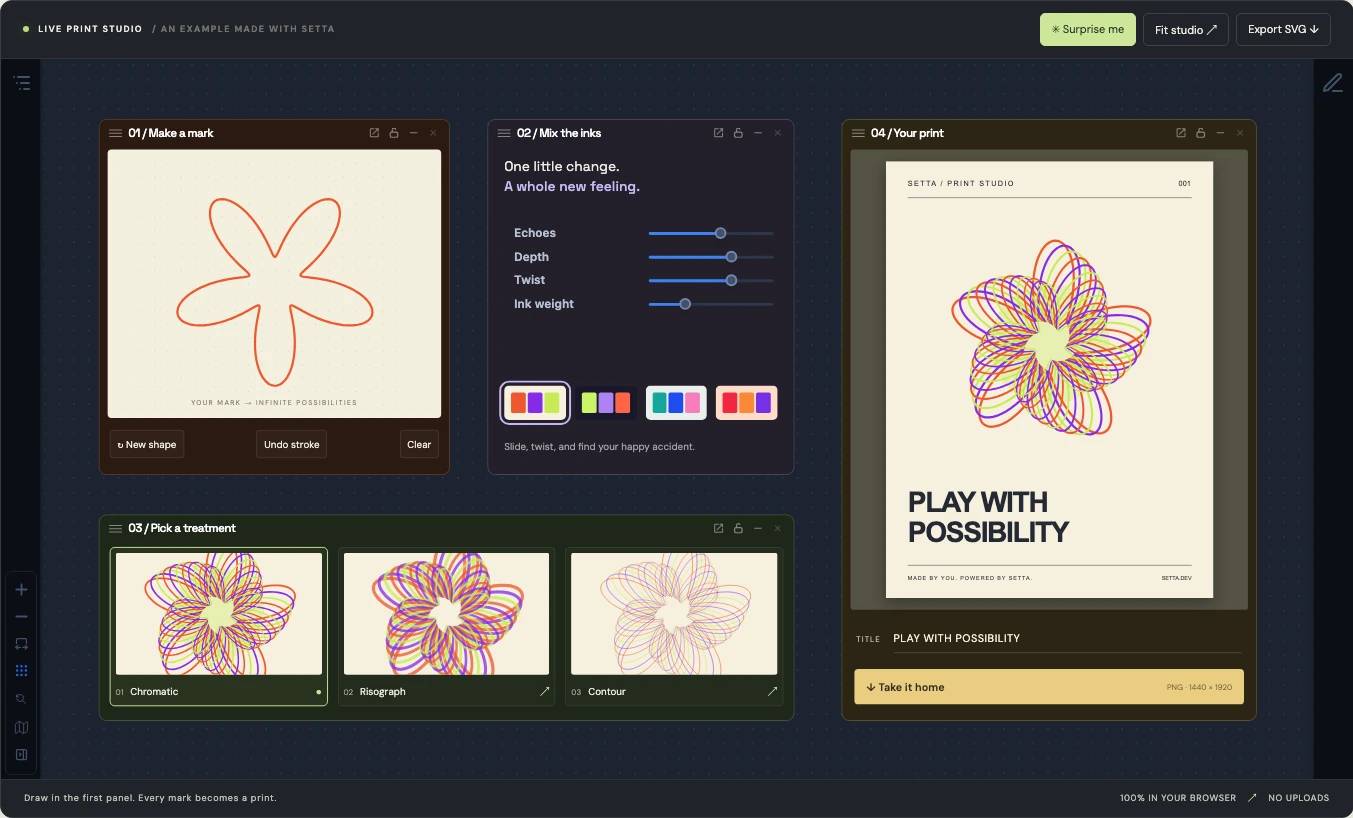
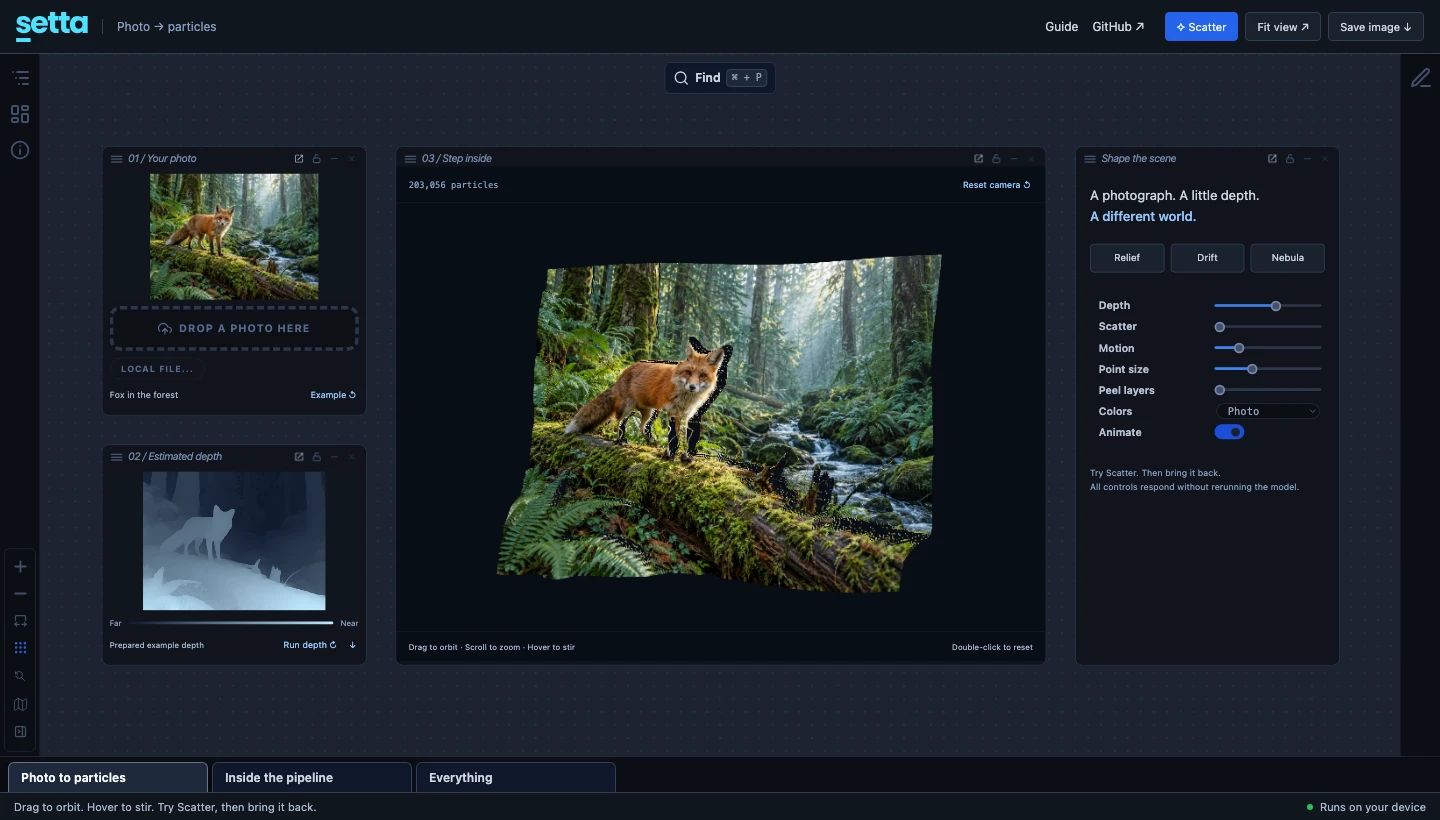
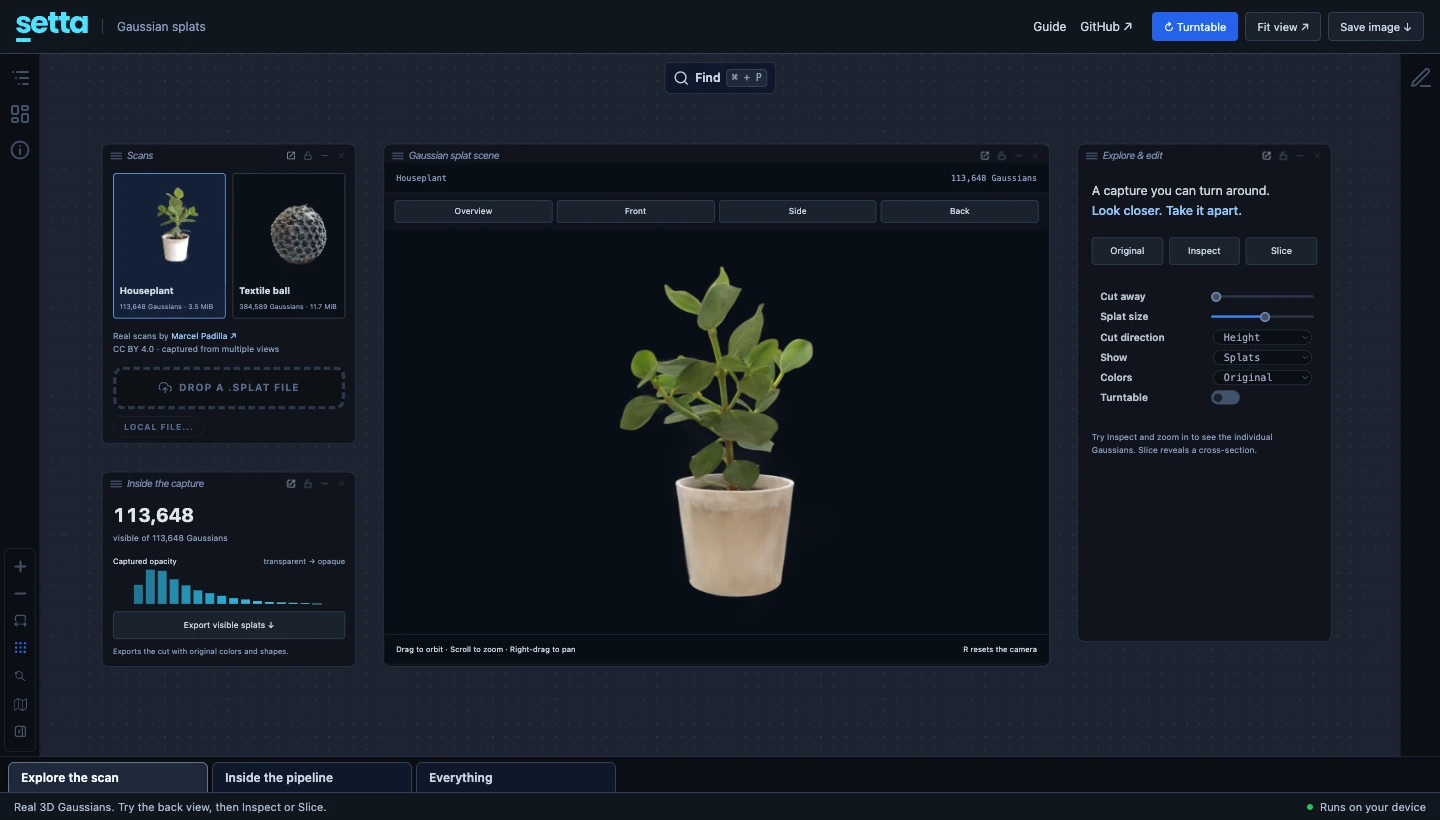
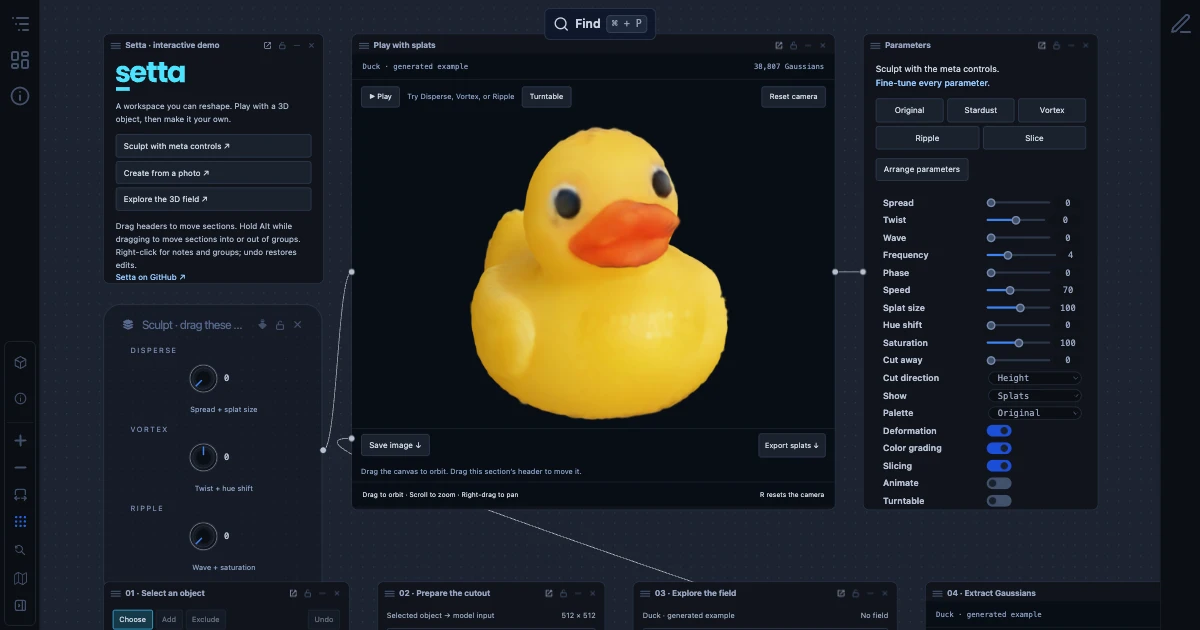
On August 9, 2026, the Setta 2 workspace was extracted as an embeddable library. Setta supplies movement, grouping, selection and presentation; the host application supplies what each section means. Hosts register their own section kinds, renderers and Inspector settings. The showcase apps, from a print studio to an audio instrument, use it this way.
Python Canvas, Realtime and Review each exposed a CLI or API to read a schema or snapshot and apply changes. Revision checks stopped an outside edit from silently overwriting newer state. Review could export a response and a continuation packet for another tool. These belonged to the companion applications.
Small apps for comparing, investigating and reviewing
Later removed
In September 2026 three focused applications tested the library on real tasks. Bench compared code candidates on frozen cases, Experiment Lens explored recorded results, and Review recorded decisions tied to evidence. Each kept its domain logic outside the workspace. They are preserved in history but are not part of the package.
By November 2020, picking a callable in Sections filled a separate Details pane with its arguments. On December 13 a parameter sweep editor appeared under those values so you could list several candidate values. It had no logic behind it. Executable sweeps only arrived in January 2024.
Enter alternative values in the early Details pane. These expandable sweep fields were a prototype; this version did not execute the combinations.
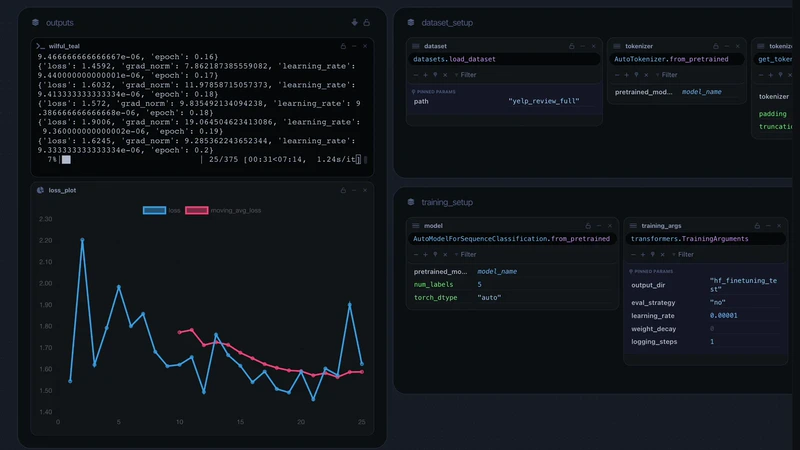
Early 2023 added a Python logger that sent run output back to the workspace, with a PyTorch Lightning integration for training metrics. Live line charts showed several series updating as data arrived. In January 2024 terminals became long-lived resources that code could be sent to. These runtime services left with the historical Python application.
A real training run advances from step 20 to step 30 while terminal logs, loss and moving-average plots update. This excerpt plays at its original speed.
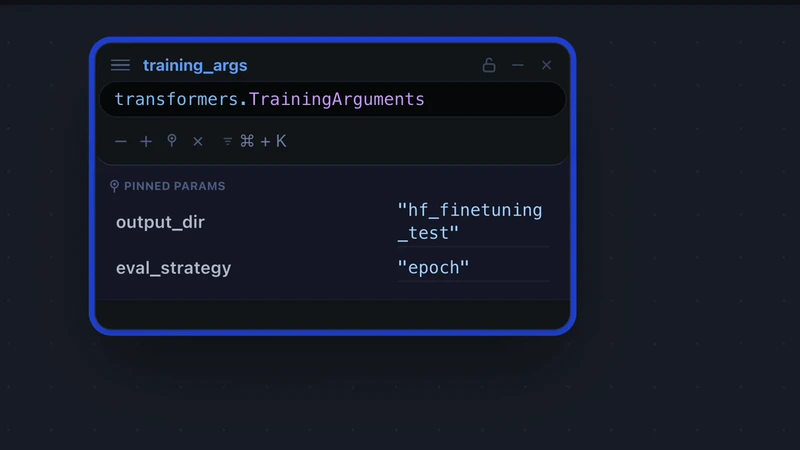
Early 2024 let you pin important parameters so they stayed in view and freeze a section to protect a chosen configuration. In December 2024 renaming, moving or grouping sections could rewrite references automatically. A setting chose between rewriting, asking first or leaving references alone. These depended on the historical Python model.
Pin a parameter so it remains easy to reach while working elsewhere in a large configuration. Saved and frozen variants preserve the settings used for a run.
A section name changes while related references update with it. Moving and grouping sections could preserve those relationships, too.
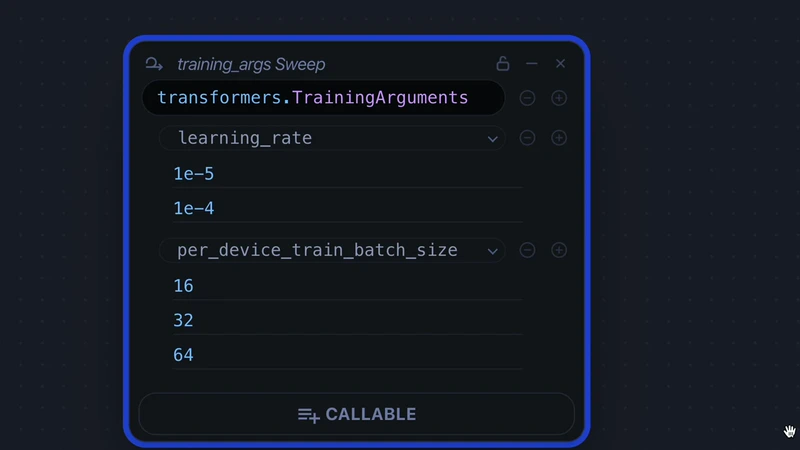
On January 27, 2024, sweep sections could expand combinations of values and launch the generated programs. Run groups chose which sections took part, and February added sweeps over saved section versions. This was the working version of the 2020 idea. Sweeps and run groups were deliberately removed on June 1, 2025, and replaced by the RunPlan API in 2026.
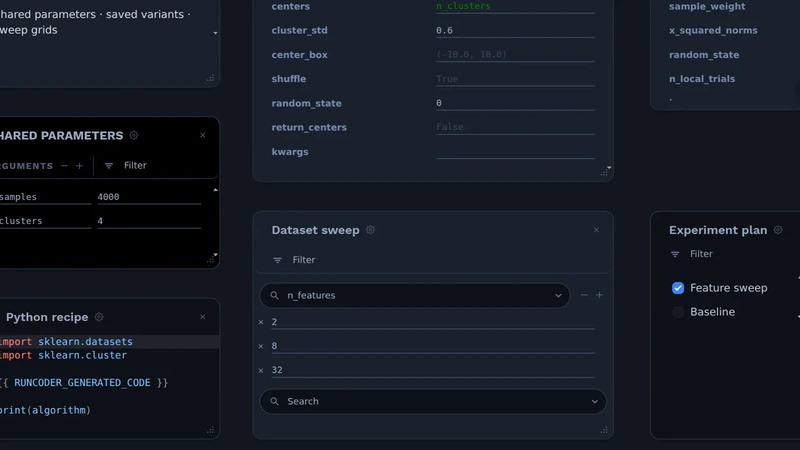
Declare two learning rates and three batch sizes in one sweep. Executable Cartesian sweeps arrived in 2024; the later RunPlan API made plans and snapshots explicit.
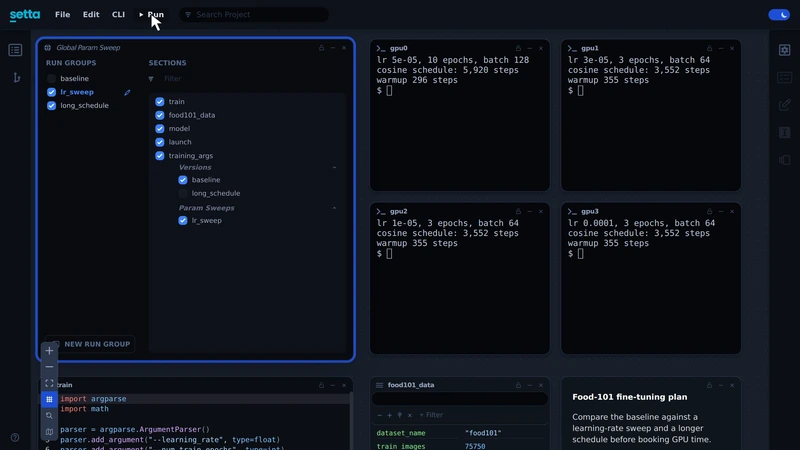
Select two run groups and click Run. Four terminals report their learning-rate, epoch and batch-size choices.
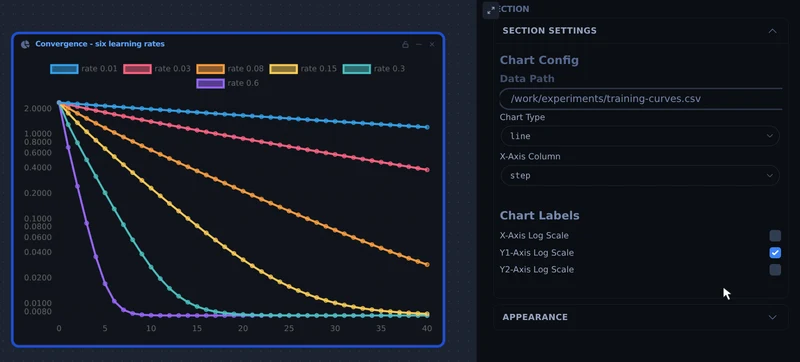
In December 2024 the right-hand Section Config pane exposed a section's artifacts and drawing layers, with drag-in and removal. Chart settings chose data sources, the horizontal axis, category columns, and line or scatter modes. Early 2025 let charts combine several CSV sources. This tooling belonged to the historical application.
Turn on Y1-Axis Log Scale in the inspector. The chart spreads out small loss values so the differences are easier to compare.
A companion examples collection showed Setta driving real Python projects. StreamDiffusion and FLUX Fill turned drawings into live image generation, while TRL, Transformers, PyTorch Metric Learning and SapientML exposed training setups as controls. The models, GPUs and services belonged to the examples, not to Setta. They showed the same pattern across domains: controls describe a program and its outputs sit beside them.
Stream Diffusion connected drawing input, model settings and generated variations. The workspace could send drawings to Python and display the resulting artifacts.
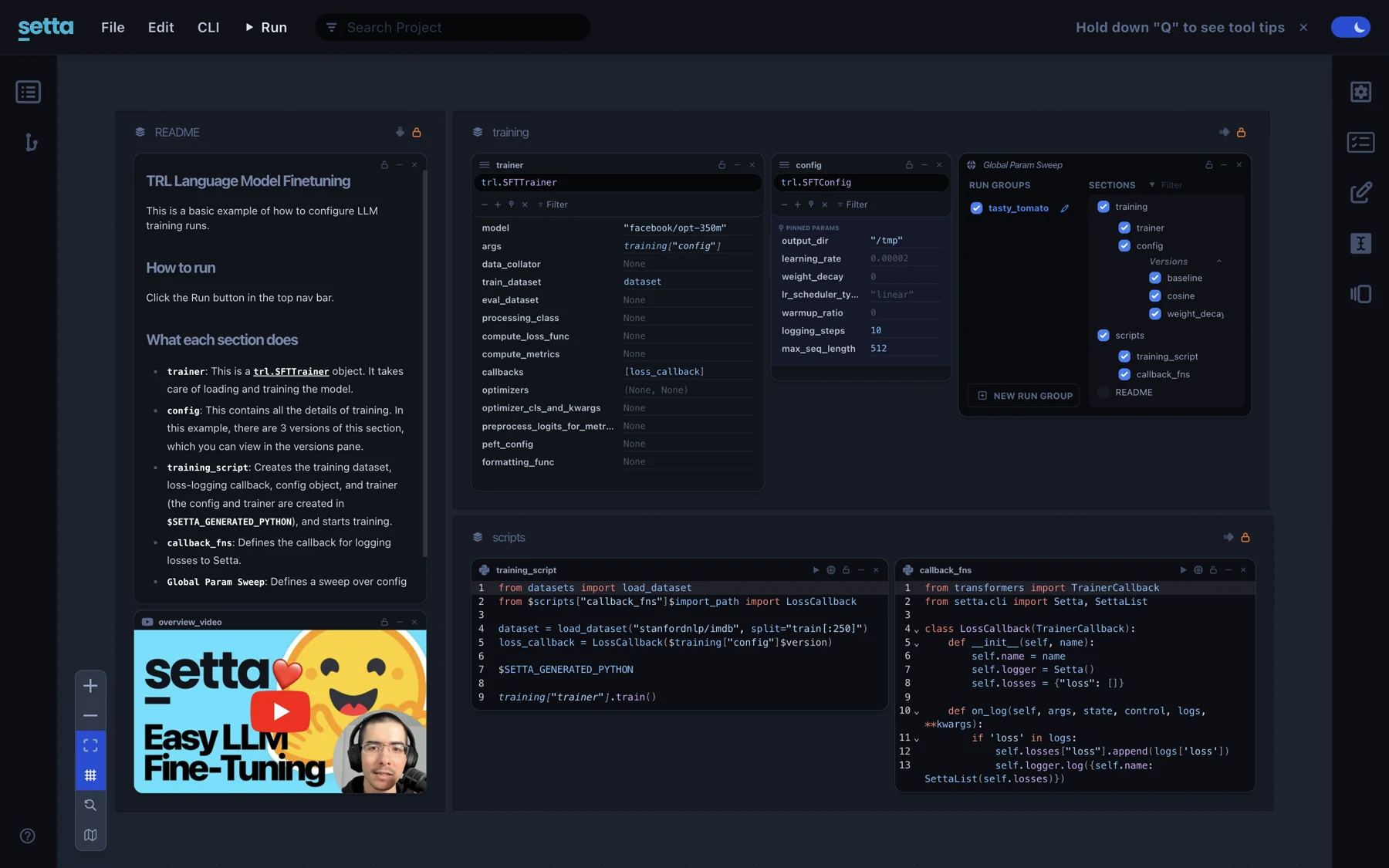
TRL exposed the model, dataset and training loop as related, configurable sections.
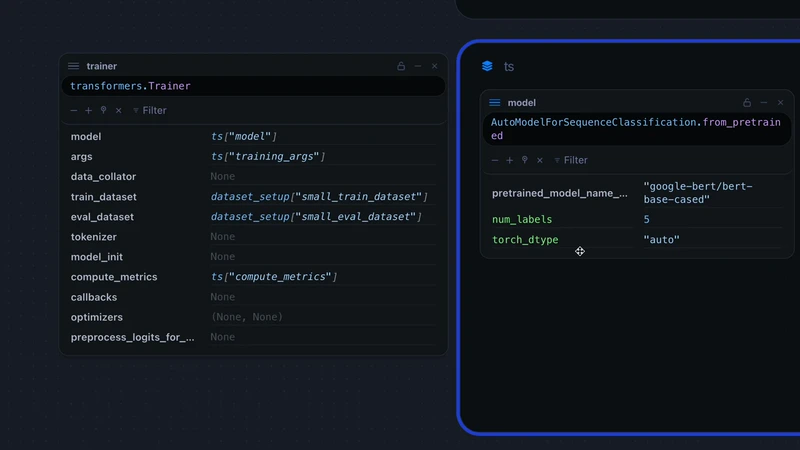
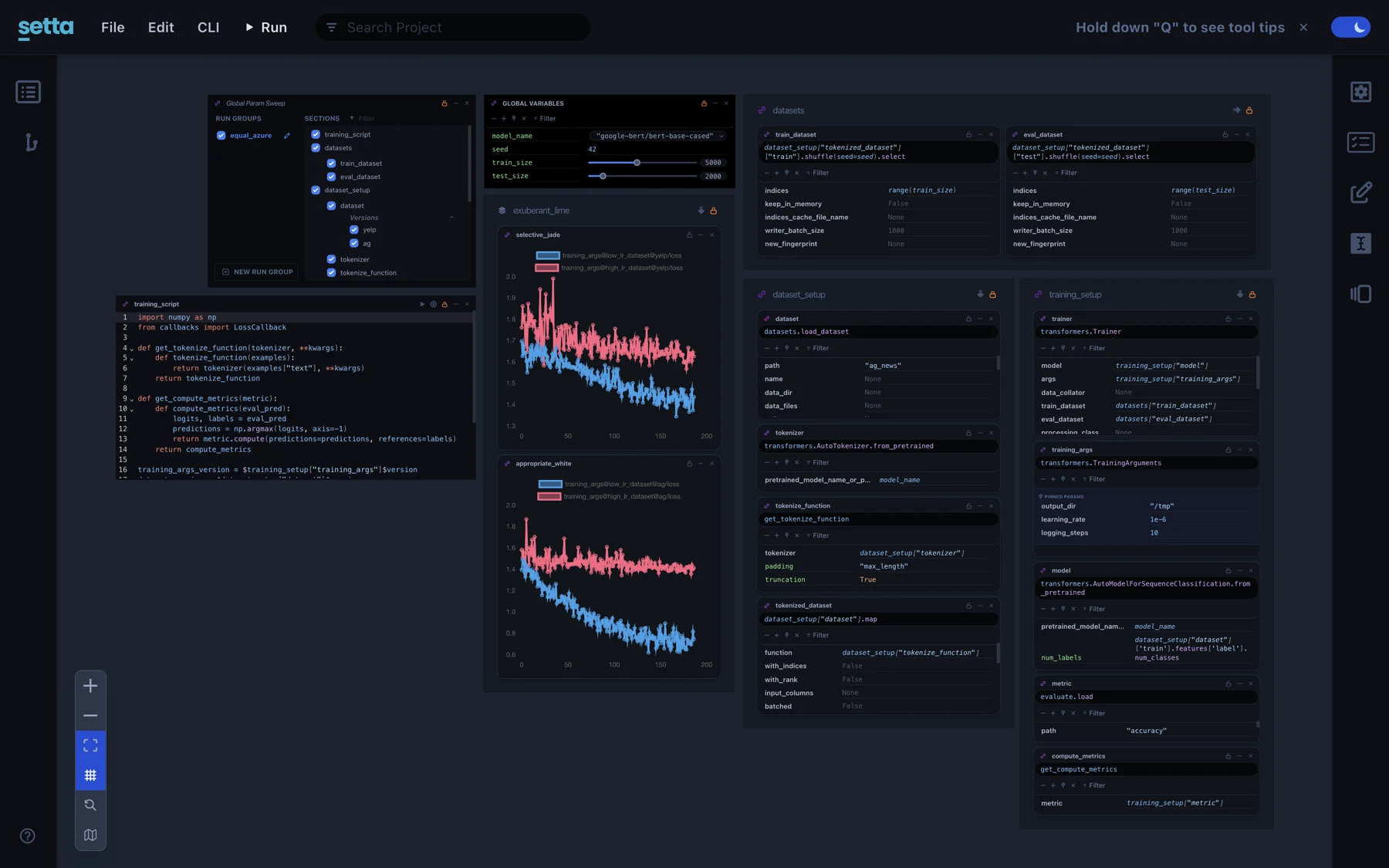
Transformers training paired model and data choices with the arguments used to train them.
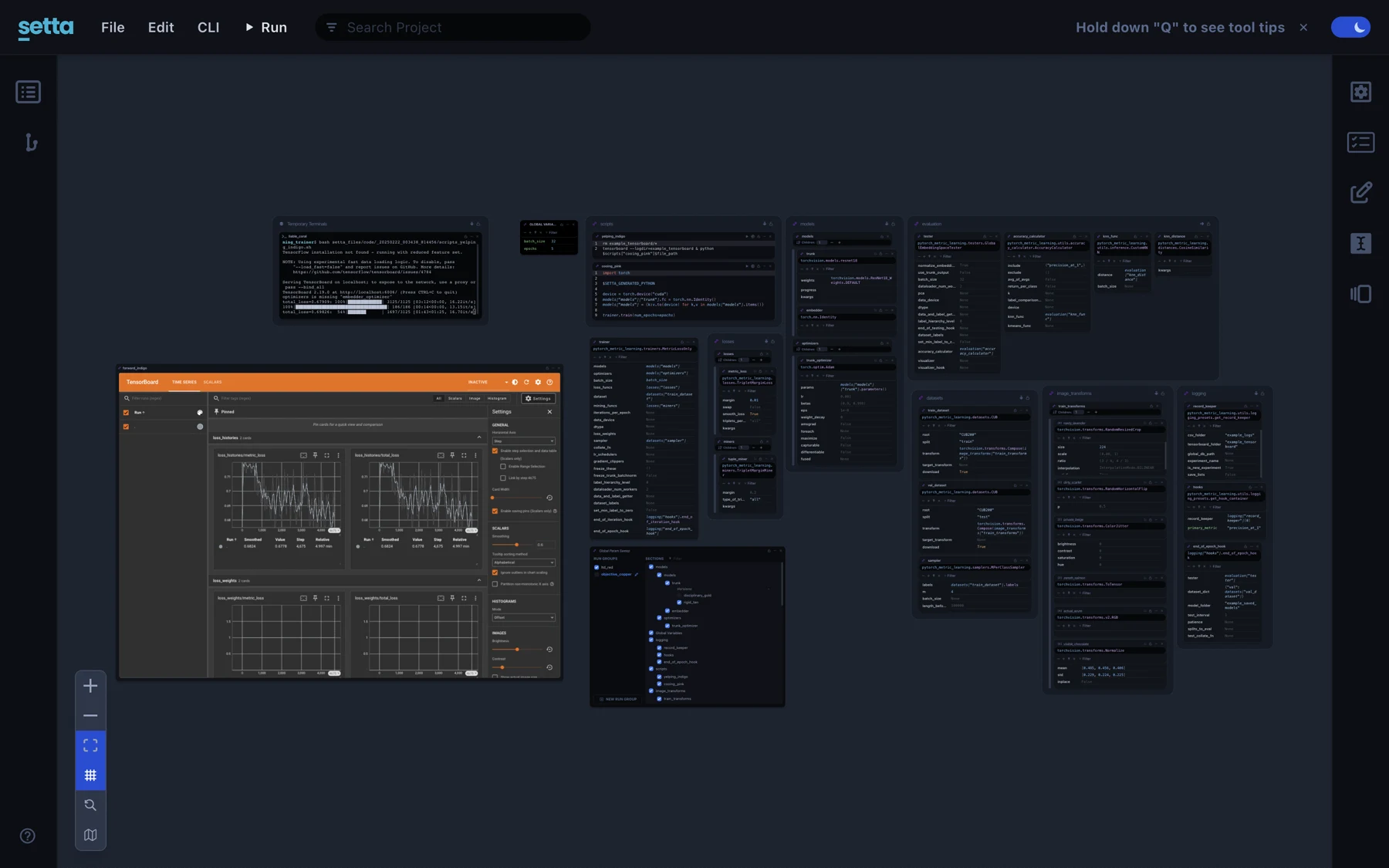
PyTorch Metric Learning brought datasets, loss functions and training parameters into one workspace.
Paint an inpainting mask, then keep the prompt, model settings and edited image together. Layers, erasing, opacity and transforms made the drawing a useful program input.
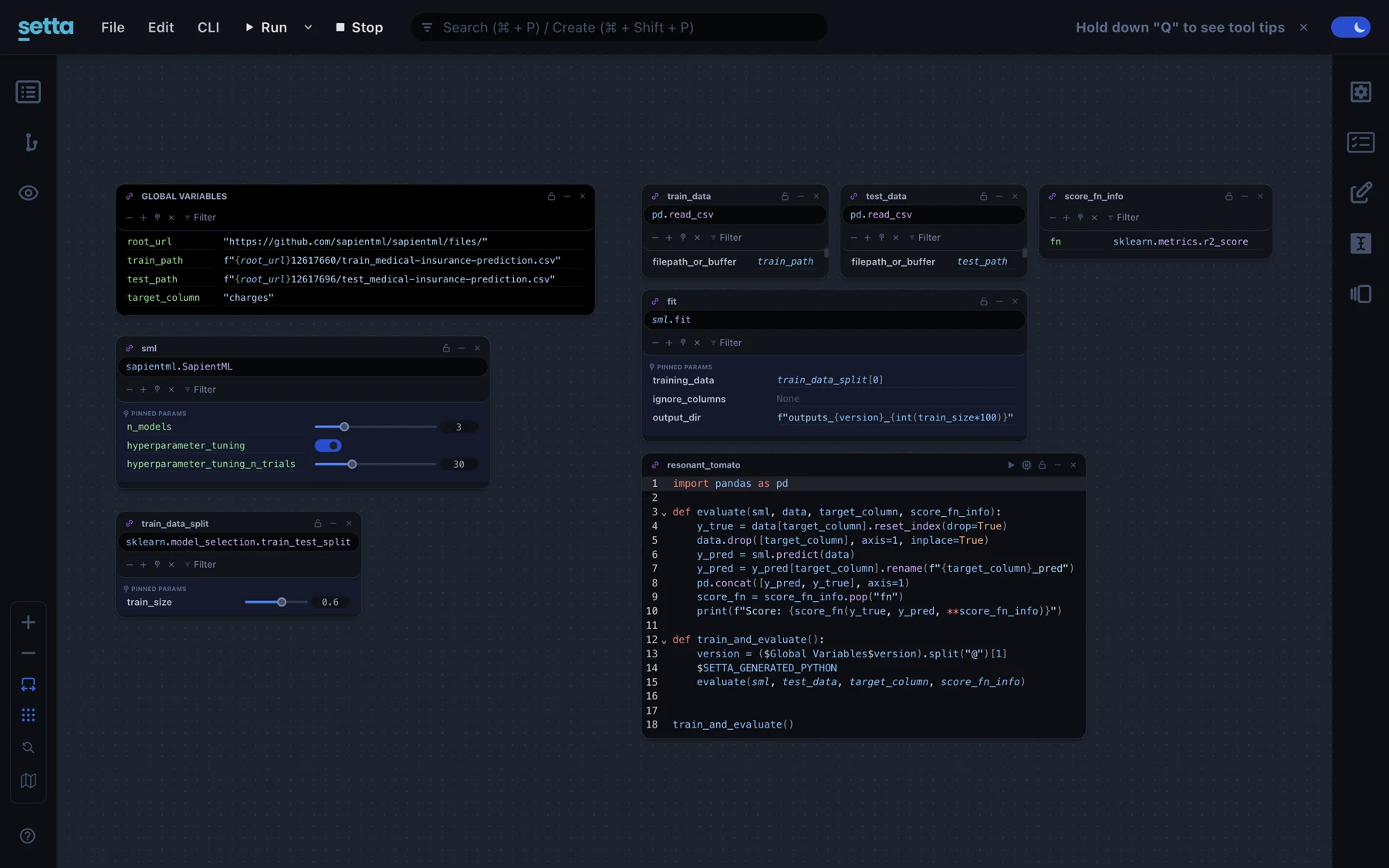
SapientML paired data preparation with experiment settings.
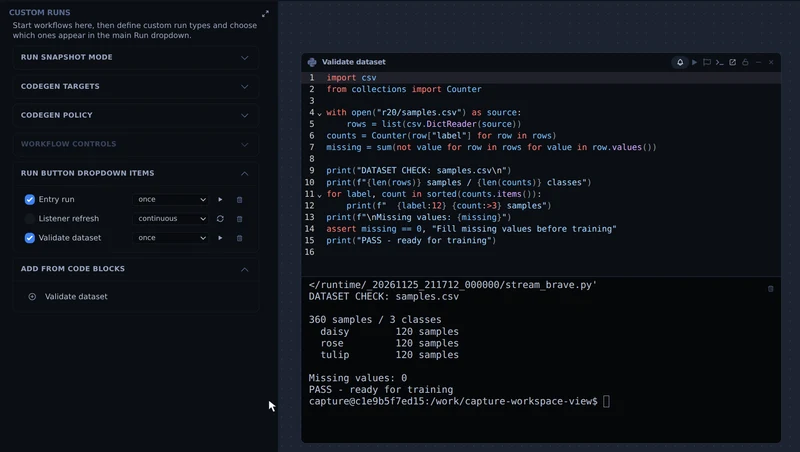
A Backend Logs pane arrived on December 14, 2025, with filters and unread-error markers. Custom Runs followed on December 20: name a code block, run it once or continuously, and choose whether it appears in the main Run menu. In January 2026 Custom Runs also took over code-generation settings. Both belonged to the workbench.
A code block becomes a named task in Custom Runs. Run “Validate dataset” to count classes and check a CSV for missing values; its terminal shows the result.
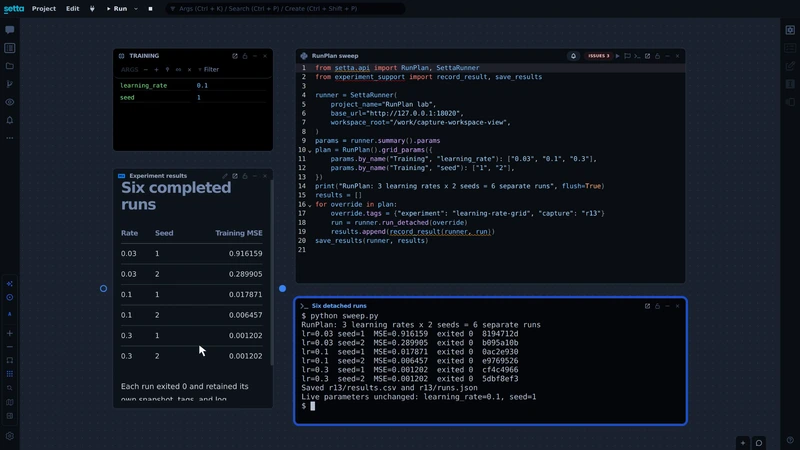
January 2026 introduced SettaRunner, a Python API for launching detached runs. RunPlan could build grids, zipped choices, seeded random picks and repeats over parameters, variants and configurations. Each run used a snapshot, reported its state, kept its output and could be cancelled. It was a new design and did not bring back the 2024 sweep cards.
Launch three learning rates × two seeds. Each run gets its own snapshot and log; the live project keeps its original parameters. RunPlan also supported zips, seeded randomness, repetition, variants, tags and cancellation.
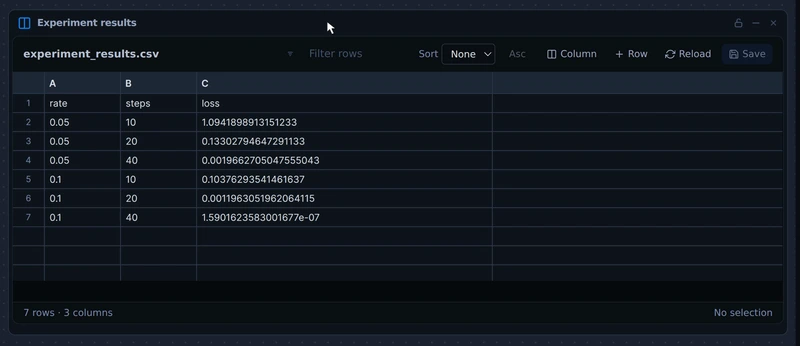
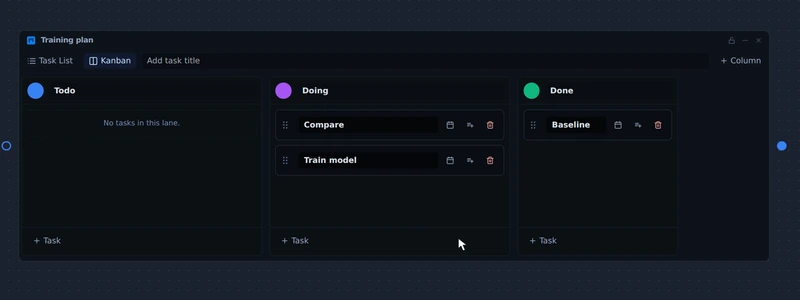
Early 2026 widened what could stay in the workspace. Spreadsheet and Task Board sections, date and time controls, and password controls with separately stored secrets all arrived. Clock and Calendar sections existed for one day before being folded into date controls. The library keeps date, time and password controls; boards, spreadsheets and the secret store are gone.
Filter a CSV to the runs with a learning rate of 0.05. Spreadsheet sections brought CSV/XLSX editing, sorting and filtering into the project.
Move work through a task board and update its progress. The project can hold planning, execution and results in the same workspace.
Move to the next month and pick a day. Date and time controls carried structured values with configurable display formats.
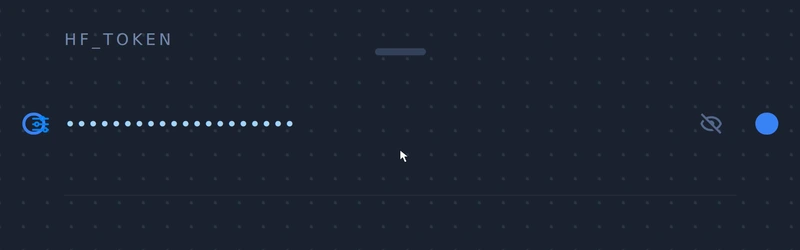
Enter a password, reveal it briefly, then mask it again. The control used a runtime credential store separate from ordinary project data.
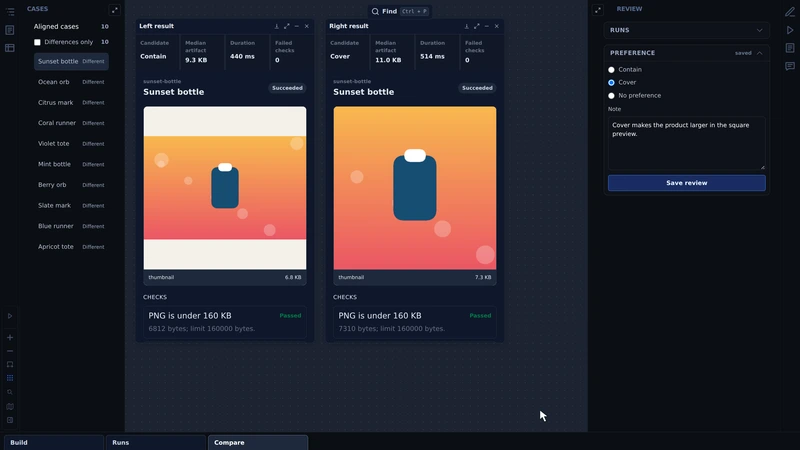
Bench ran several code candidates against the same frozen set of cases. Build, Runs and Compare were fixed views, and managed windows showed run history and aligned results. Candidates spoke a small JSON protocol and wrote declared artifacts. The example compared two thumbnail strategies on ten images and saved a preference.
Run Contain and Cover on the same frozen set of ten catalog images, compare the twenty outputs and save a preferred result with a reason. Bench kept run history, artifacts and cancellation with the comparison.
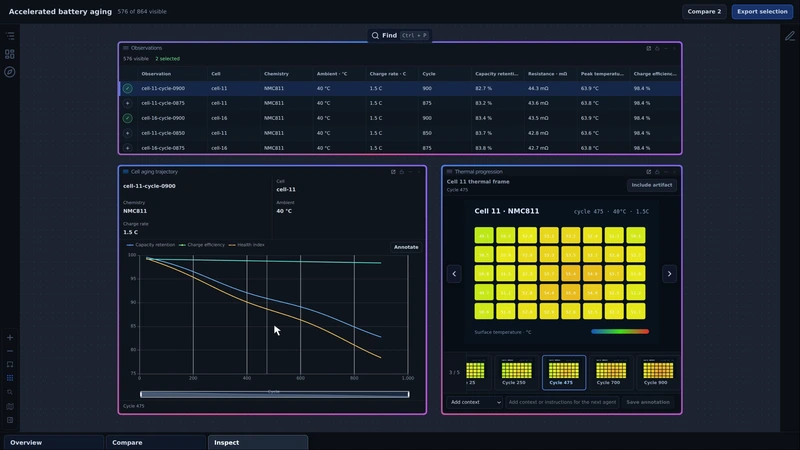
Experiment Lens opened results that already existed and linked charts to exact observations and artifacts. Nine view types, from scatter plots to galleries, shared filters and selection. A comparison basket and annotations could be exported as a packet. The example explored 864 battery-aging observations across 24 cells without rerunning anything.
Exclude LCO: 864 simulated observations become 576. Select a cell and inspect cycle 475; its trajectory and thermal image stay linked.
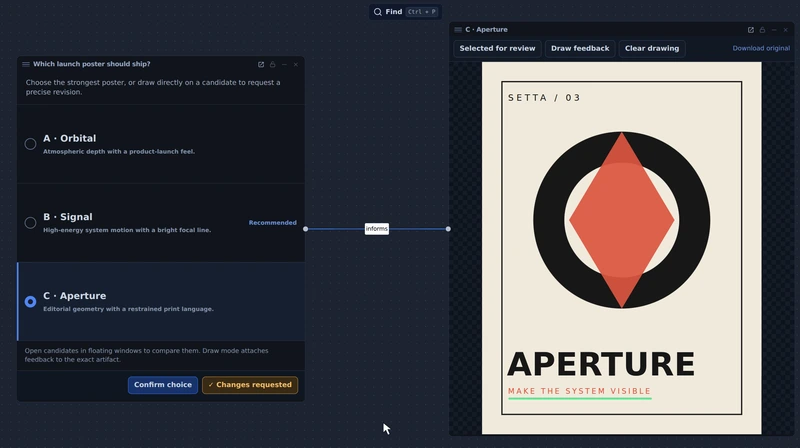
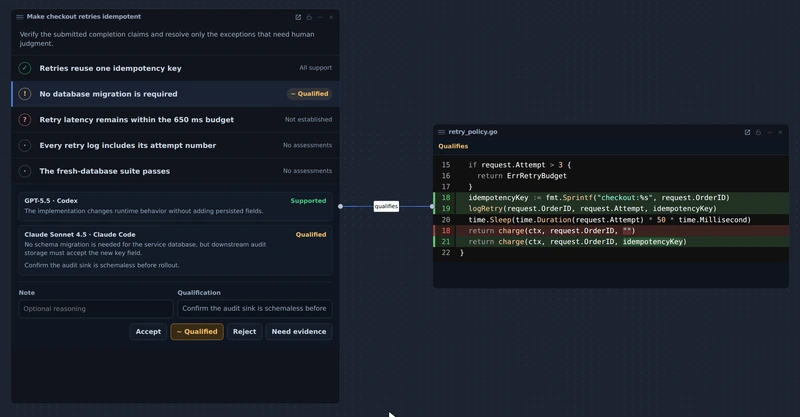
Review separated a request for a decision from whoever made it. Claims could point to exact Git hunks, source lines, logs and artifacts, marked as supporting, challenging or qualifying. Reviewers left decisions, feedback and drawn annotations anchored to the artifact. It inspected evidence and did not run tests or agents itself.
Inspect the evidence behind “No database migration is required,” then qualify the claim: confirm the audit sink is schemaless before rollout.
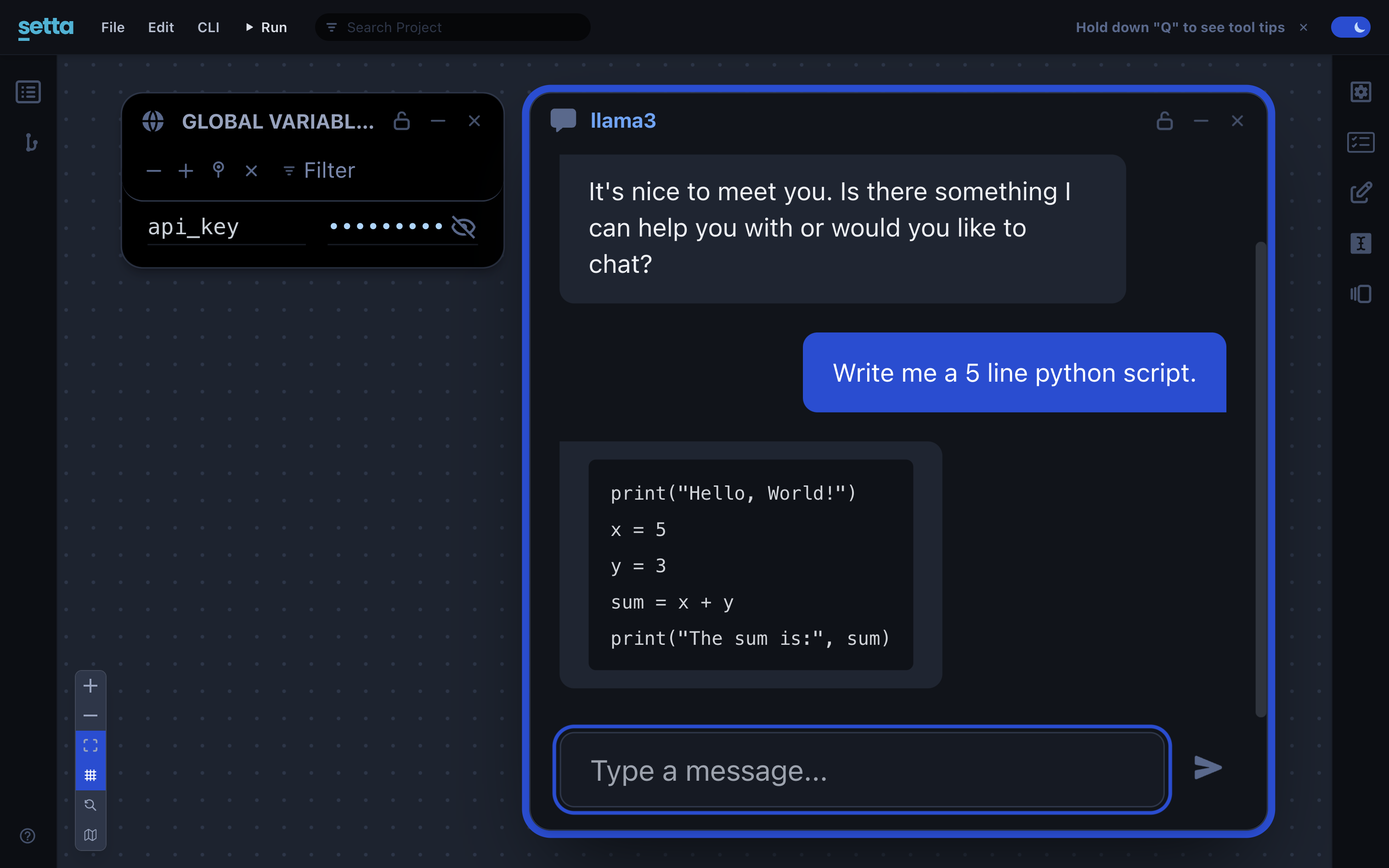
On February 23, 2025, Chat sections put a conversation on the canvas. The section supplied the interface, and your own Python supplied the logic: in the Groq API chat example, a program received each message, called an external model service and sent the reply back as chat-history artifacts. In March a separate project chat pane added history, model selection and provider settings for working on the Setta project itself. One was a programmable surface like any other section; the other was an assistant for the workspace. Both later gained tools and agents.
The Groq API Chat example: a chat section on the canvas whose replies come from the example's own Python code calling the Groq service, with the API key kept in a global variable. Setta drew the conversation; the program decided what to say.
On April 6, 2025, MCP tools let the assistant act on the project instead of only discussing it. Tools could create sections, set values, run code and group or move sections, and the chat showed each call and result. Later the assistant could edit project files and, in 2026, external coding agents such as Claude, Codex and OpenCode could be connected. These AI services were part of the workbench, not the library.
Review the PyTorch source and its recorded dry-run check. Changing epochs from 10 to 3 updates the generated call beside the controls.
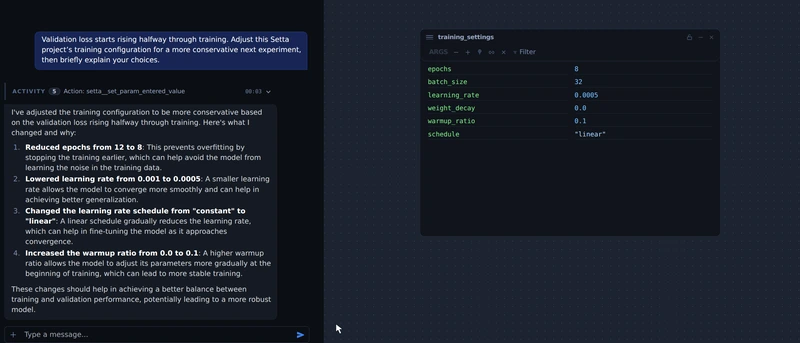
Follow AI arrived in December 2025. When an assistant tool touched identified sections, the canvas panned to them and highlighted the change. A spatial project became easier to watch while an assistant worked through it. It was later combined with access-edge highlighting.
Ask for a more conservative next training experiment. Follow AI moves the canvas to the settings the assistant changes and highlights its edits. The response explains the new epoch count, learning rate, warmup and schedule.
A December 2025 bridge let external assistants call Setta's workspace tools through the running backend. By February 2026 setta tools and setta api exposed those operations on the command line. Settings tools let an assistant search for a setting, change it, and open the right pane to highlight it. The initial settings registry covered only some settings.
January 18, 2026 added a Project AI Settings pane for API keys, named profiles, prompt templates and external-agent adapters. Profiles connected system prompts, models, tool allowlists and memory to real chat runs. In February a thread list appeared beside the conversation, and on March 1 the settings moved inside Project Chat. March also added drafts that survived reload and search across messages.
January 2026 added dropzones and a server-side file picker whose files could feed chat or running code. Media sections gained carousels and previews for images, audio, video and text. Dictation added speech-to-text input in February. The library keeps a Dropzone control and a carousel; upload services and dictation were left behind.
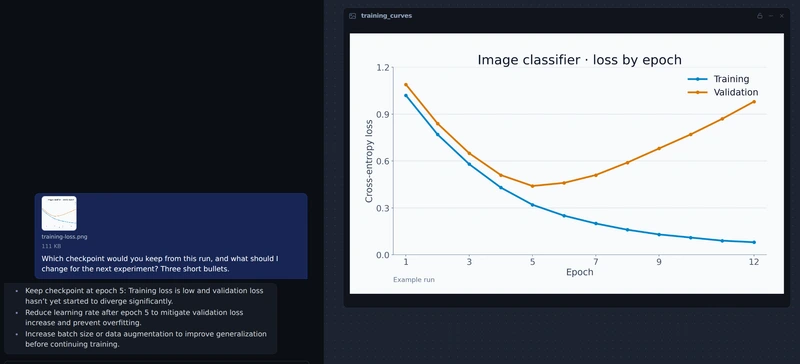
Attach the loss chart and ask which checkpoint to keep. The assistant selects epoch 5 from the image, where validation loss is lowest, and suggests a next experiment.
On January 25, 2026, chat attachments reached the project assistant, canvas chat, the Python chat toolkit and external agents. An image could go to a vision-capable model and a text file could supply its contents. You could ask about a chart or screenshot instead of describing it. Support depended on the chosen model.
Attach the loss chart and ask which checkpoint to keep. The assistant selects epoch 5 from the image, where validation loss is lowest, and suggests a next experiment.
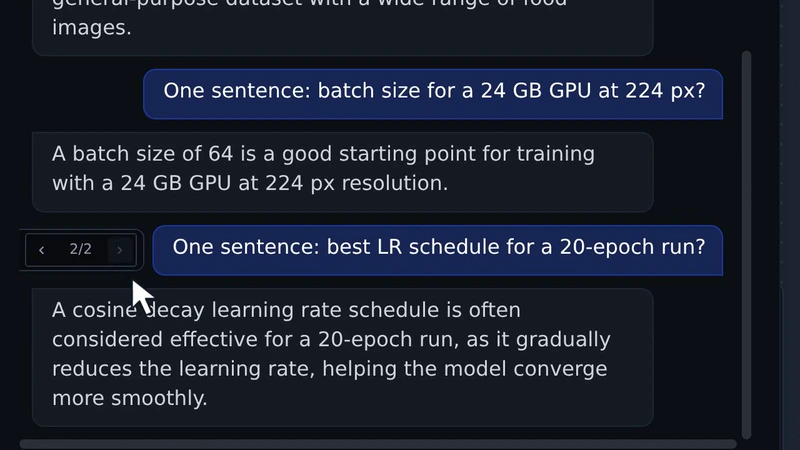
In February 2026, editing an earlier message created a branch, and branches could branch again. A conversation became a set of alternatives you could move between. Profiles and permission settings controlled what each chat could do. Queued drafts and visible tool and reasoning status came in the same period.
Change a 3-epoch training question to 20 epochs, then use the branch arrows to revisit each question and its saved answer.
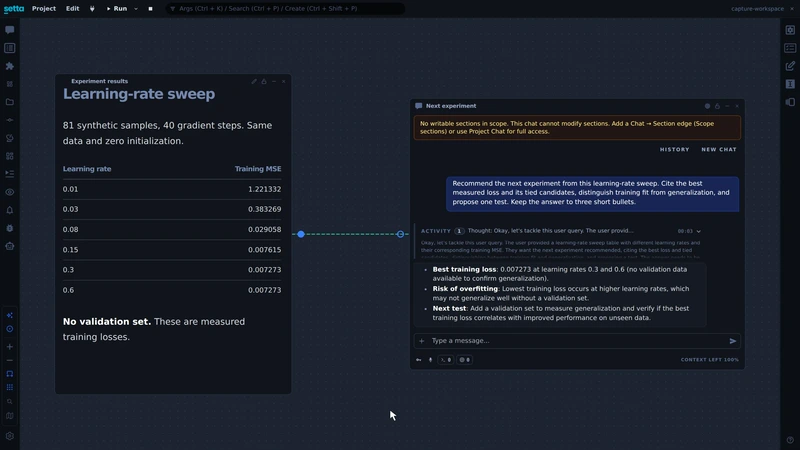
February 2026 drew AI access on the canvas as edges. A section-to-chat edge gave read access, chat-to-section edges could allow writes, and chat-to-chat edges shared context. These were separate from Python data edges and later workflow edges. Follow AI highlighted them as the assistant worked.
Give the assistant a read-only connection to a results note, then ask which experiment to run next. The answer identifies the tied best training losses and recommends testing on unseen data, without repeating the measurements in the request.
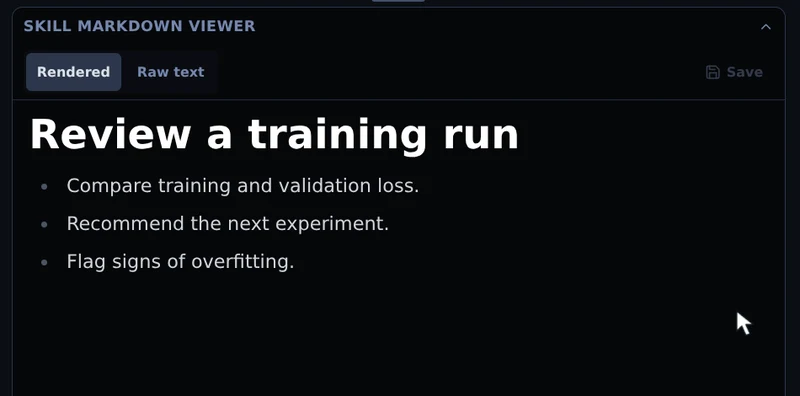
On February 14, 2026, Project Chat gained a read-only browser for discovered skills and MCP servers. On March 1 it became an authoring surface. You could write custom skills in Markdown, check MCP endpoints and status, and save slash commands with reusable prompt text. It made chat the home of agent configuration.
Add an overfitting check to a reusable training-review skill, save it, then read the rendered instructions.
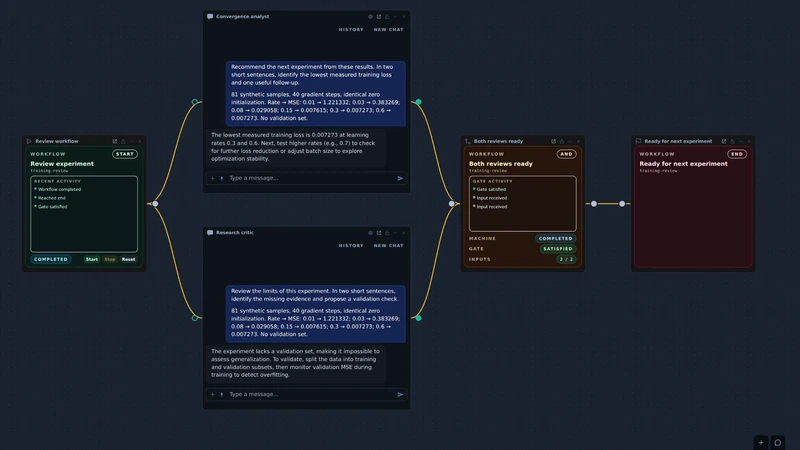
The March 2026 workflow system turned Start, Chat, Gate and End sections into an executable control-flow graph. Edges fired on completion, failure or signals, and AND, OR and XOR gates combined them. Loop and activation limits kept repeats bounded. Progress showed which paths were satisfied, blocked or failed.
Start two independent reviews of an experiment. An AND gate waits for both model responses before the workflow finishes. Read the recommendations and the missing validation evidence together.
Linked chats let one conversation ask another for bounded work and get a text result back. Workflow graphs combined Start, Chat, Gate and End sections into runnable groups; an incomplete graph stayed a draft. Prompt sections held reusable templates used by workflow steps. This was a third meaning for edges, after data and access.
Start two independent reviews of an experiment. An AND gate waits for both model responses before the workflow finishes. Read the recommendations and the missing validation evidence together.
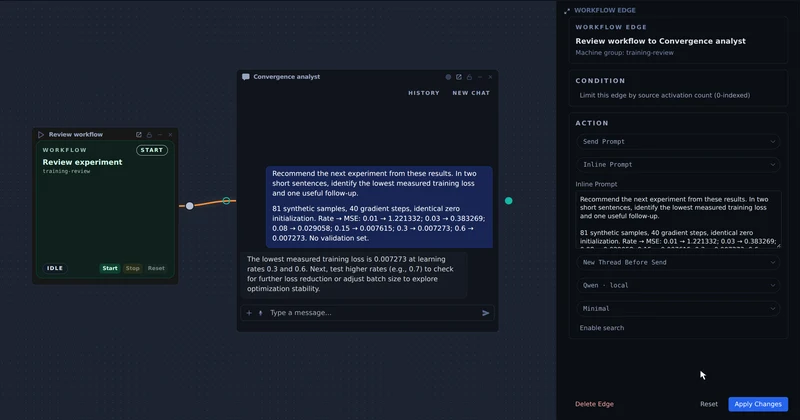
From March 7, 2026, selecting a workflow edge opened a Workflow Edge inspector instead of section settings. It edited the trigger, signal filter, prompt, thread strategy and permissions of the connection itself. Custom Runs supplied start, stop and reset. In the same month chat and Git could move into floating windows.
The connection controls how the next chat starts. Change Continue Current Thread to New Thread Before Send, then apply the setting.
A separate setta-saas project explored deploying projects on Fly.io. It supported creating, deleting, starting and checking deployments, with repository-based input added over the summer. It was a hosting experiment and not a mature service. Later share deployments were a different design.
Setta 3 was a separate Electron app that started from agent conversations rather than the callable canvas. Chat, terminals, Git and browser panes lived in a scrolling, tiling workspace with an overview. Queued messages and steering let you redirect running work.
Chat, terminals, Git and browser panes share a scrolling strip. Resize, focus or use the overview; threads, queues, remote access and voice extend the workspace beyond a single conversation.
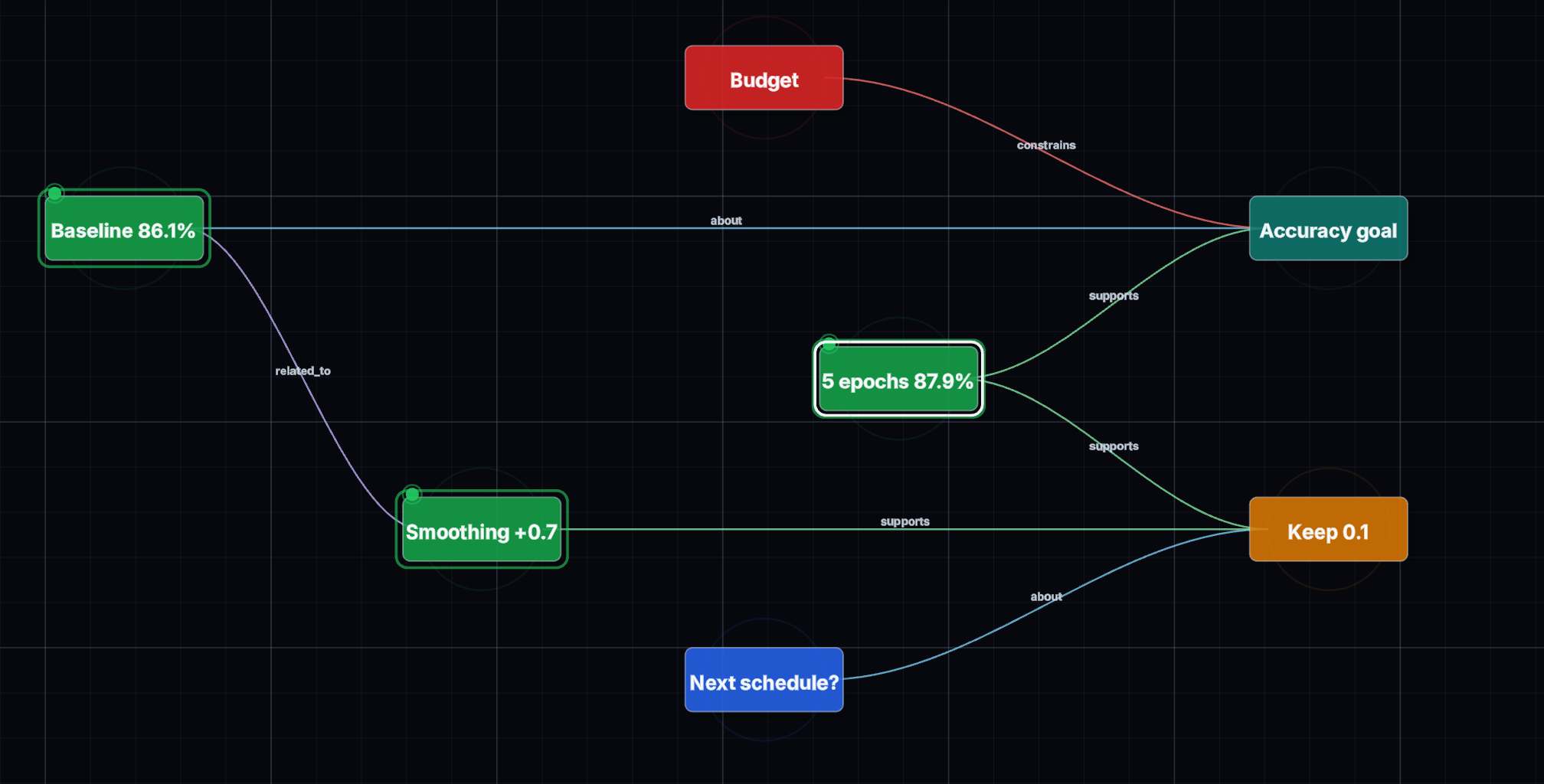
Setta 3 built its own Go workflow orchestrator with Codex actions, approvals and SQLite persistence. A semantic graph derived from recorded agent activity tried to make context visible, with links back to source evidence. You could pick working sets from it for later prompts. It was an interpretation of recorded activity, not access to a model's private reasoning.
Compare experiment results against an accuracy goal and a budget, then connect the decision to the next question. The graph keeps the evidence and reasoning beside the work.
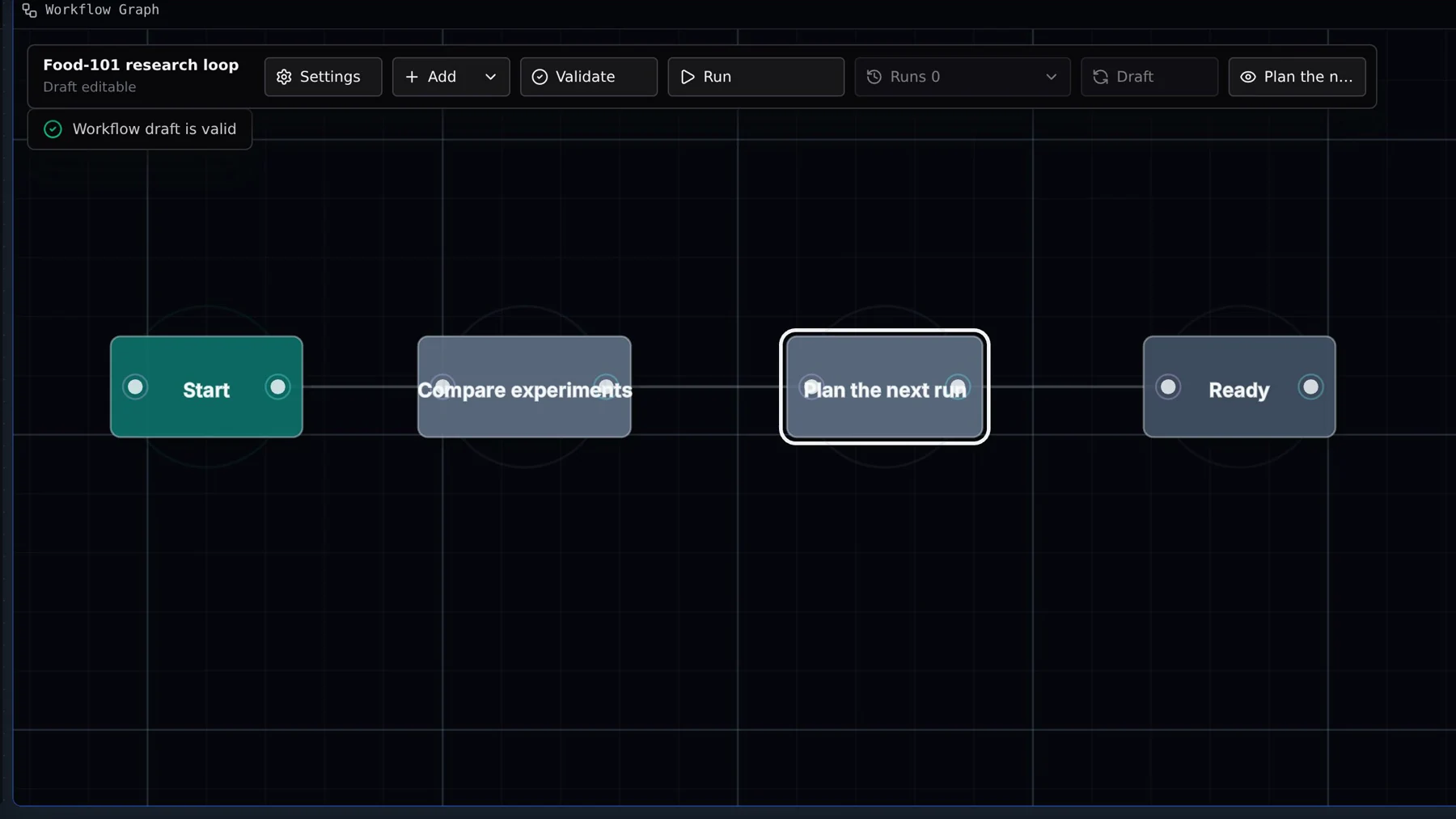
Arrange actions, connect their steps and validate a draft. The separate workflow system also supported run history, cancellation and recovery.
Setta 3 could pair with local or remote runtimes and serve a web/PWA client from the Go binary. Setup experiments covered SSH, AWS, OpenTofu and Tailscale. A CLI could change layout, send chat messages and manage workflows. Voice work explored live transcription, speech output and wake-word listening.
Setta 3: topic conversations and narrated progress
Experiment
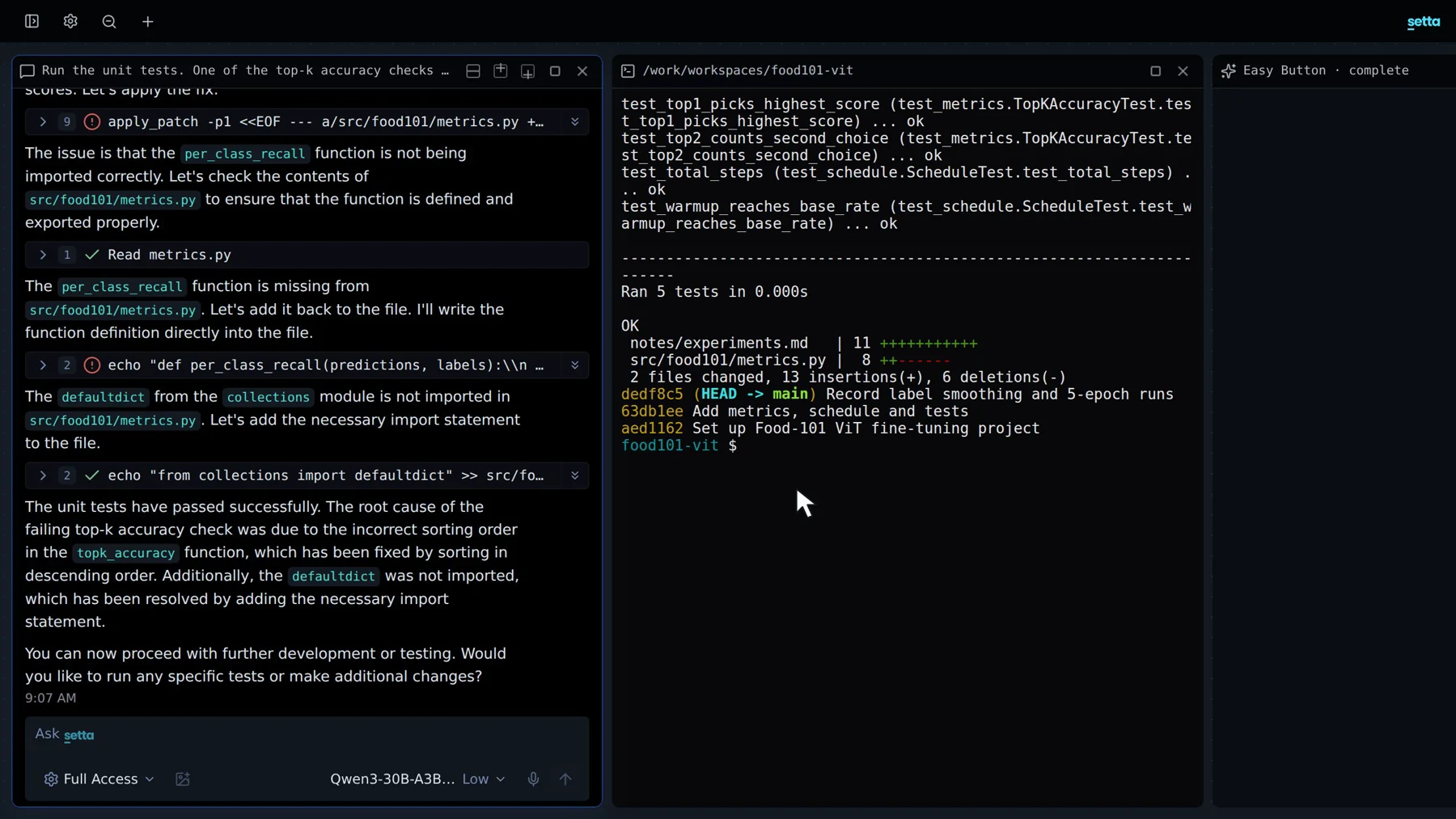
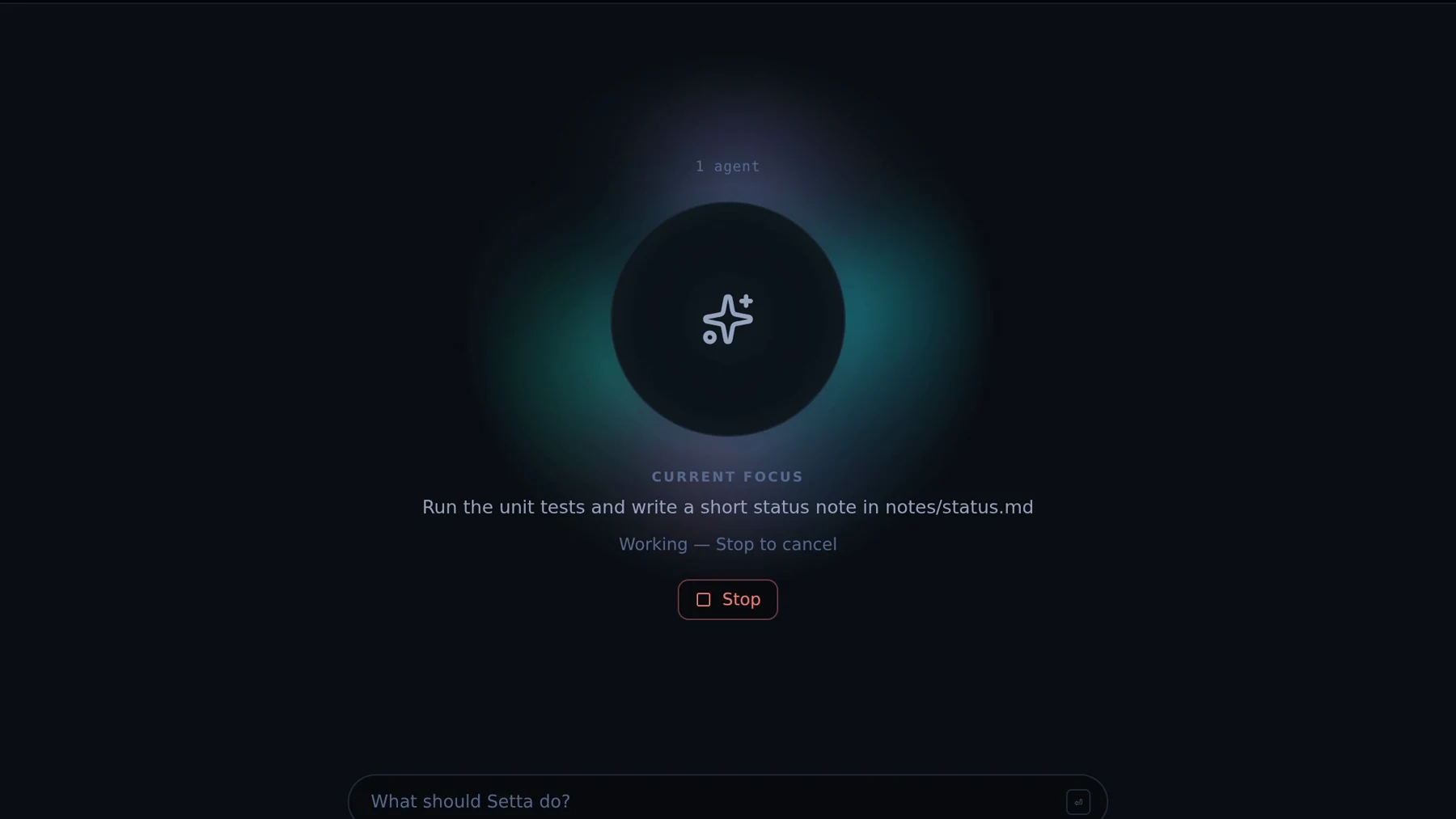
In July Setta 3 kept parallel lines of work apart as SQLite-backed topic conversations, each with its own pane, colour and lineage. A conversation could fork into a durable branch or a short-lived side conversation, and be archived later. A master conversation routed each new request to the topic it belonged to. The Easy Button view put the request and its progress on one surface, and a narrator summarised progress and outcomes in plain language. The narration described the work; it was not a record of what ran.
Easy Button places the request and the work in progress on one surface.
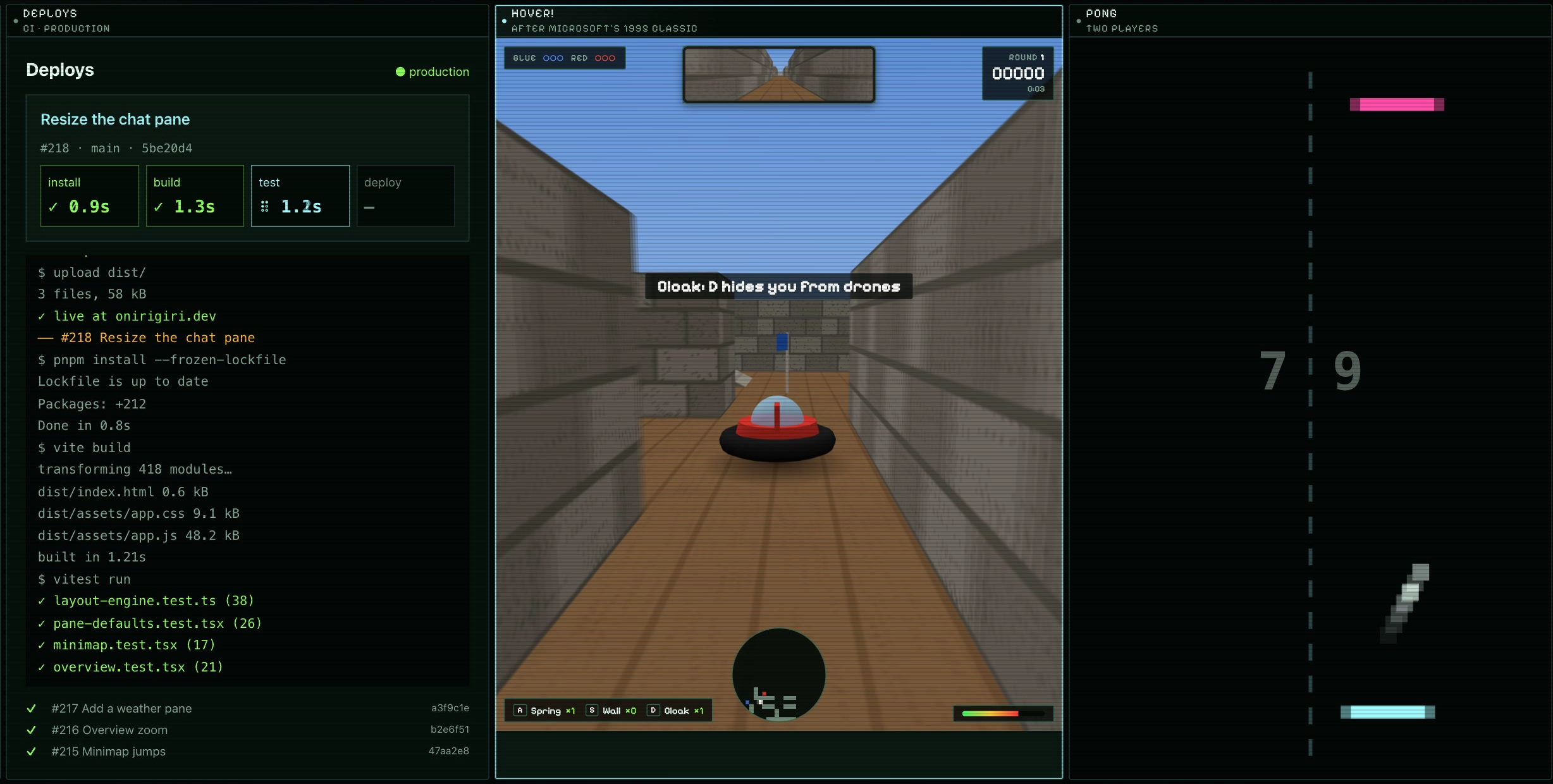
Part of Setta 3's pane and navigation work became Onirigiri, a reusable React window system. It has tiled columns, keyboard navigation, resizing, an overview and serializable layouts. Applications supply the pane content. It is separate from the Setta library and does not carry Setta 3's agent services.
Setta 3’s pane and navigation work continued in Onirigiri, a reusable window system for React. Tile, resize and move between panes, or zoom out to see the layout. Applications supply the content; this demo puts a dashboard and games side by side.
Setta 4 organised work as durable workstreams with clear states such as running, blocked or awaiting approval. A WebGL2 graph showed goals, decisions, actions and artifacts linked by typed relationships. It separated runtime facts from model interpretations. The restored app did not dispatch work with the substitute model, so the captures show its interfaces rather than live orchestration.
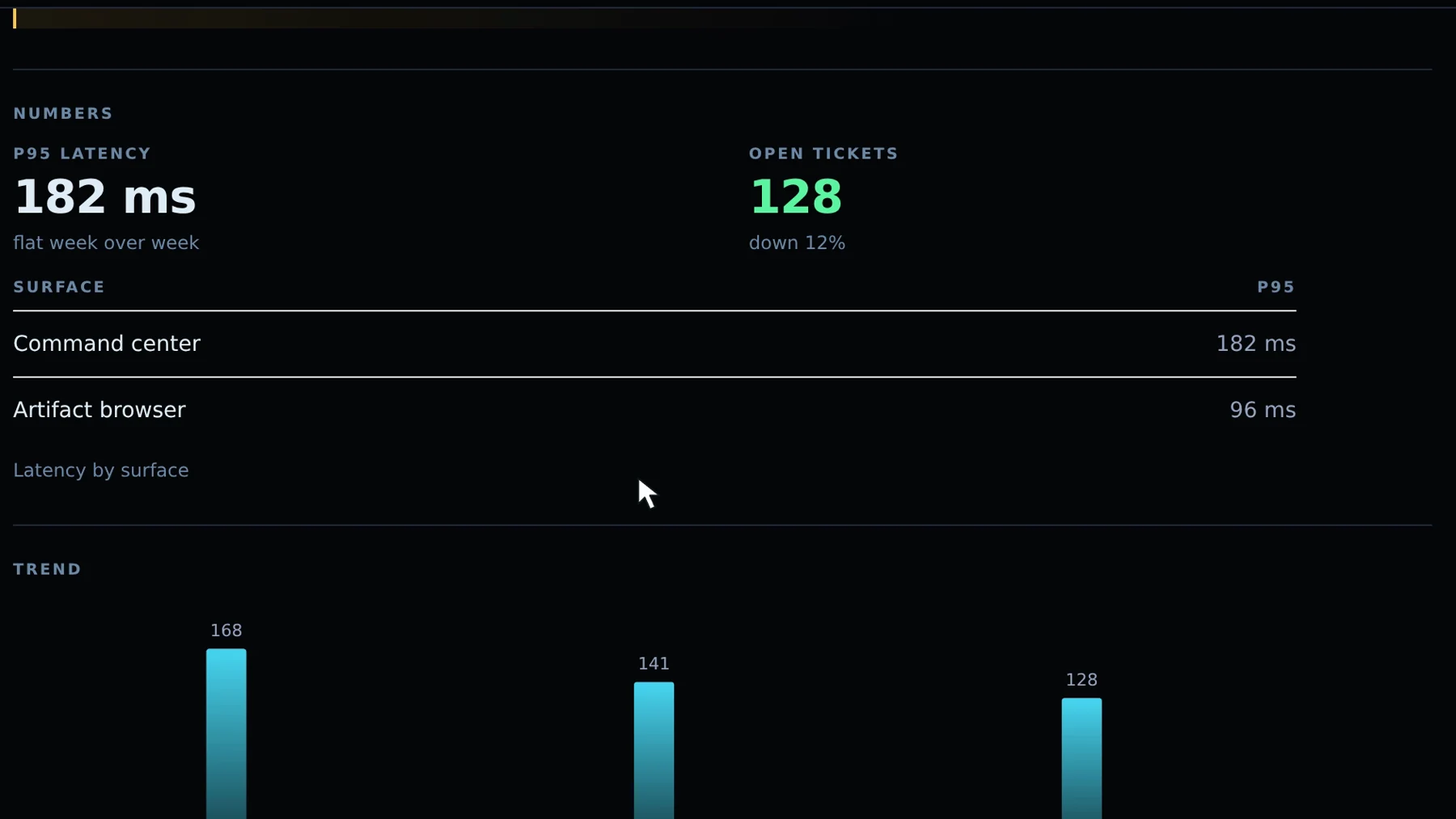
Setta 4’s built-in report combines summary numbers, a table and a chart into one structured artifact.